Selecting a system that is used daily and researching a user experience (UX) problem encountered on a specific screen within the system, redefining the problematic screen, and proposing a solution to the original
- System Name: Microsoft Word
- User Role: Content editing and document writing. Daily use of the tool for editing texts, summaries, writing, reports, or any form of documentation.
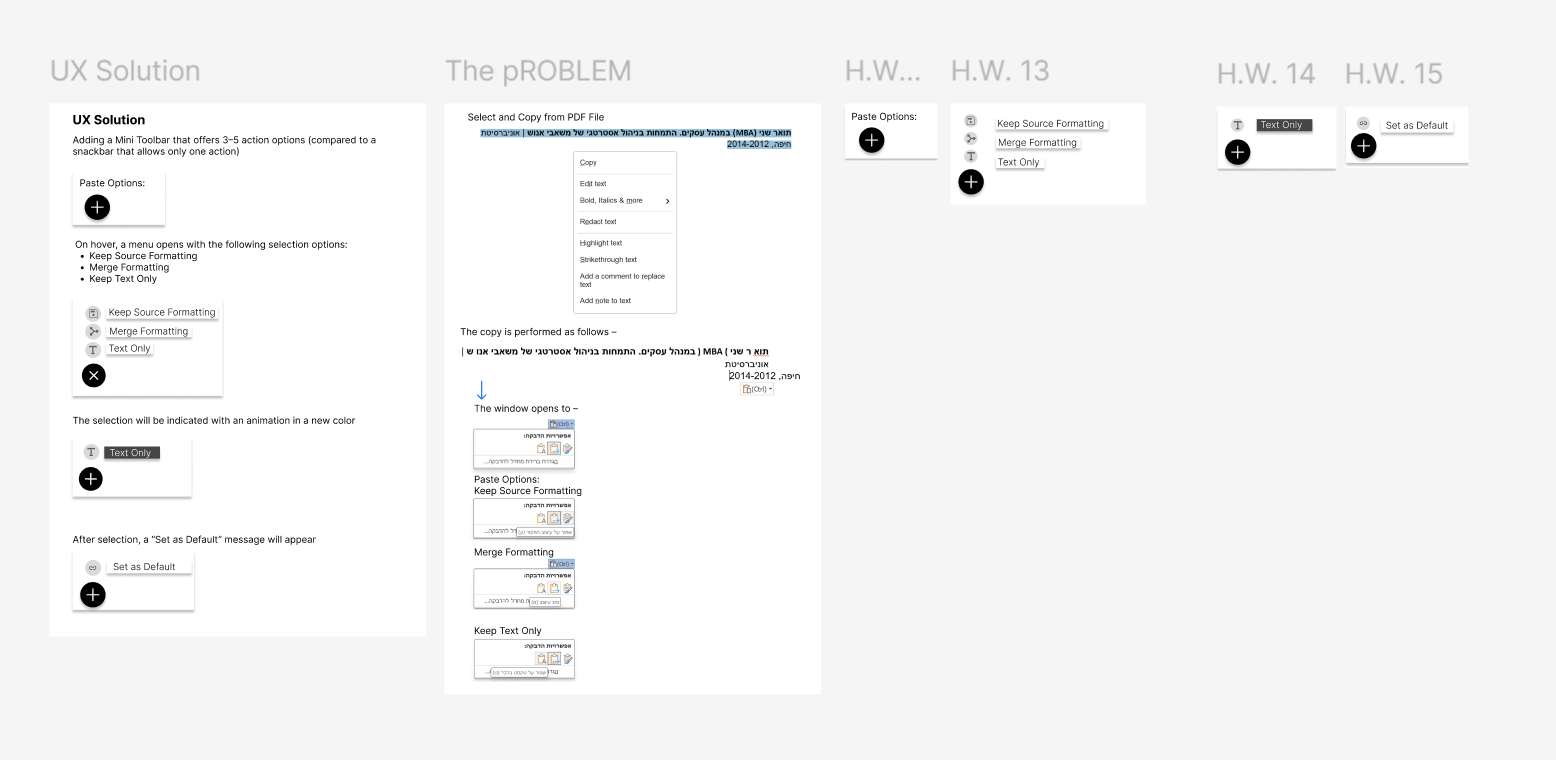
Problem: When copying and pasting text from a PDF file, Word by default also pastes the original formatting, including font, size, colors, and spacing.
To paste without formatting, the user must click the small arrow under the Paste button and choose one of three options (Keep Source Formatting, Merge Formatting, or Keep Text Only), or remember non-intuitive keyboard shortcuts.
- The user wants a simple result — paste the text AS IS — but is forced to “work” after pasting and think about how the system will interpret it.
Goal of the Problematic Action and Its Description:
The goal is to copy and paste text from one source (a PDF file) into a Word document while maintaining the formatting style of my own document.
Screenshot of the Problematic Screen:
Redesign in Figma of the Screen and Explanation of How the Problem Was Solved:
Solution:
- Change Default Behavior:
- Pasting will default to unformatted text.
- A short pop-up message will appear (for changing the setting: “Click here”).
Clearer Interface:
- When pressing Ctrl+V, a snackbar will appear at the bottom of the screen with three action options (before pasting):
- Keep Source Formatting
- Merge Formatting
- Keep Text Only
“Set as Default” Option:
The user can choose their preferred option and mark it as the default preference.
Additional Changes:
- A formatting icon will show the user how the pasted text will look before selecting an option.
- Animation will be added to indicate that the paste action has been completed.