Portfolio

College administration and lecturers

Summary:
I redesigned Modul's web platform to improve clarity, usability, and the overall experience for college administrators and lecturers. The result is a streamlined interface that simplifies access to information and daily tasks.

The Challenge:
Modul needed a more intuitive system for managing college operations. The existing interface was cluttered, hard to navigate, and didn’t support efficient use by lecturers or staff.

Process & Research
I began with stakeholder interviews and user journey mapping to identify daily pain points. Wireframes and low-fidelity prototypes were created and tested, leading to a user-centered structure. This phase focused on simplifying workflows and improving content hierarchy.

Role Analysis

1.  Role Level: Low

Reporting To: College administration and lecturers


2. System Competency:

Highest level of user proficiency


3. Required Skills & Knowledge:

  • Basic technological knowledge – will receive specific training as needed
  • Ability to memorize information
  • Good interpersonal skills
  • Multitasking abilities

4. Role-Related Goals:

  • Complete academic studies
  • Attend classes regularly
  • Access and manage class schedule (location and time)
  • Register for courses
  • Access course forums
  • Access study materials
  • View grades
  • Manage payments and debts to the college
  • Access information about lecturers and teaching assistants
  • Submit assignments
  • Review course syllabus
  • Access lecture materials and course documents

Tasks Analysis

5. Tasks:

  • Submit assignments
  • Register for courses
  • Settle tuition payments
  • Participate in forum discussions
  • Check grades
  • Download study materials

6. Tools:

  • Computer
  • Writing tools
  • Backpack
  • Student ID card

Task Analysis

priority score (sum)

12
12
7
8
8
4
7
8
9
8
13
6
5
5
4
4
11
11
10
4
9
11
4
12
10

Difficulty

3
5
1
1
1
1
1
1
1
2
3
2
2
1
1
1
3
3
1
2
1
2
2
2
2

Criticalty

5
5
2
3
4
2
4
4
5
5
5
2
2
3
2
1
4
4
5
1
5
5
1
5
5

Frequency

4
2
4
4
3
1
2
3
3
1
5
2
1
1
1
2
4
4
4
1
3
3
1
5
3

Task

  • Upload files (assignments)
  • Register for courses
  • Send messages (forums)
  • Download course materials
  • Read forum messages
  • Verify attendance
  • Communicate with the administration office
  • Communicate with lecturers
  • Check grades
  • Pay for courses / tuition
  • Review class schedule
  • Check lecturers’ office hours
  • View faculty/staff information
  • Fill out forms
  • Generate or download forms
  • Check academic calendar and holidays
  • Watch recorded lectures
  • Read class materials
  • Join Zoom lessons
  • Open requests or inquiries to specific departments
  • Check exam schedule
  • Check assignment submission deadlines
  • Log in to the system
  • Receive system updates
  • Track course progress

Nice to have

Important

Communication Tools / Interaction:

  • Forum
  • Announcements / Bulletins
  • Chat
  • Open a request / Submit an inquiry
  • Lecturers
  • Lecturers list
  • Filters + Search
  • Schedule a meeting with a lecturer

Administrative / Academic Tools:

  • Forms
  • Calendar / Holidays
  • Zoom lesson / Online class

Critical

System Actions / Features:

  • Log in to the system
  • Upload a file
  • Course registration
  • Routine messages (personal)

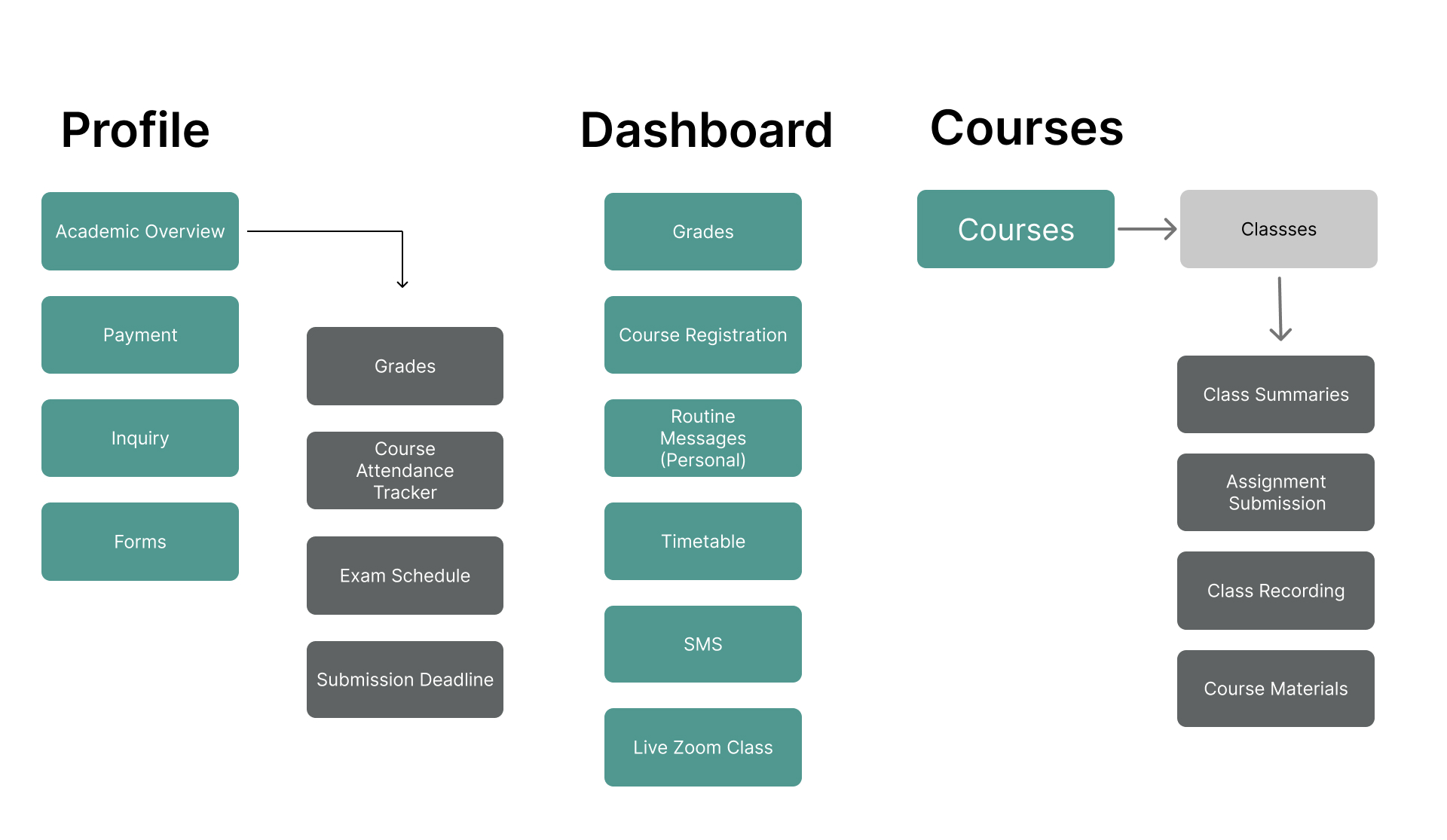
Academic Overview / Status:

  • Grades
  • Course attendance tracker
  • Exam schedule
  • Assignment submission deadlines

Additional Features:

  • Class schedule
  • Payments / Tuition
  • Lecture recordings / Class summaries

User Scenarios

As a college student (female),
I want to complete the semester easily. To do this, I access course registration and enroll in the relevant courses.
Success criteria: A complete class schedule.

As a college student (male),
I want to schedule a meeting with my lecturer. To do this, I access the list of lecturers, find the relevant lecturer, and check their availability.
Success criteria: Successfully scheduling a meeting.

As a college student (female),
I want to find an answer to a question. To do this, I access the forum, search for the relevant topic, and check if there is information that answers the question.
Success criteria: Finding an answer or posting a question and receiving a response.

User Story

Miri is a second-year Behavioral Sciences student.
Before the semester begins, she sits at home with a list of courses she needs to complete, juggling multiple open windows: the college website, an old grade sheet, and her personal Excel file. She is trying to figure out how to build a schedule that will allow her to both work and study. Every time she accesses the registration system, she worries slightly that she might "miss out" — that a course is already full, or that the system won’t properly show schedule conflicts. She just wants a simple, clear process that gives her confidence that she isn’t missing anything.

Maya sits at her computer at 23:57, one minute before the deadline to submit the final assignment for the course Introduction to Design. She double-checks everything, clicks “Upload File,” and watches the progress bar crawl at an unbearably slow pace. At 23:58 it stops at 90%. She sweats, checks her internet connection, and connects her phone hotspot.
At 23:59 — suddenly a small message appears: “File uploaded successfully.” She laughs out loud from the stress and sends a screenshot to her friend: “I did it. I beat the system.”

Nir has finished his exams for Semester A. He isn’t usually anxious, but since hearing that grades are being released, he checks the system every few hours. The system is slow, takes time to load, and each login reminds him of the uncertainty. When the grade for Statistics finally appears, the screen freezes at 69. He doesn’t know if it’s an error, final, or if the lecturer will update it. He clicks around, trying to figure it out — no explanation, no link to appeal, just a cold number. He closes the computer feeling powerless.


User Scenario / Flow

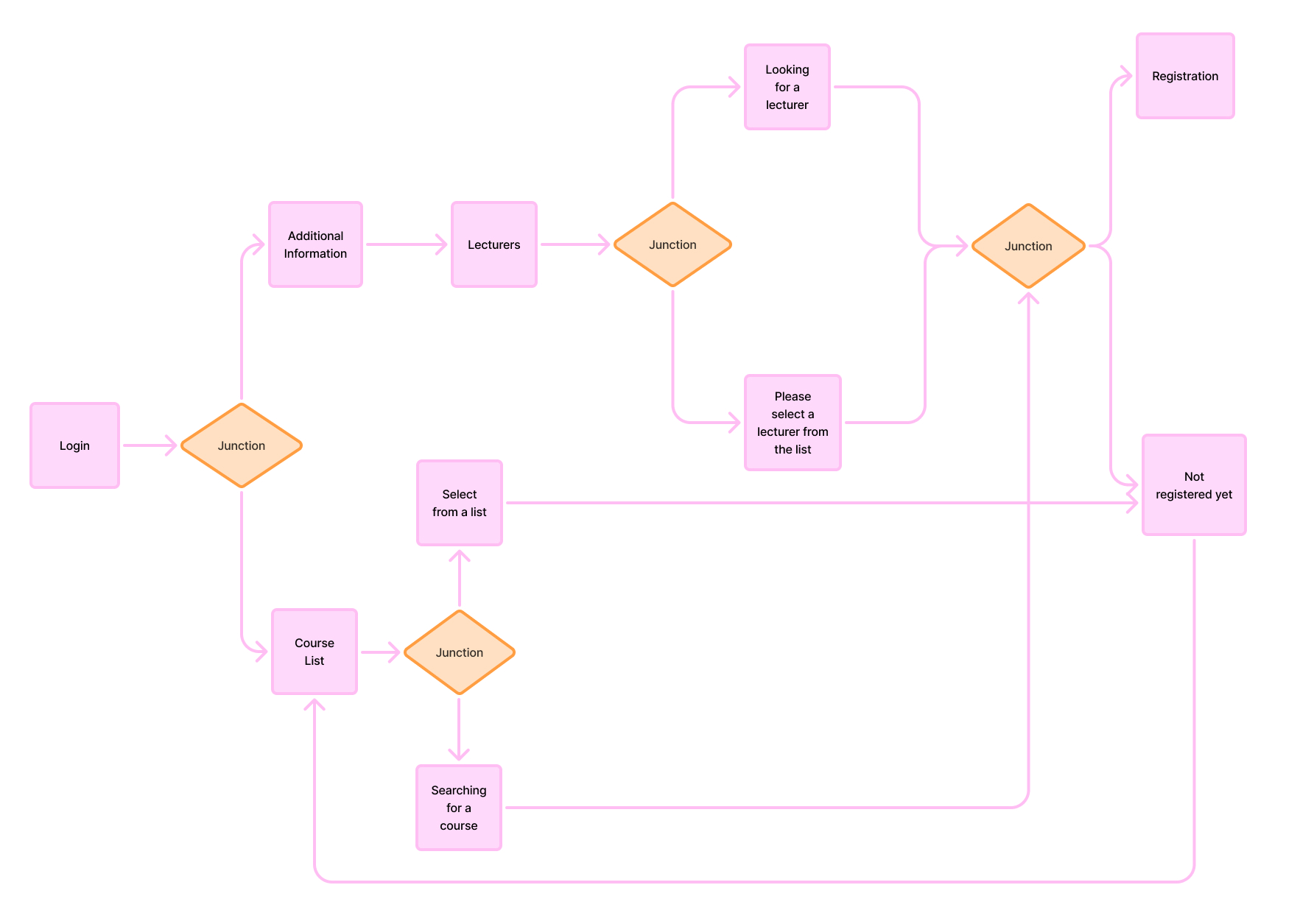
User Story: Course Registration

Information Architecture

System Login

Jobs to Be Done

Use Case

As a college student,
I want to complete the semester quickly and easily.
To do this, I access the course registration area and enroll in the most relevant courses.
Success in my task will be measured by receiving confirmation for the courses I registered for.

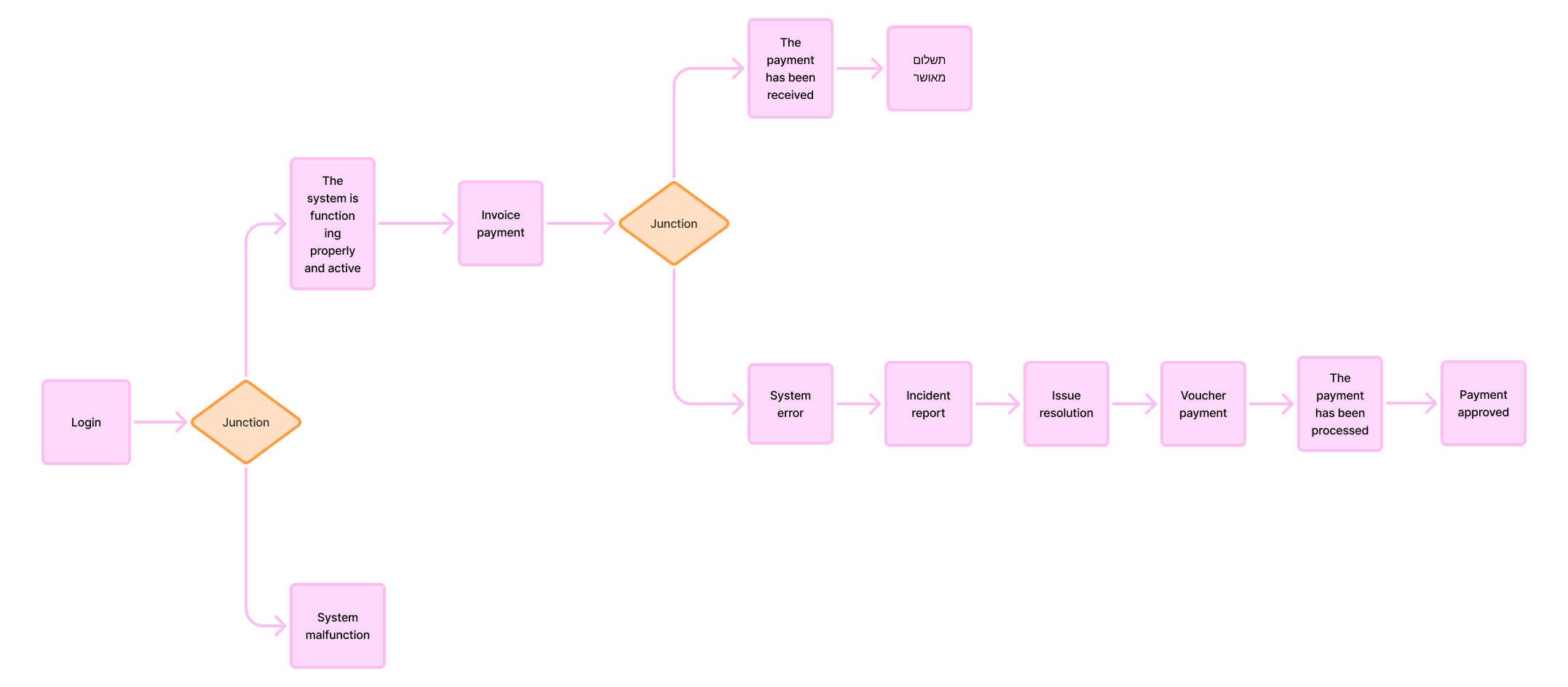
(CPM) Critical Path Method

As a college student,
I want to pay my tuition.
To do this, I access the payments section on the website and pay the invoice.
Success in my task will be measured by receiving confirmation of the payment.


Design Solution
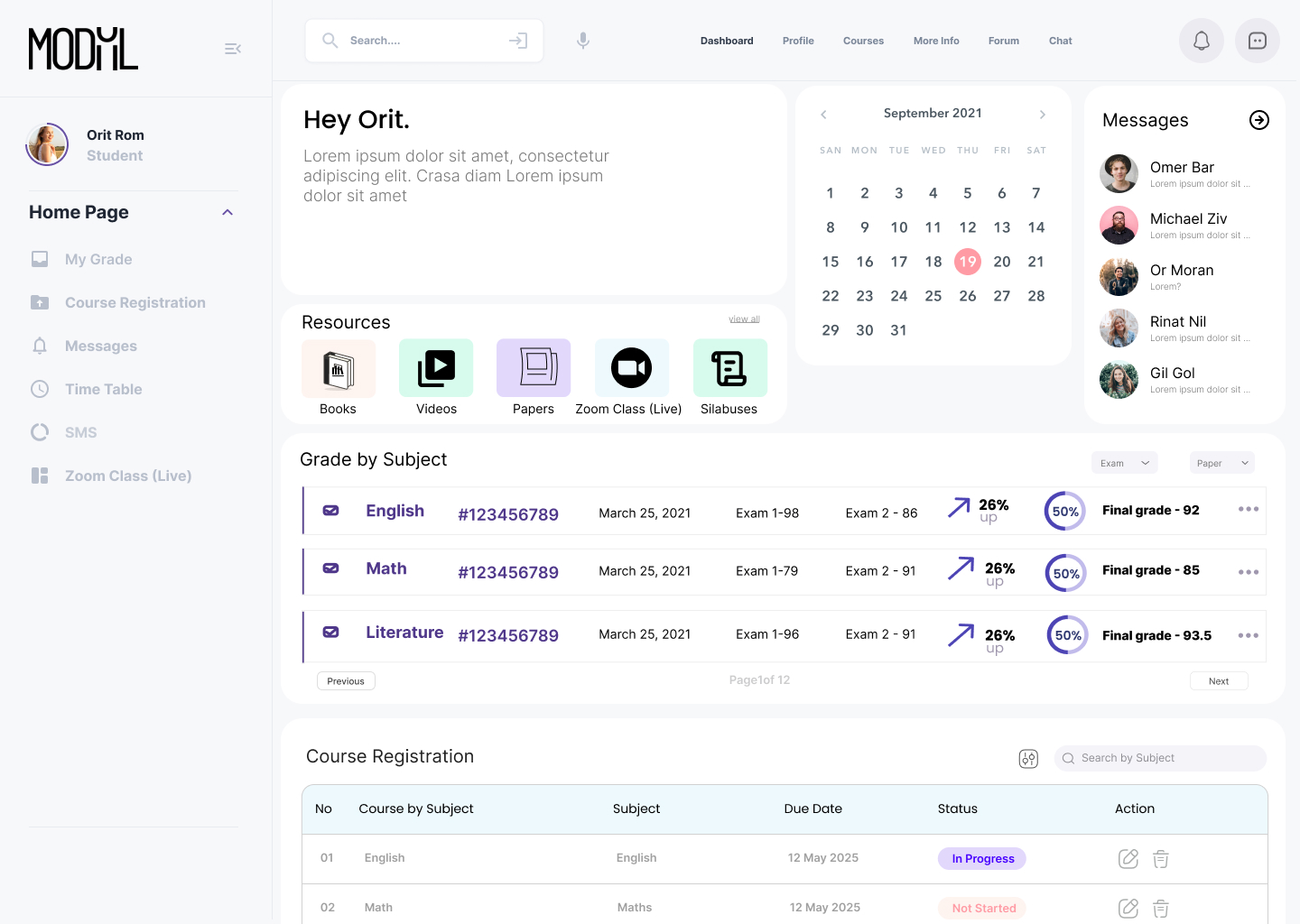
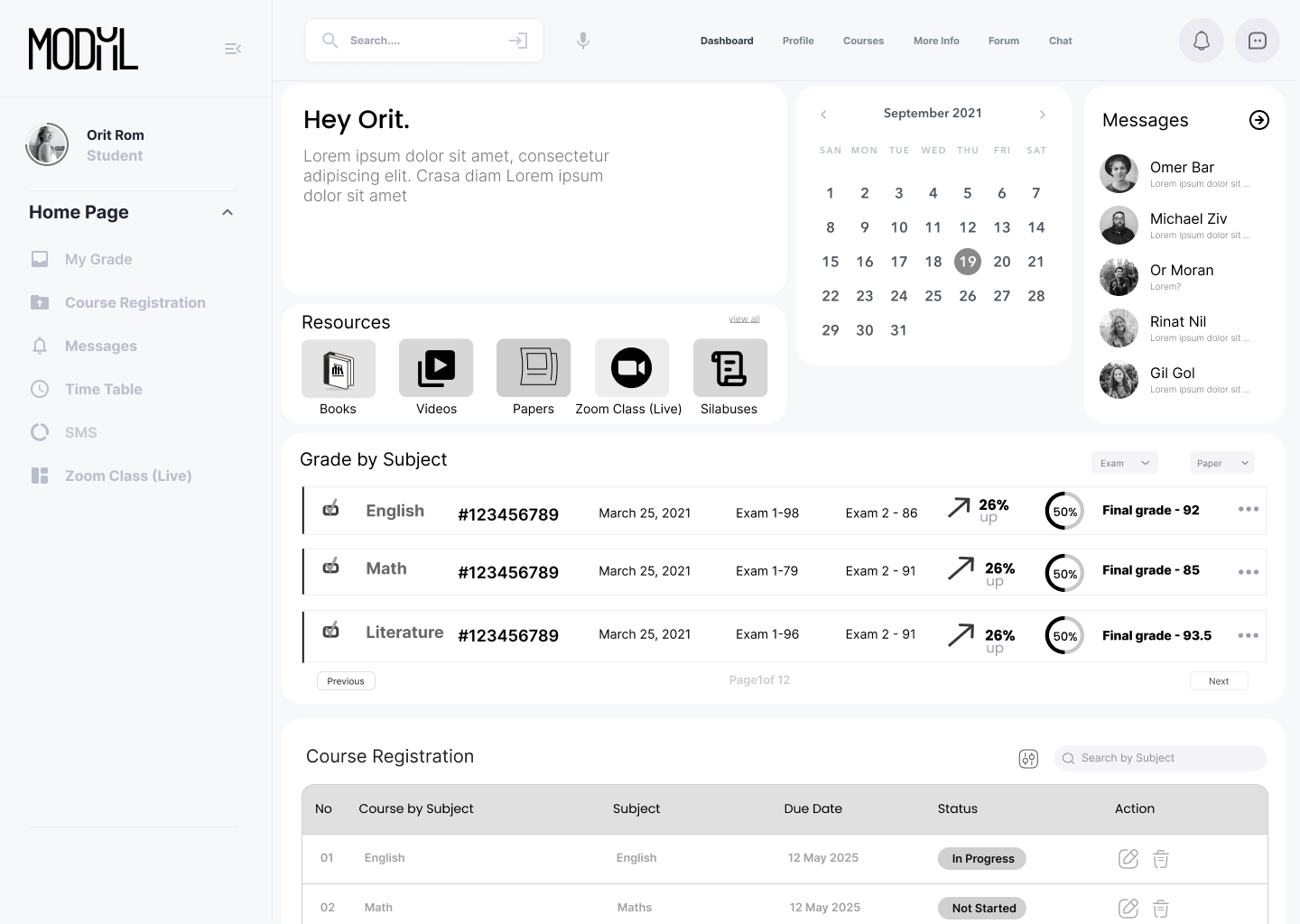
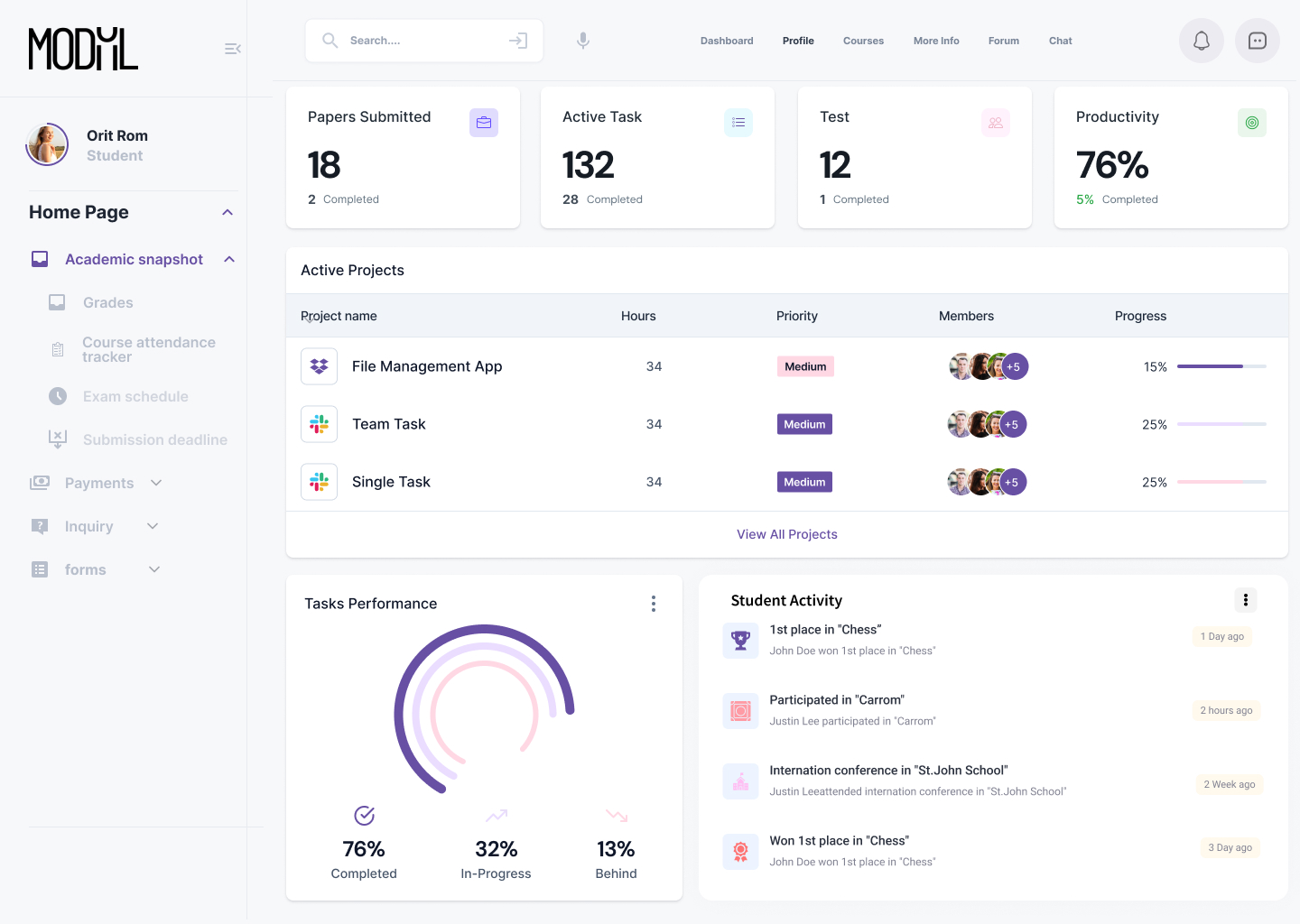
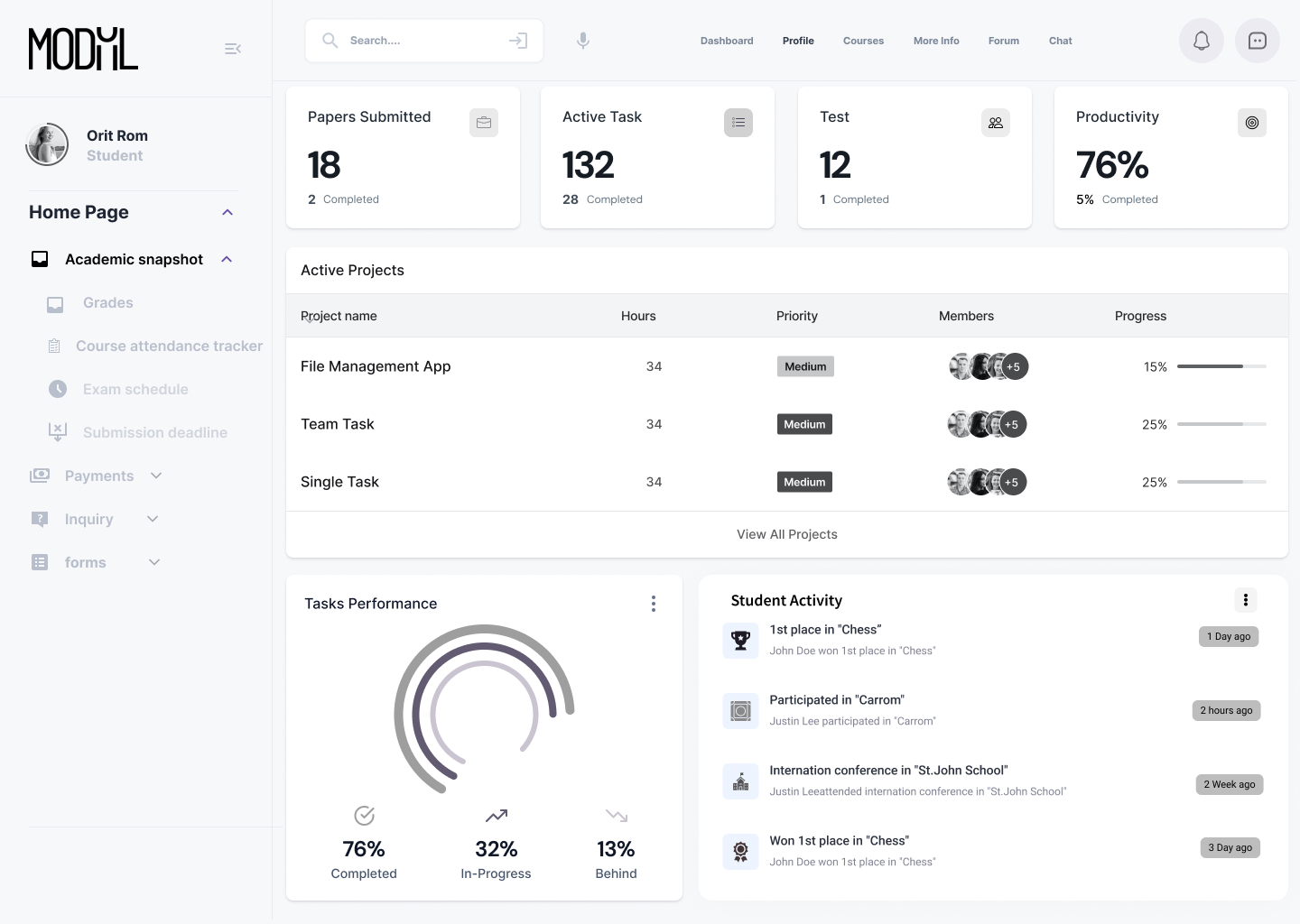
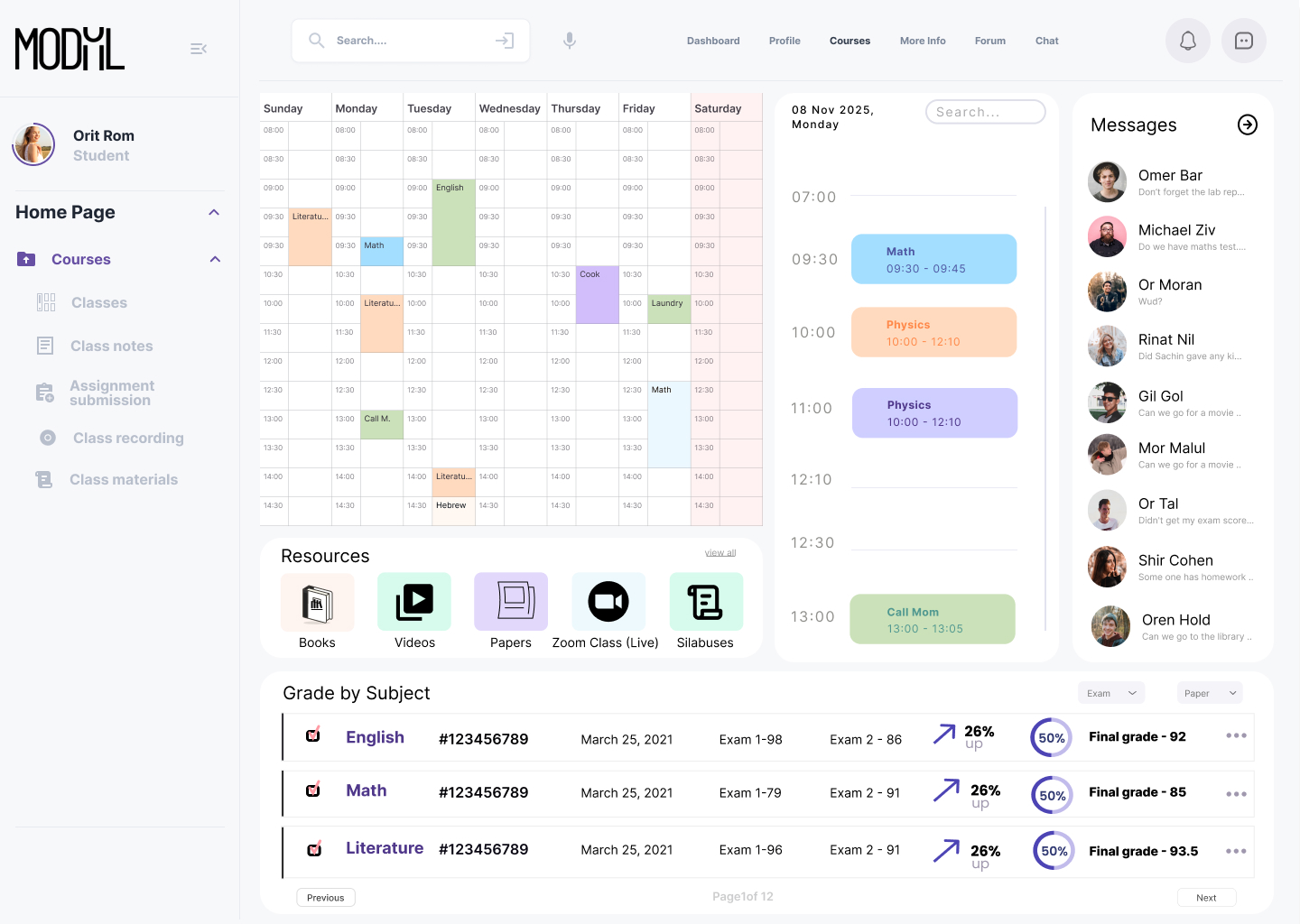
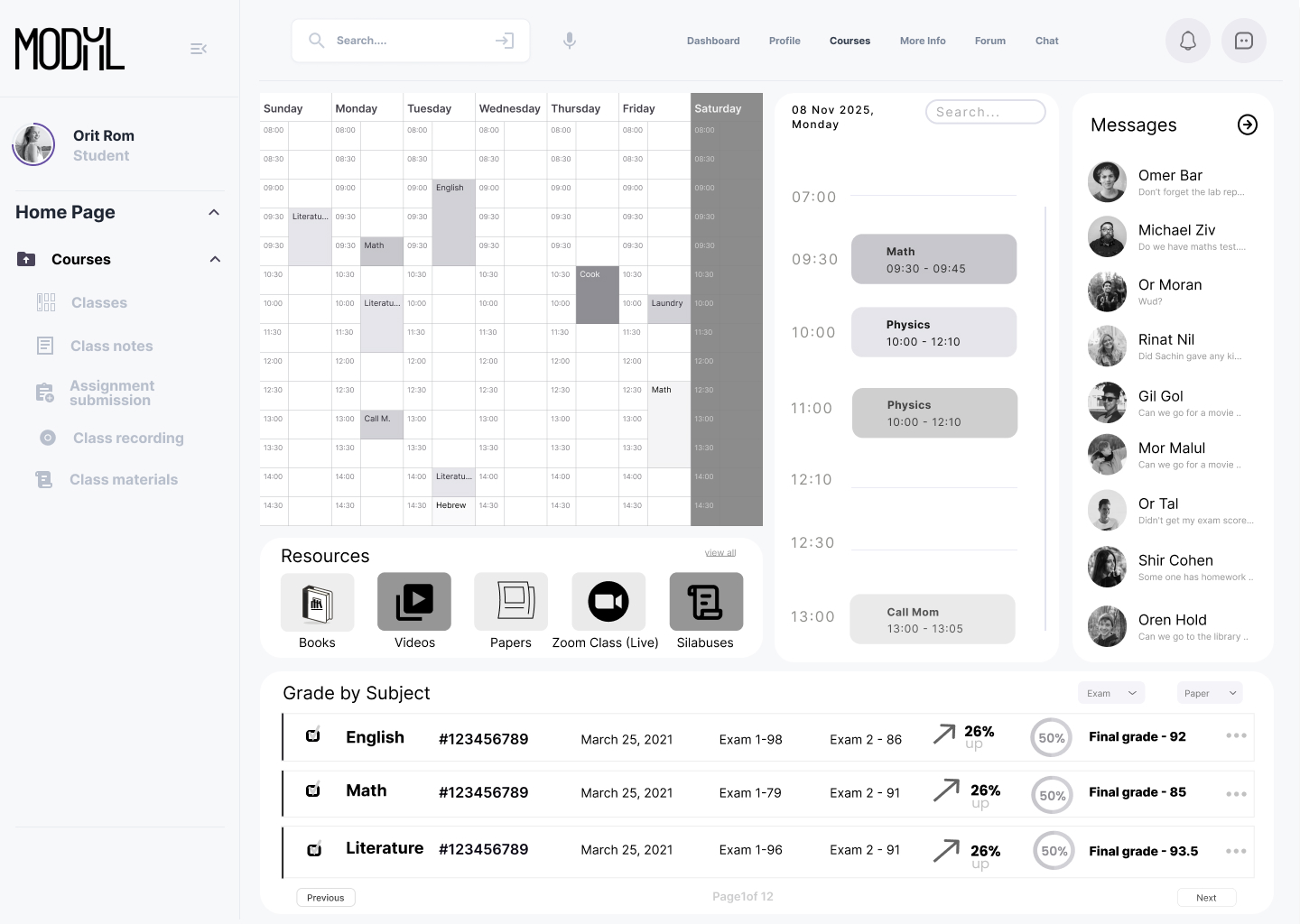
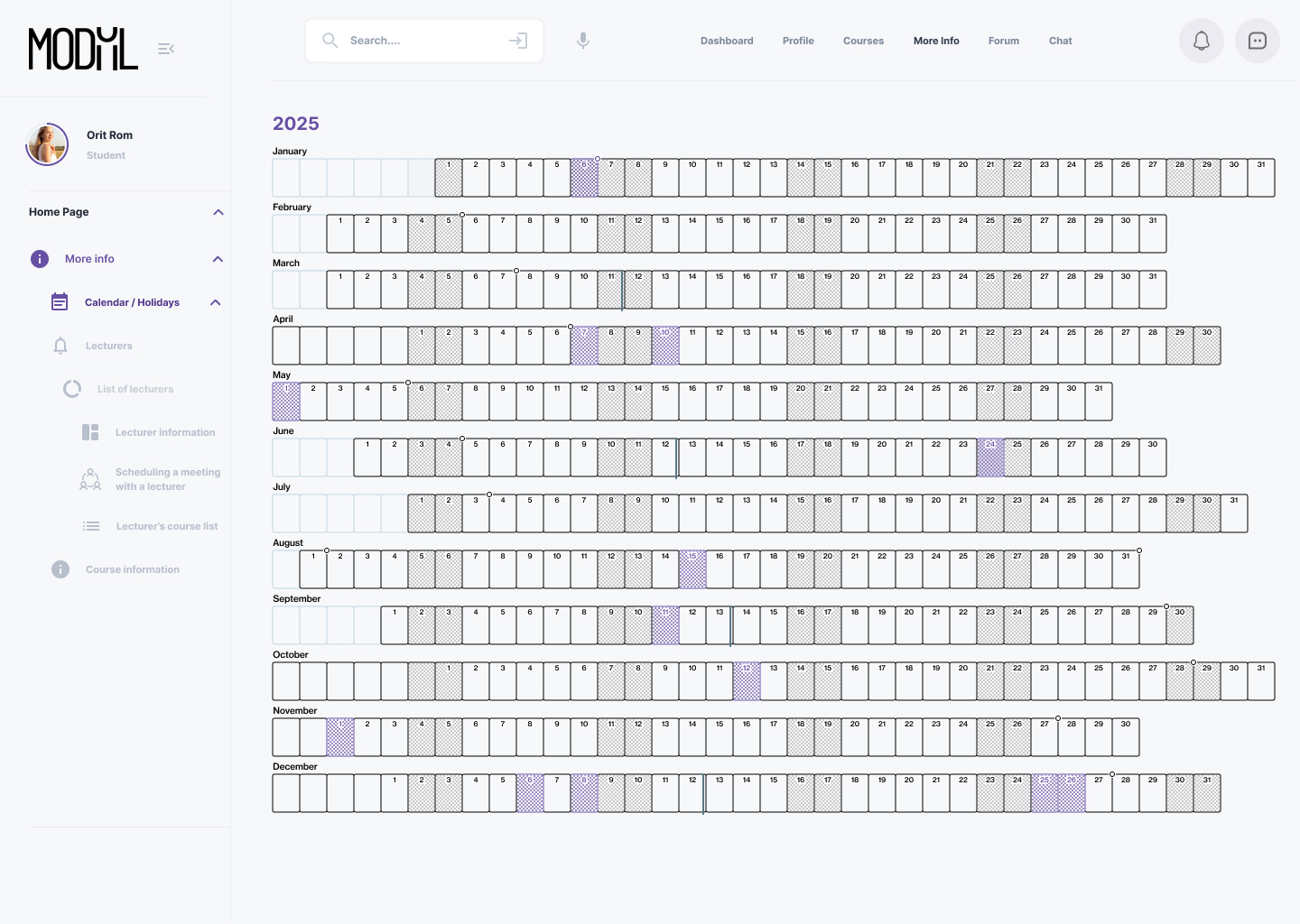
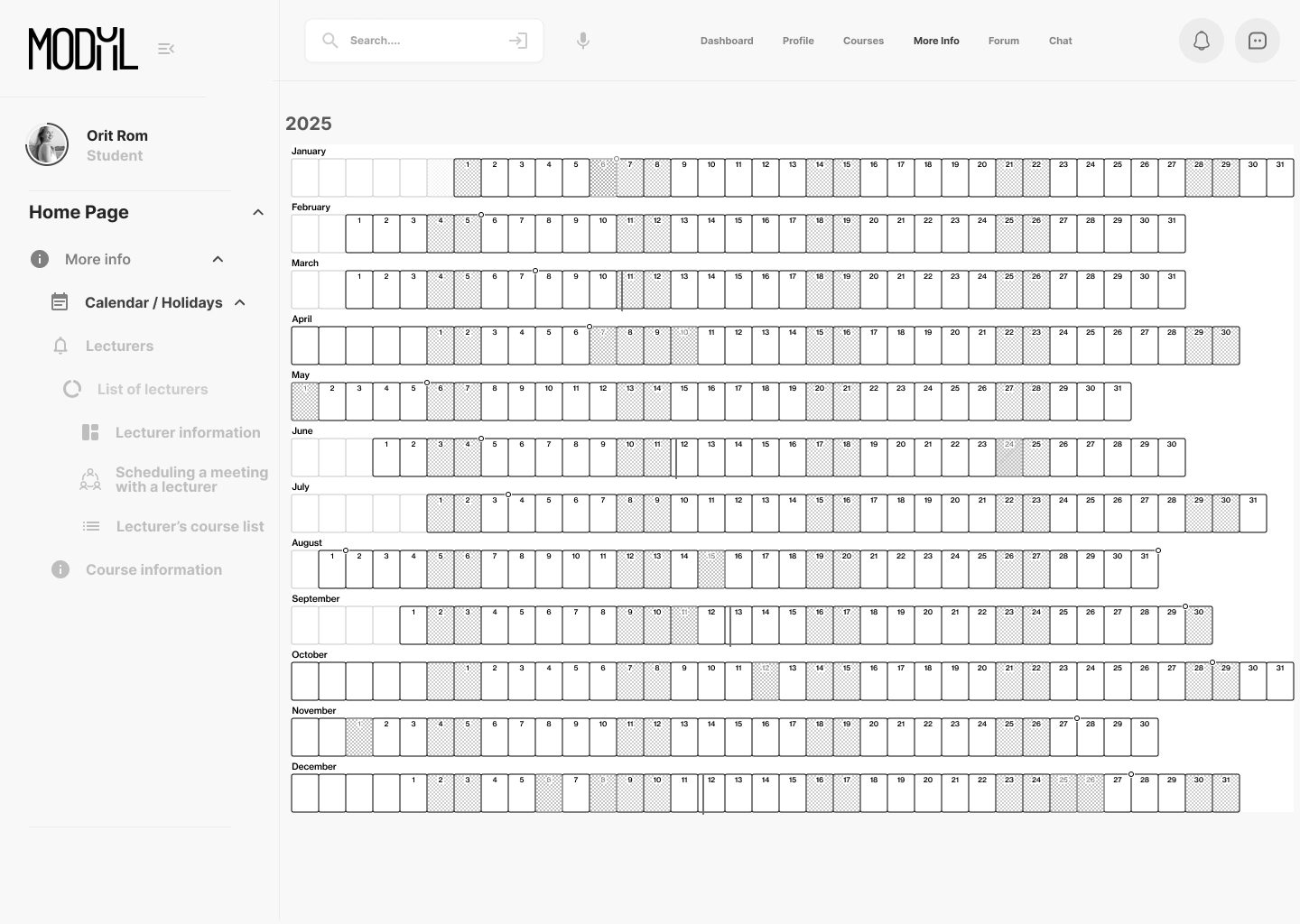
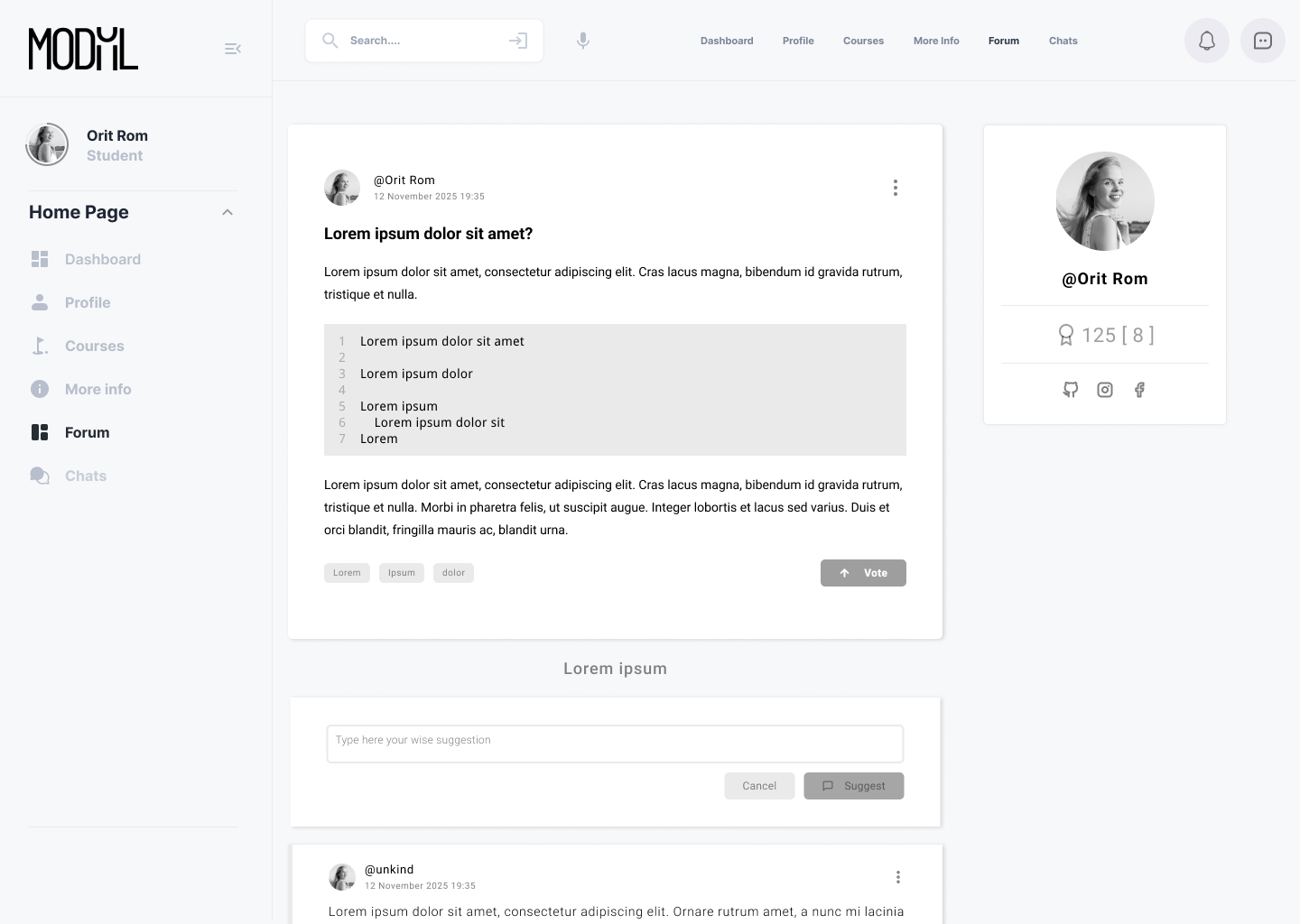
The final UI uses a clean, structured layout with consistent components and logical grouping of actions. Clear typography and visual hierarchy help users find what they need quickly. The design reflects the academic tone while remaining modern and friendly.

Screens

Dahboard

Profile – Academic snapshot

Courses

More info

Forum

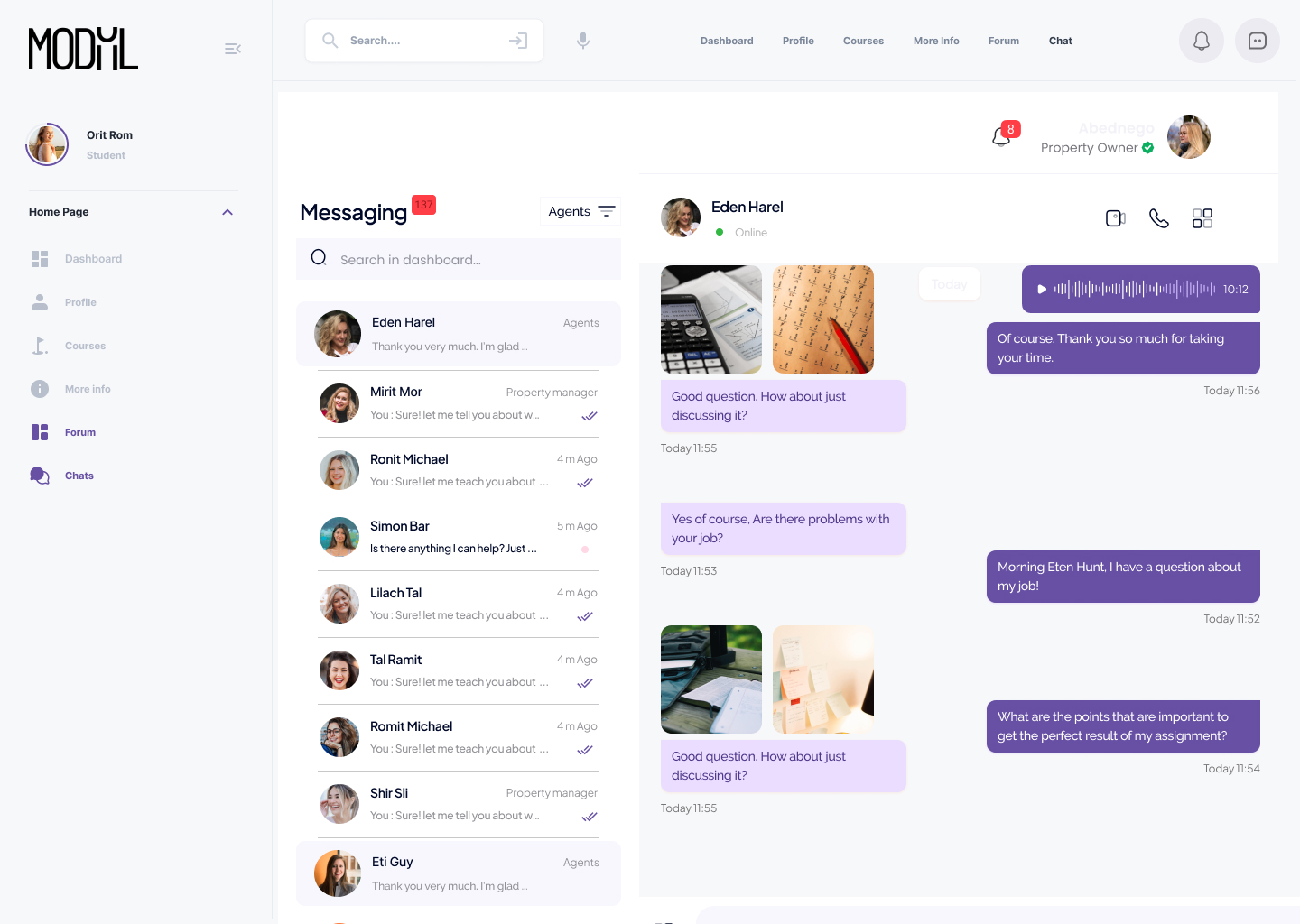
Chat

Impact & Results
The redesign led to better task completion rates and improved satisfaction among users. Key processes like managing schedules, courses, and communication became more efficient. Initial feedback praised the intuitive structure and visual clarity.

תפריט נגישות

Scroll to Top