Portfolio
System for managing a waiter station
The Challenge:
The POS system needed a streamlined interface that allows quick, error-free transactions for diverse users, including cashiers and managers. The previous design was cluttered and slowed down the checkout process.
Process & Research:
I analyzed user workflows and conducted interviews with store staff. Created wireframes to simplify navigation and speed up transaction flow. User testing validated design improvements and highlighted areas for optimization.
Company: Tomato Inc
Product Name: Rest Or Rant
Field: Restaurant Management Systems
My Role: Prototype, UX Design, UI Design
Company: Tomato Inc
Tomato Inc has been developing products for the restaurant industry for over 20 years. One of its flagship products is Rest Or Rant, originally created for Windows 3.11 about 25 years ago. Today, the system no longer meets market demands, despite the transition to a touch interface.
Project Goal:
To modernize the product and adapt it to the current era — creating a contemporary interface, an intuitive user experience, and meaningful engagement with the restaurant’s key user groups.
System Objectives:
- Streamline the process of ordering and serving dishes.
- Improve the work experience for waiters and staff.
- Build a smart, accessible, and unified management system for all restaurant roles.
Target Audience:
The system is designed to provide a complete solution for all restaurant users:
- Waiters
- Shift Managers
- Restaurant Managers
- Chefs
- Bartenders
- Diners
Business Model:
The business model of Rest Or Rant is based on selling the main product to restaurant owners, with the option to purchase additional modules as needed.
Existing Modules:
- Mobile app for waiters – complements the stationary waiter station.
- Kitchen system – manages orders and sends updates to waiters with notifications.
- Tablet app for diners – allows customers to place orders and pay independently.
Development Stages:
- Stage 1: Stationary waiter station.
- Stage 2: Mobile waiter app and kitchen/bar system (replacing printers).
- Stage 3: Tablet app for diners.
The Solution
To identify solutions and understand the challenges faced by the restaurant staff, I distributed questionnaires and conducted interviews with the restaurant’s key stakeholders:
23 waiters
12 bartenders
9 chefs
15 shift managers
5 restaurant managers
Research
I compiled a set of questions focused on the workflow and pain points, which I used during the interviews and in the questionnaires I distributed.
8 questions
64 Respondents
Five In-Depth Interviews
To get to the root of the problems and understand the users and their behaviors in depth, I conducted interviews with stakeholders and distributed questionnaires to the restaurant staff. The information I aimed to extract from the users was their needs and pain points (unmet needs). This process helped me understand what was missing in the overall system and identify the pain points.
Role Analysis
1. Job Level: Waiter Role Analysis
Position Rank:Junior role
reporting to managers
2. System Competency: Expert-level proficiency
3. Required Skills and Knowledge:
- Basic technological knowledge – in any case, some training will be provided
- Ability to memorize/retain information
- Interpersonal skills
- Multitasking
4. Role-Related Goals:
- Satisfy the customer
- Provide a good experience
- Earn tips
- Help the restaurant make a profit
- Represent the restaurant
Task Analysis
5. Tasks:
- Receive orders
- Seat / move customers
- Provide recommendations / advice
- Check for allergies
- Clean the customer’s area / table
- Collect payment
- Set up tables
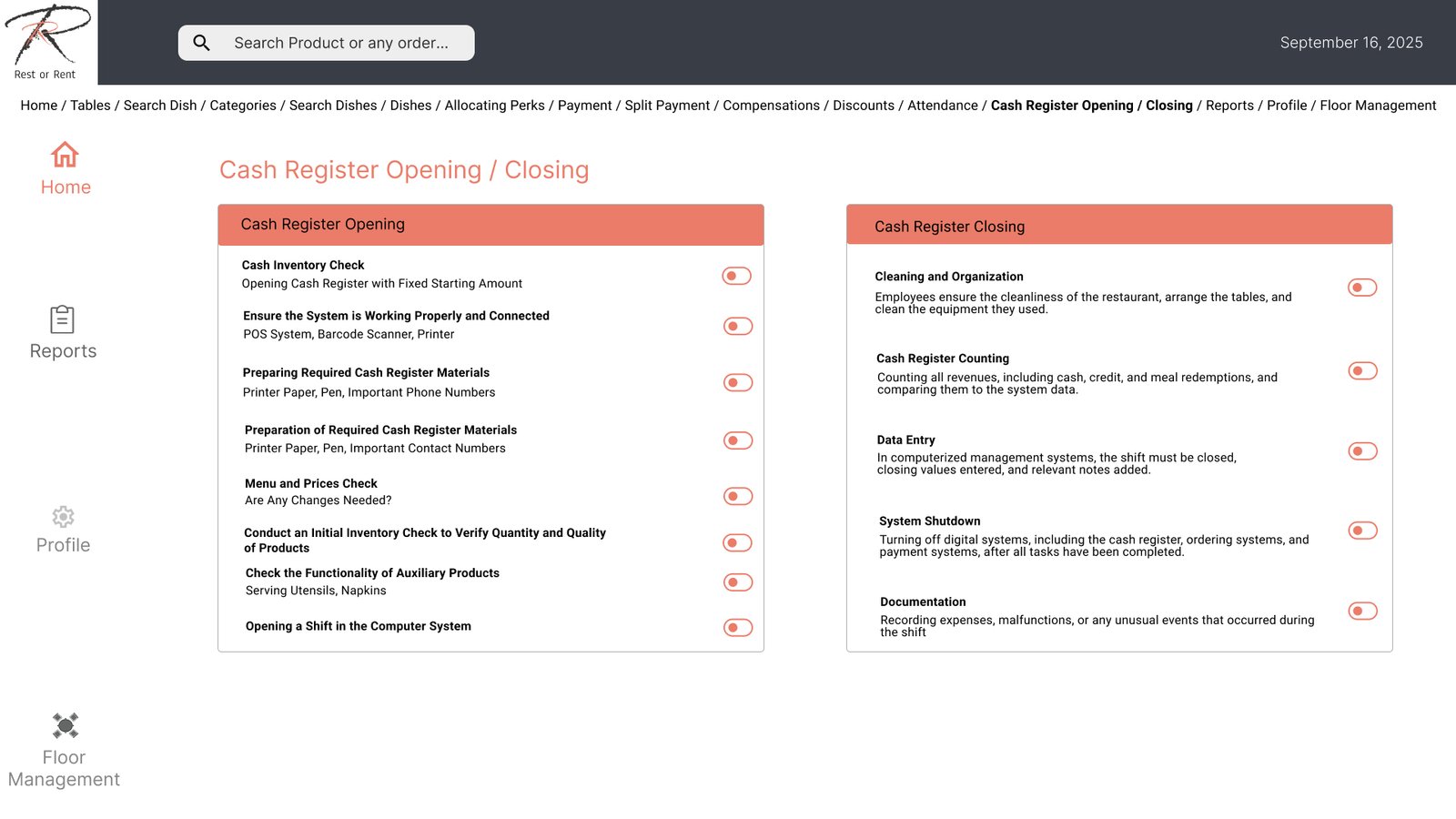
- Open and close shifts
- Track the dishes for their customers
- Update specials / inform customers about kitchen shortages (menu availability)
6. Tools:
- Pen and notepad
- Appropriate attire/uniform
- Waitstaff station
- Menus
- POS device / handheld terminal
Task Analysis
Task Analysis and Priority Ranking
Priority Score (sum)
15
11
13
13
10
11
8
10
12
15
13
12
10
13
7
5
9
7
11
8
11
13
13
10
10
13
11
12
Frequency
5
5
5
5
5
5
3
3
3
5
5
4
3
5
3
2
5
3
5
5
5
4
3
3
3
5
5
4
Criticalty
5
5
5
5
4
5
3
3
5
5
5
5
3
5
2
2
3
3
5
2
5
5
5
5
2
5
5
5
Difficulty
5
1
3
3
1
1
2
4
4
5
3
3
4
3
2
1
1
1
1
1
1
4
5
2
5
3
1
3
Task
- Arrive for the shift
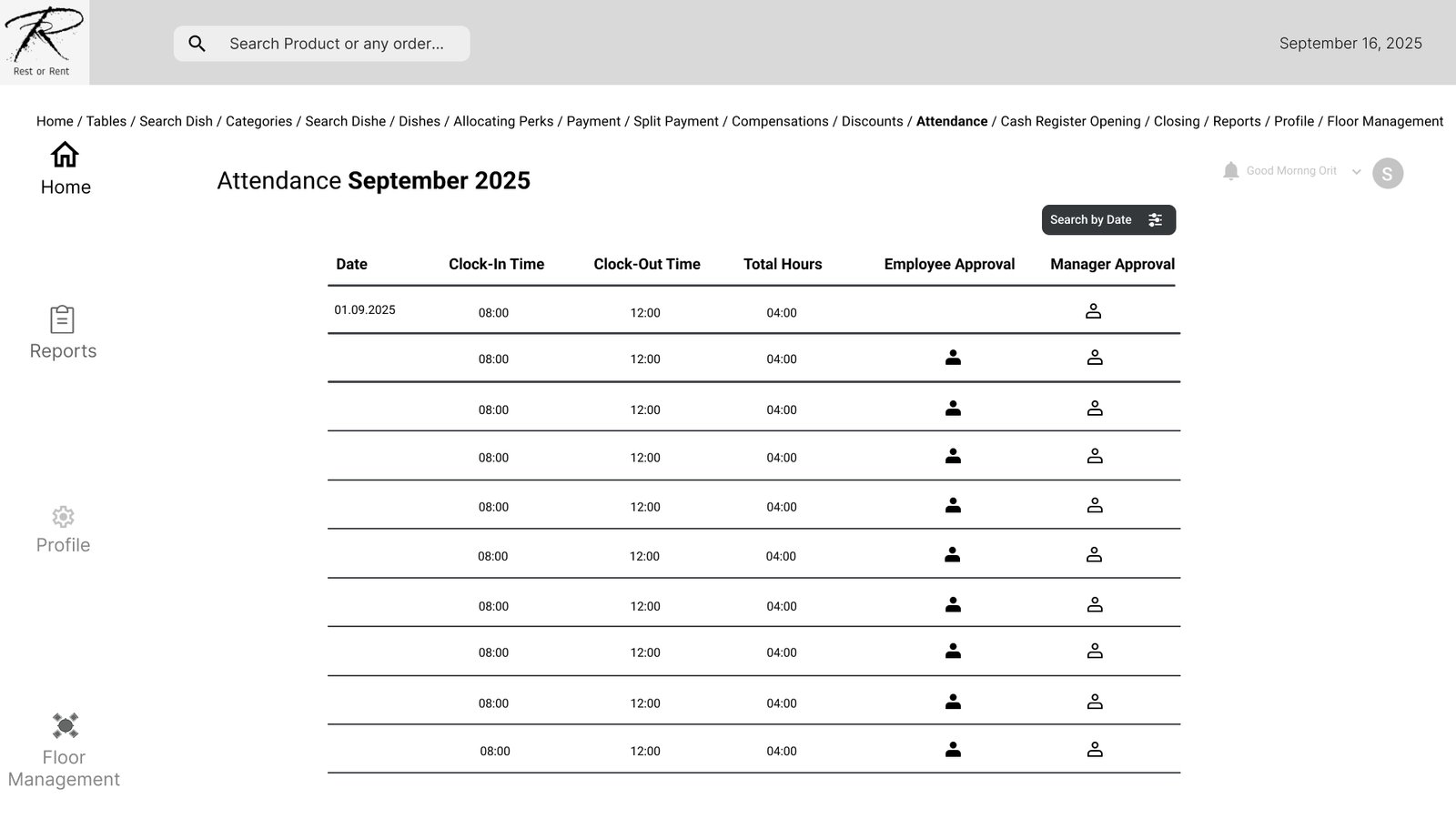
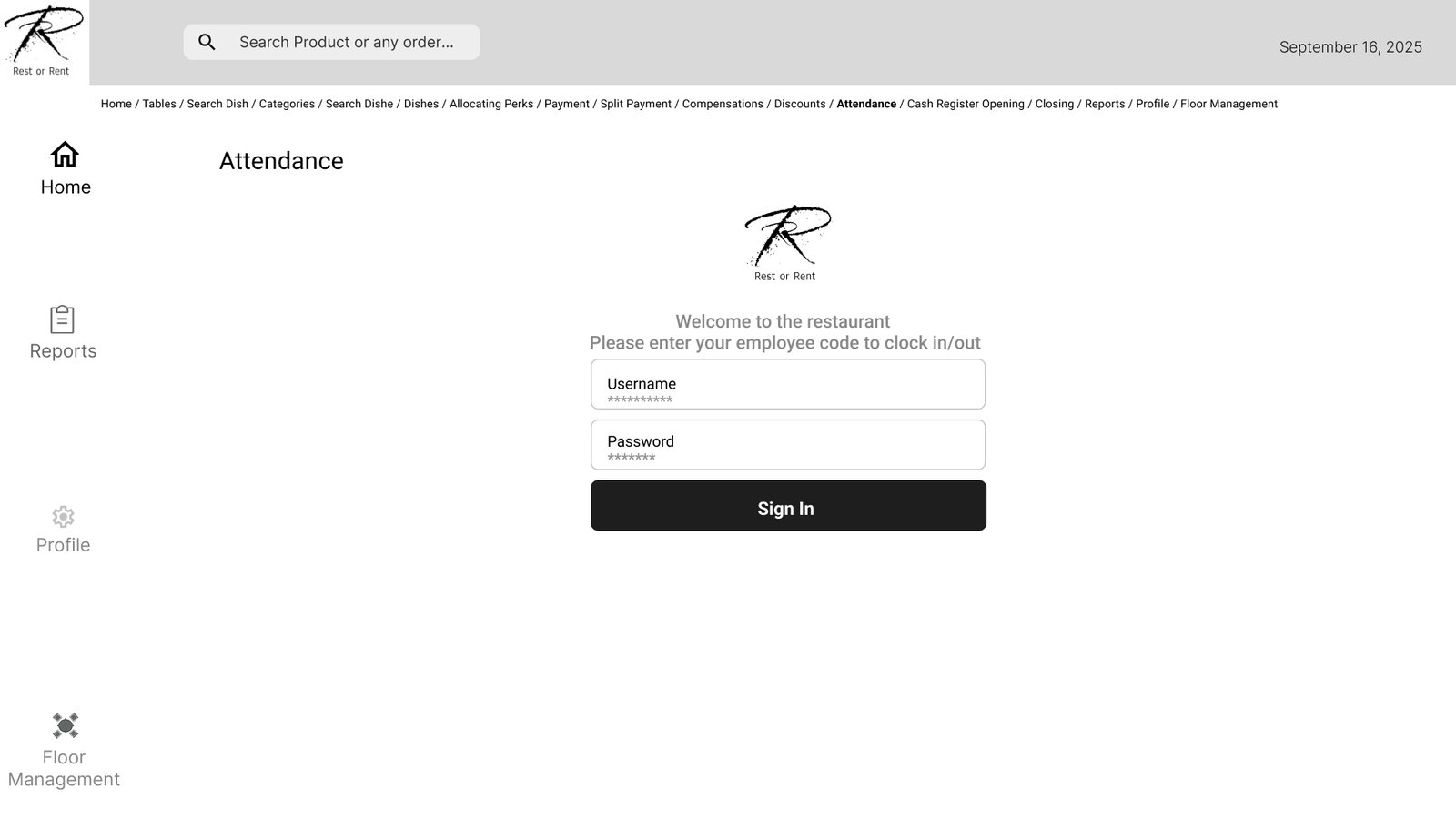
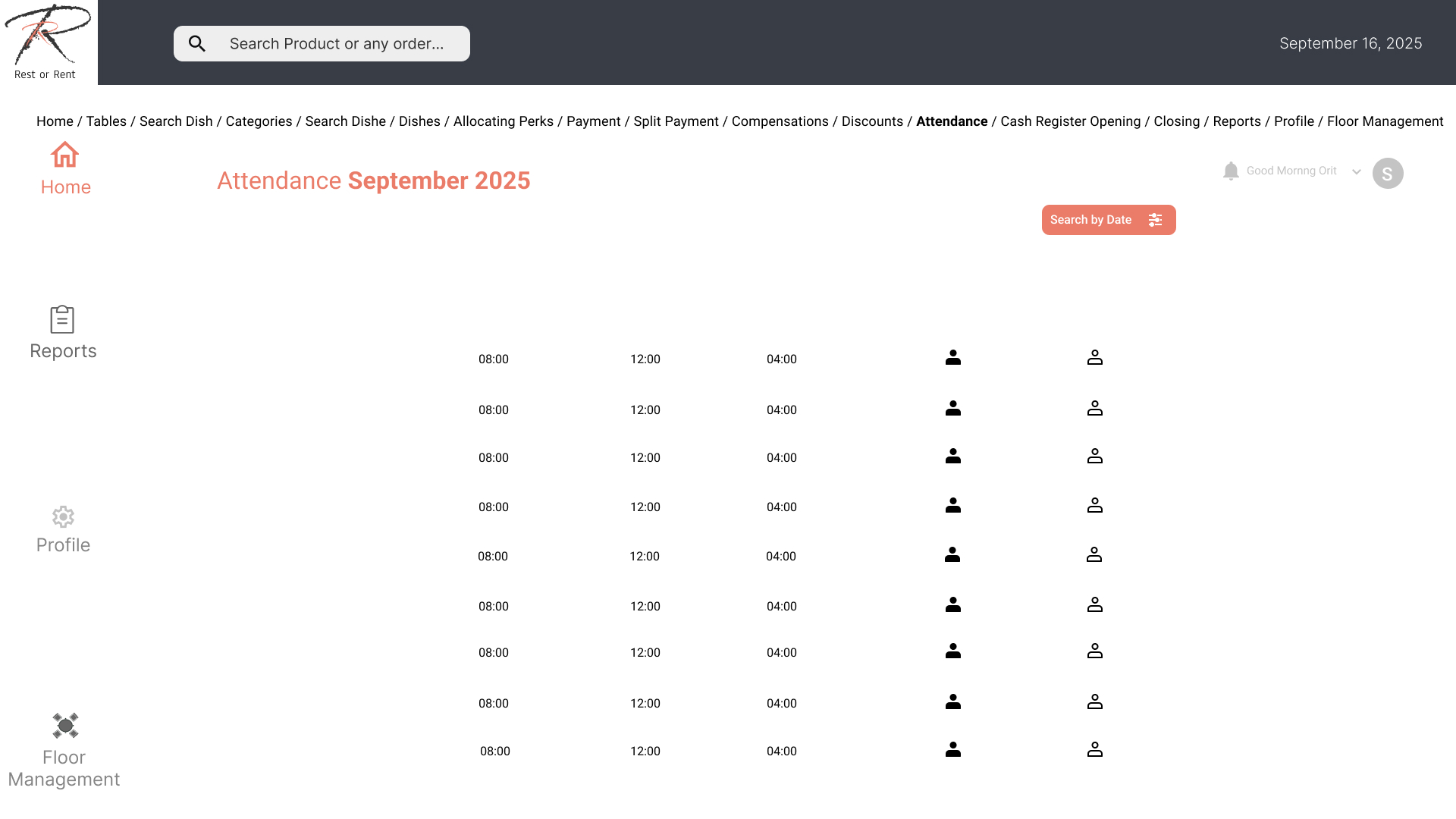
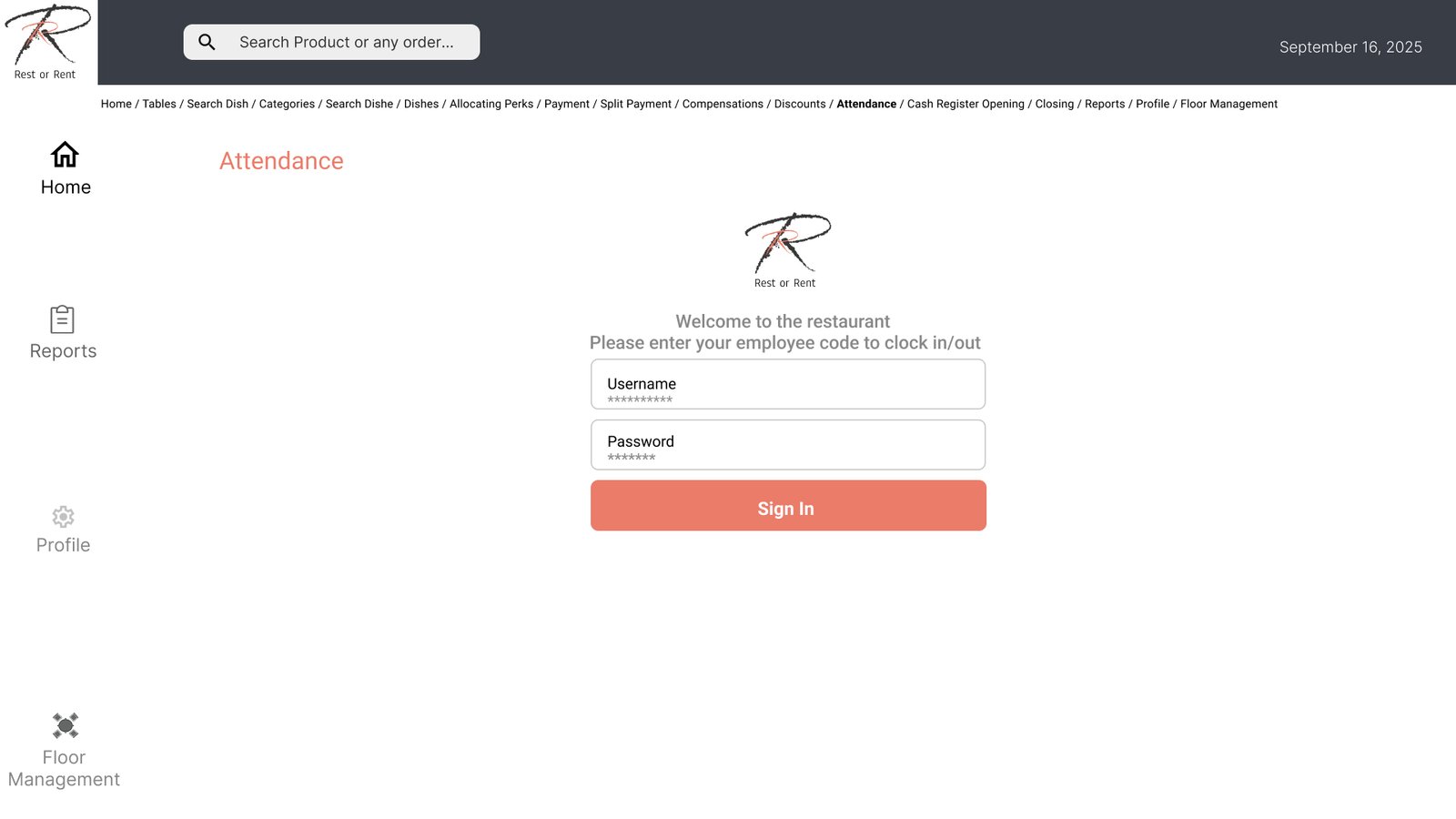
- Update shift attendance
- Open the shift
- Set up a table
- Seat customers
- Hand out menus
- Update specials / unavailable items
- Give advice / recommendations
- Check for allergies
- Take an order
- Enter it into the system
- Serve drinks
- Track the dishes
- Serve dishes
- Ensure everything is fine and the experience is pleasant
- Provide toothpicks and napkins
- Clear the table
- Offer / provide dessert menu
- Serve dessert
- Clear dessert
- Provide the bill
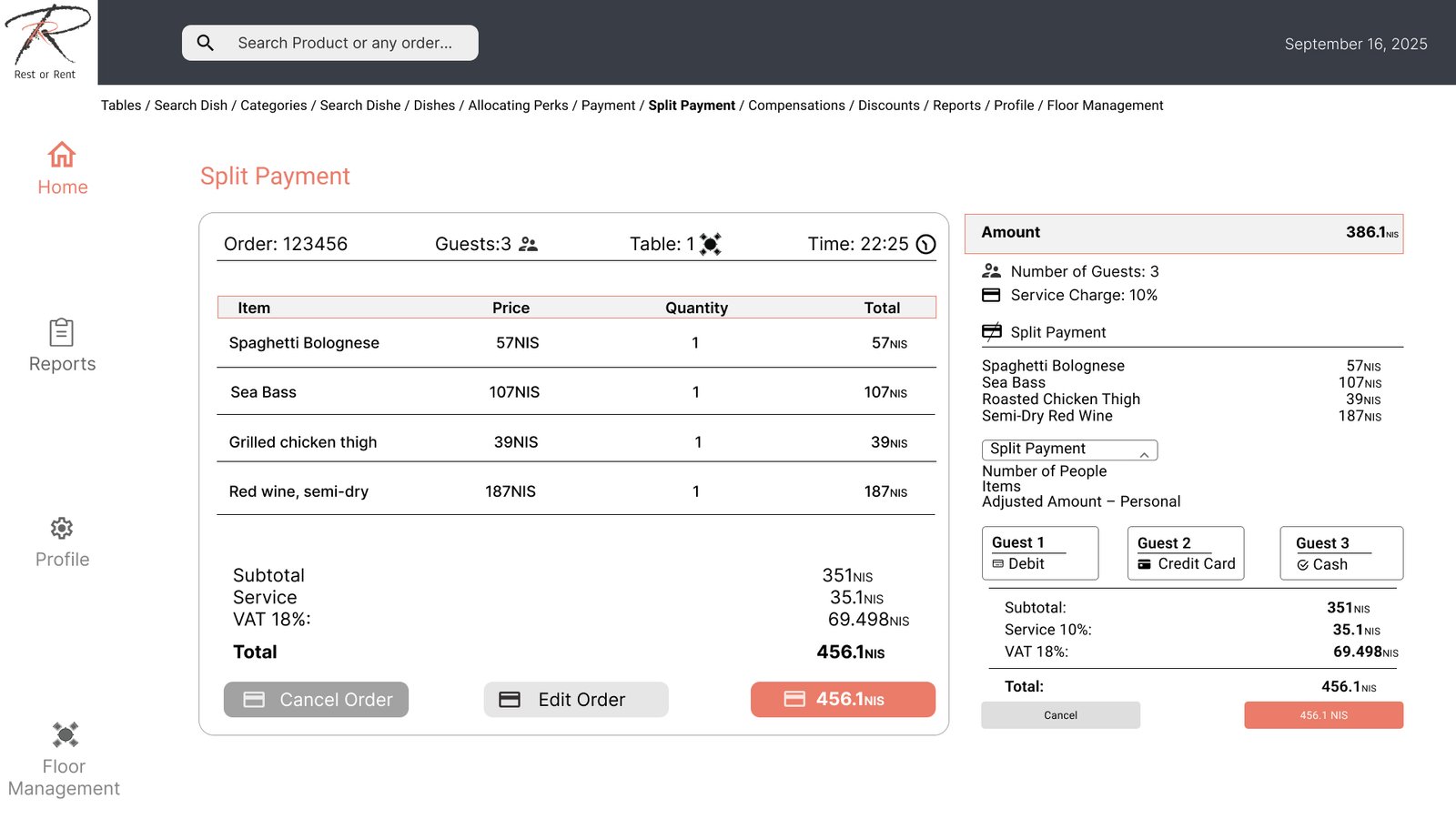
- Collect payment / split payments
- Move tables
- Handover shift to the next waiter
- Make shift swaps in the system
- Close the shift
- Update shift completion
- Kitchen Updates Stay informed about kitchen shortages / unavailable items
Task Importance Ranking in Task Analysis
Nice to have
Table Notes
Table Hours
Allergen Check
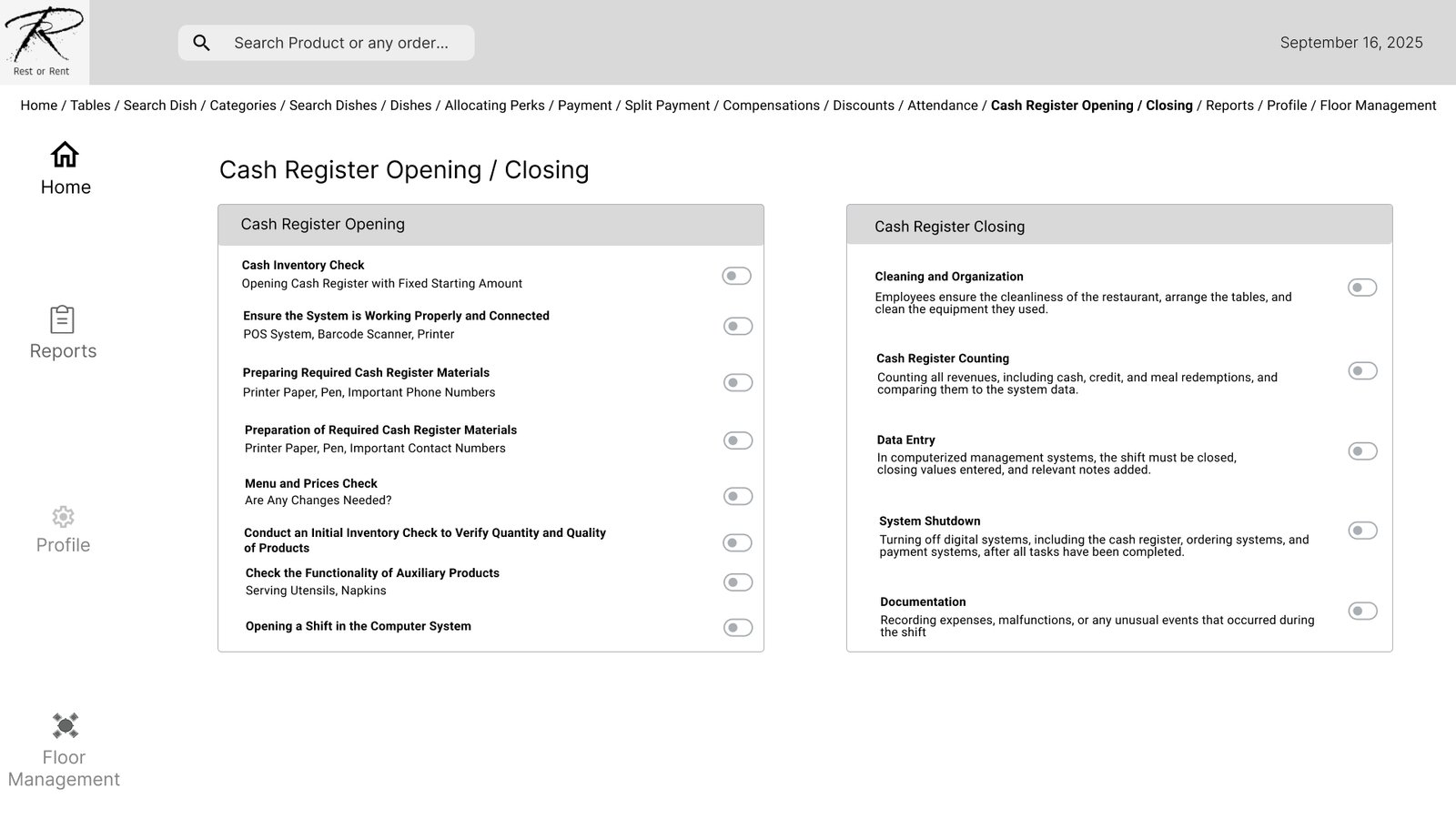
Opening/Closing Day Checklist
Petty cash
Popular dishes/drinks
Tips allocation for waiter/bartender
Important
Dish Search
Dish Timing
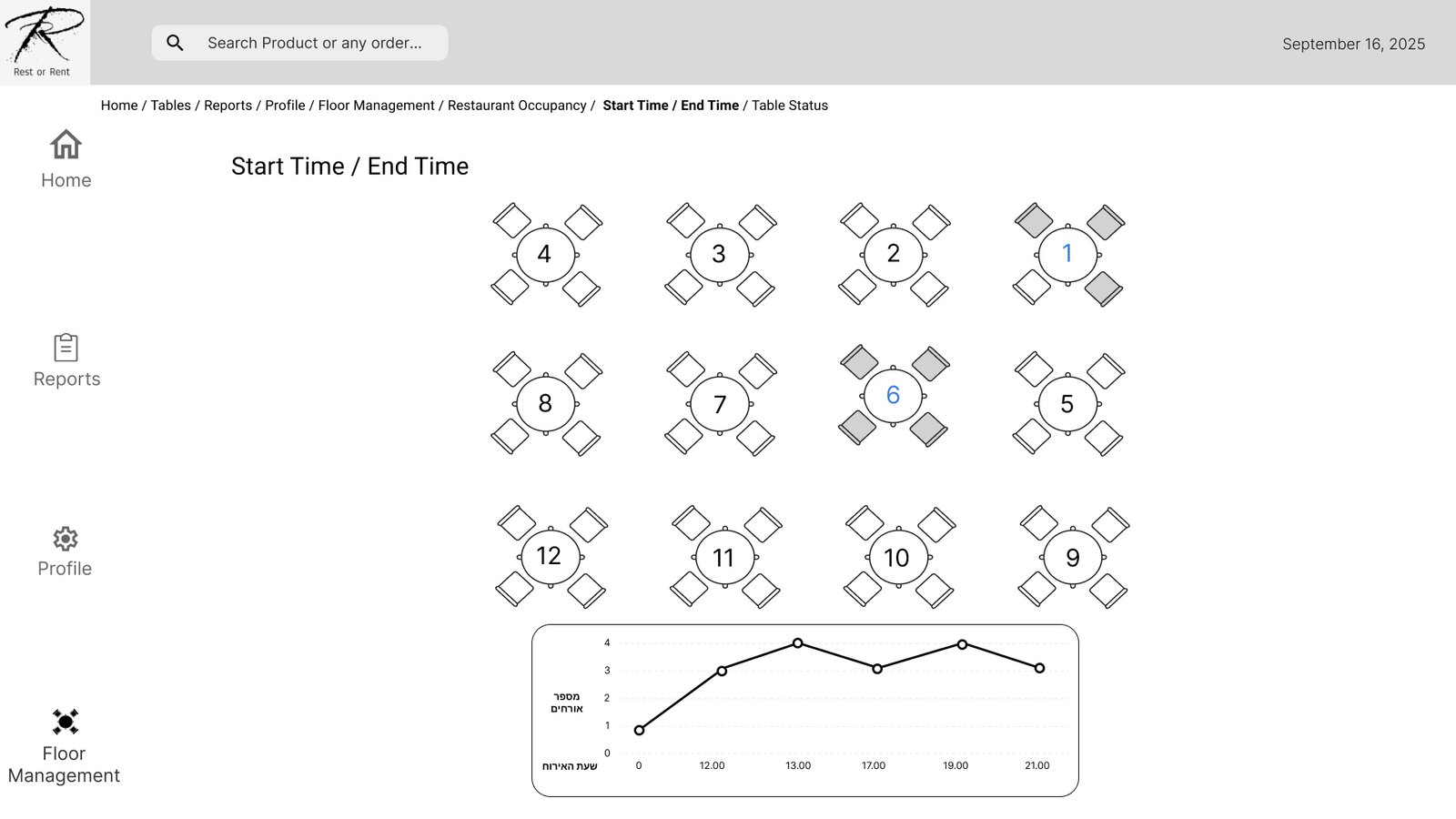
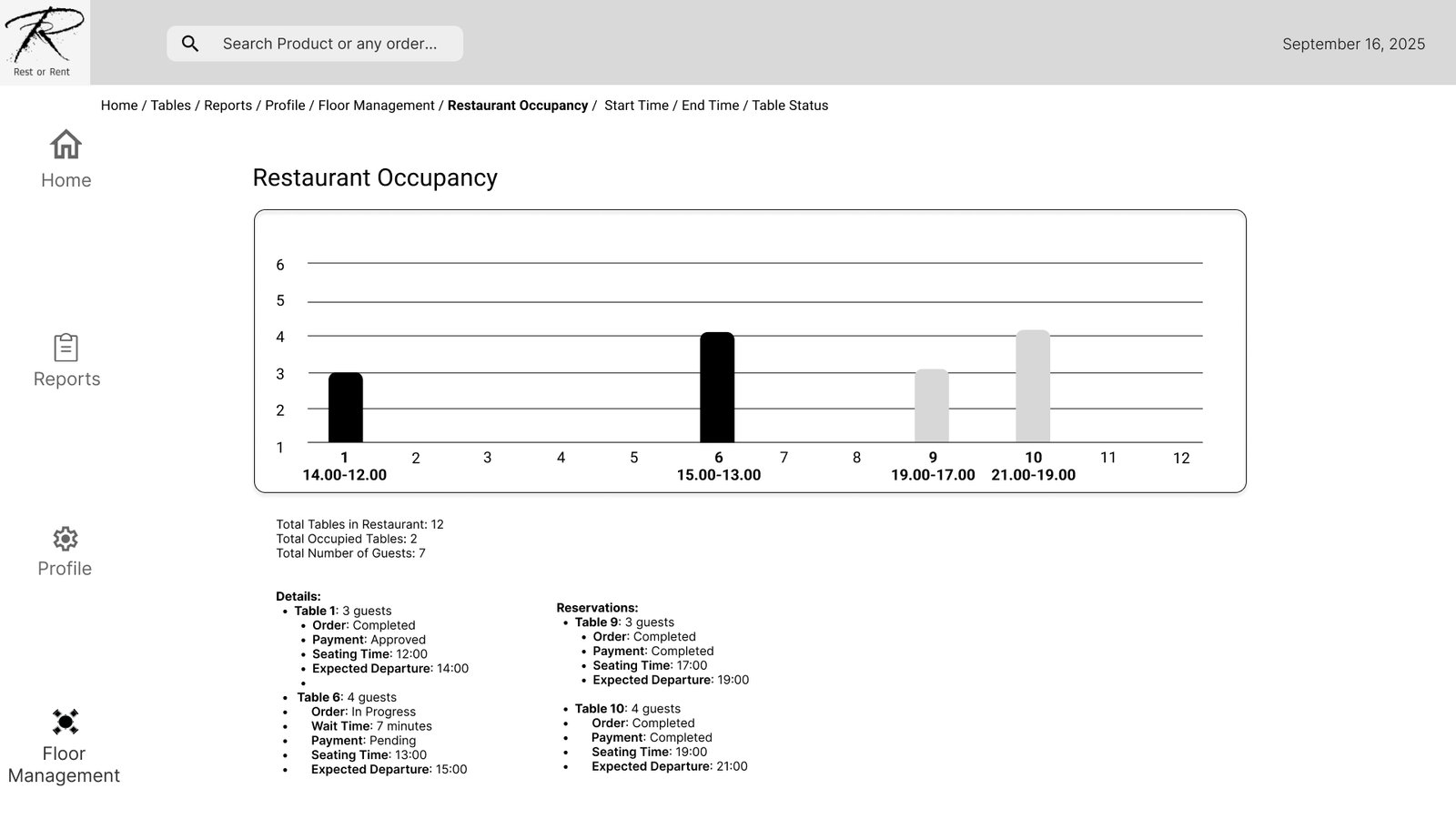
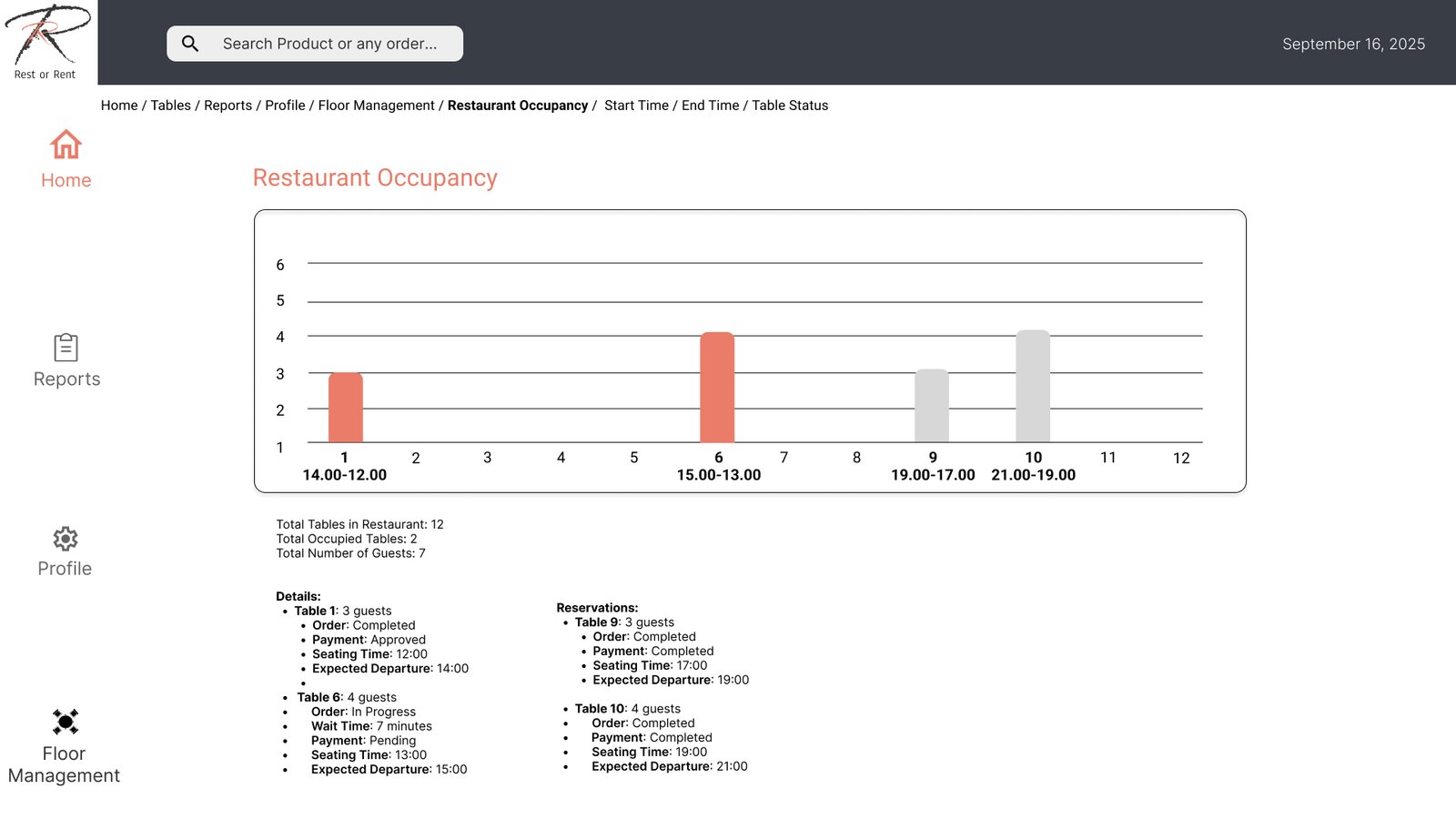
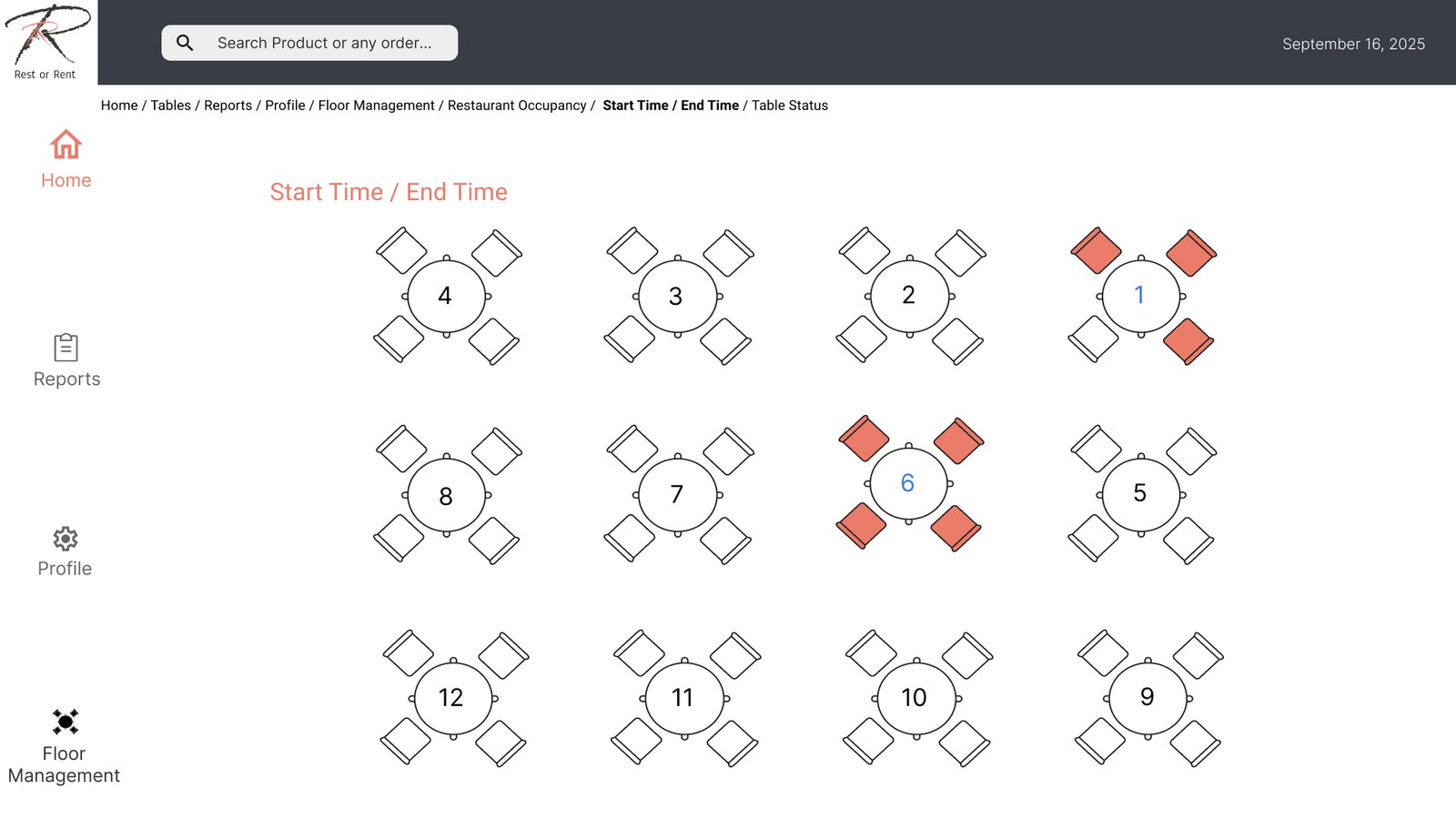
Restaurant Occupancy
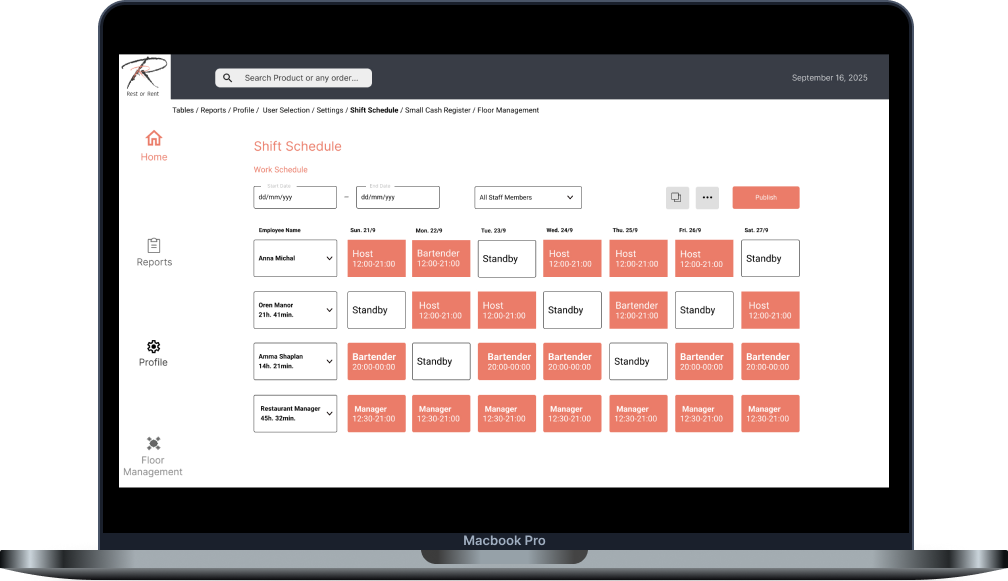
Weekly Schedule
Critical
Attendance
Cash Register Opening
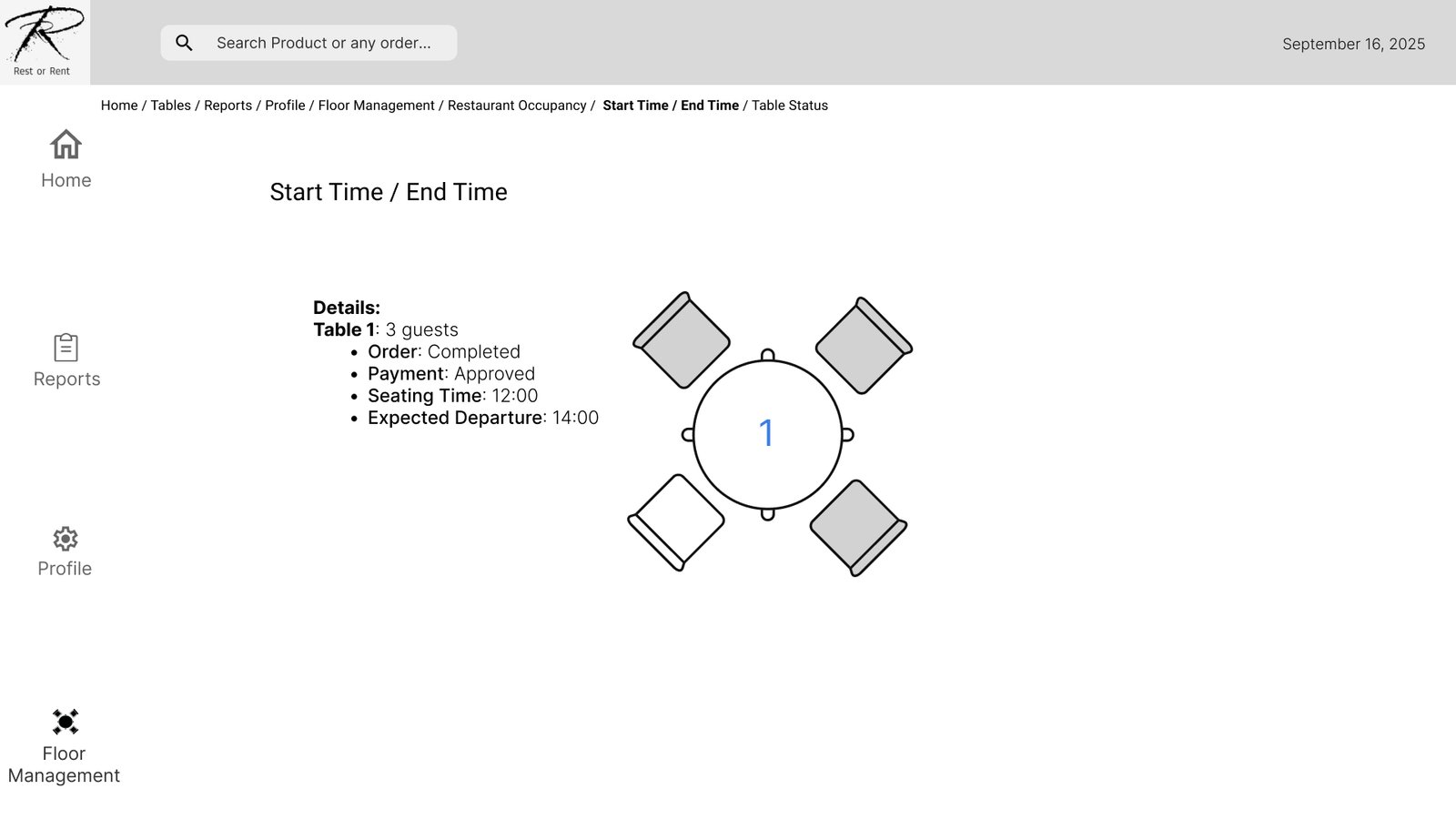
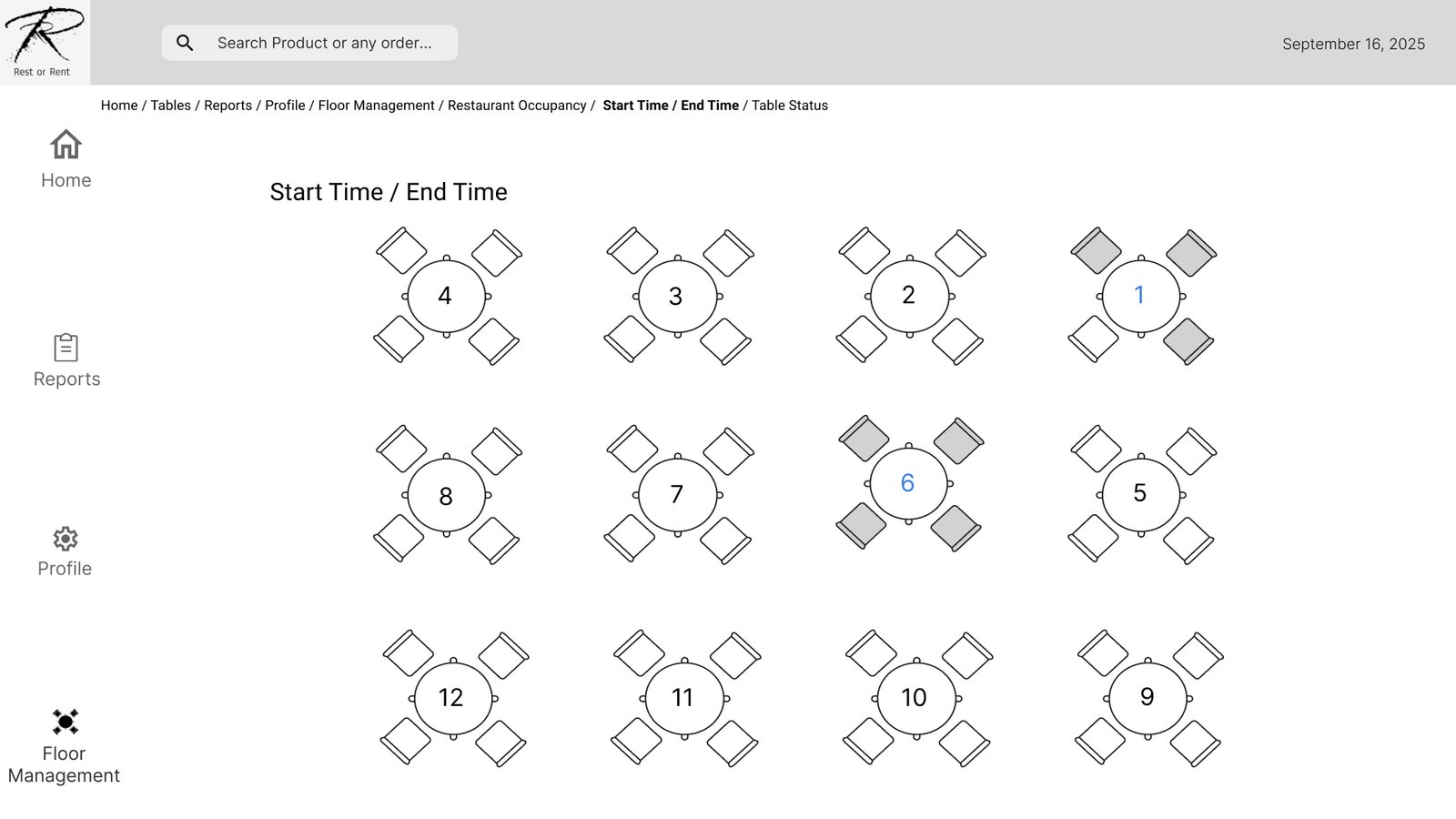
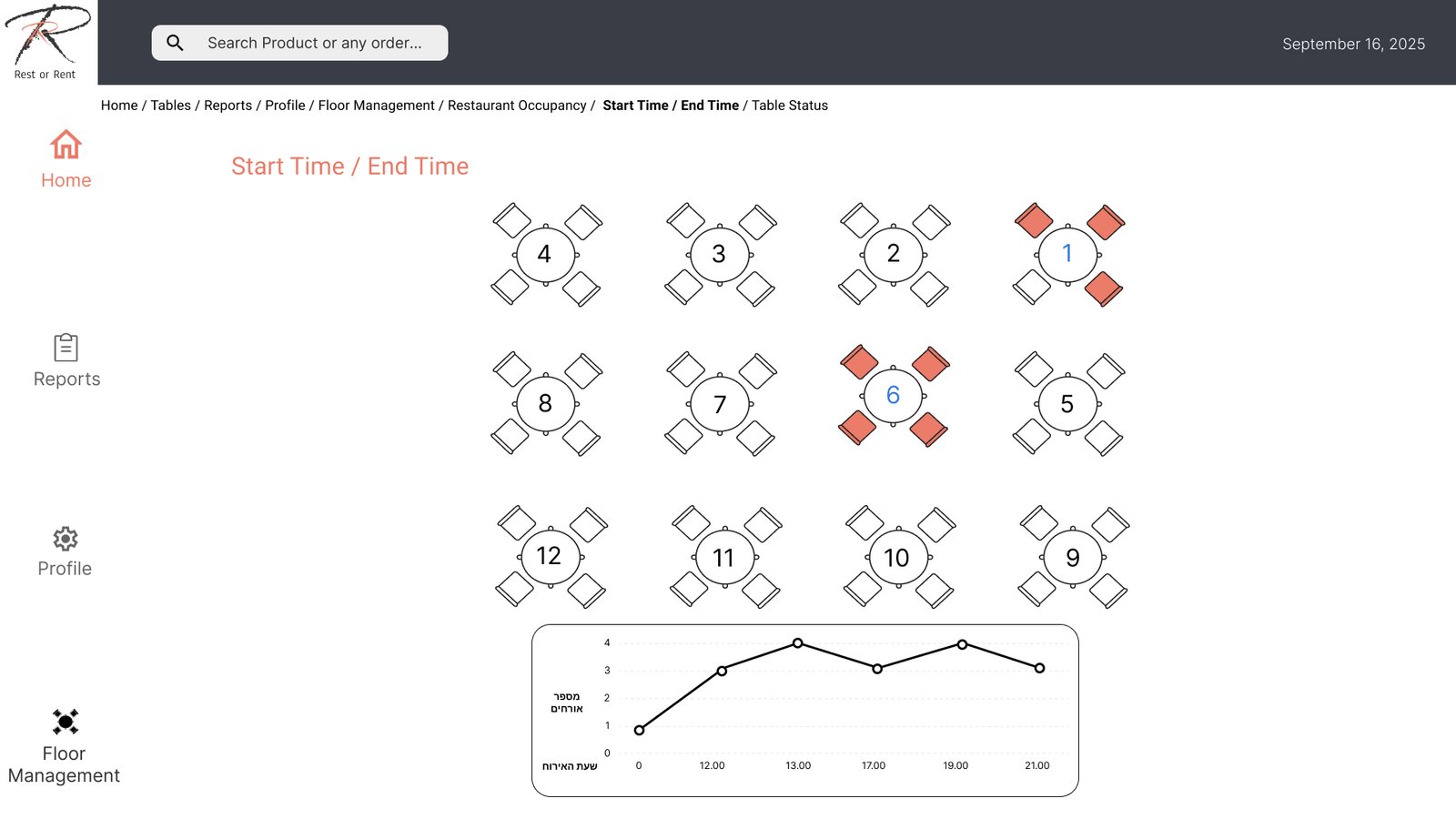
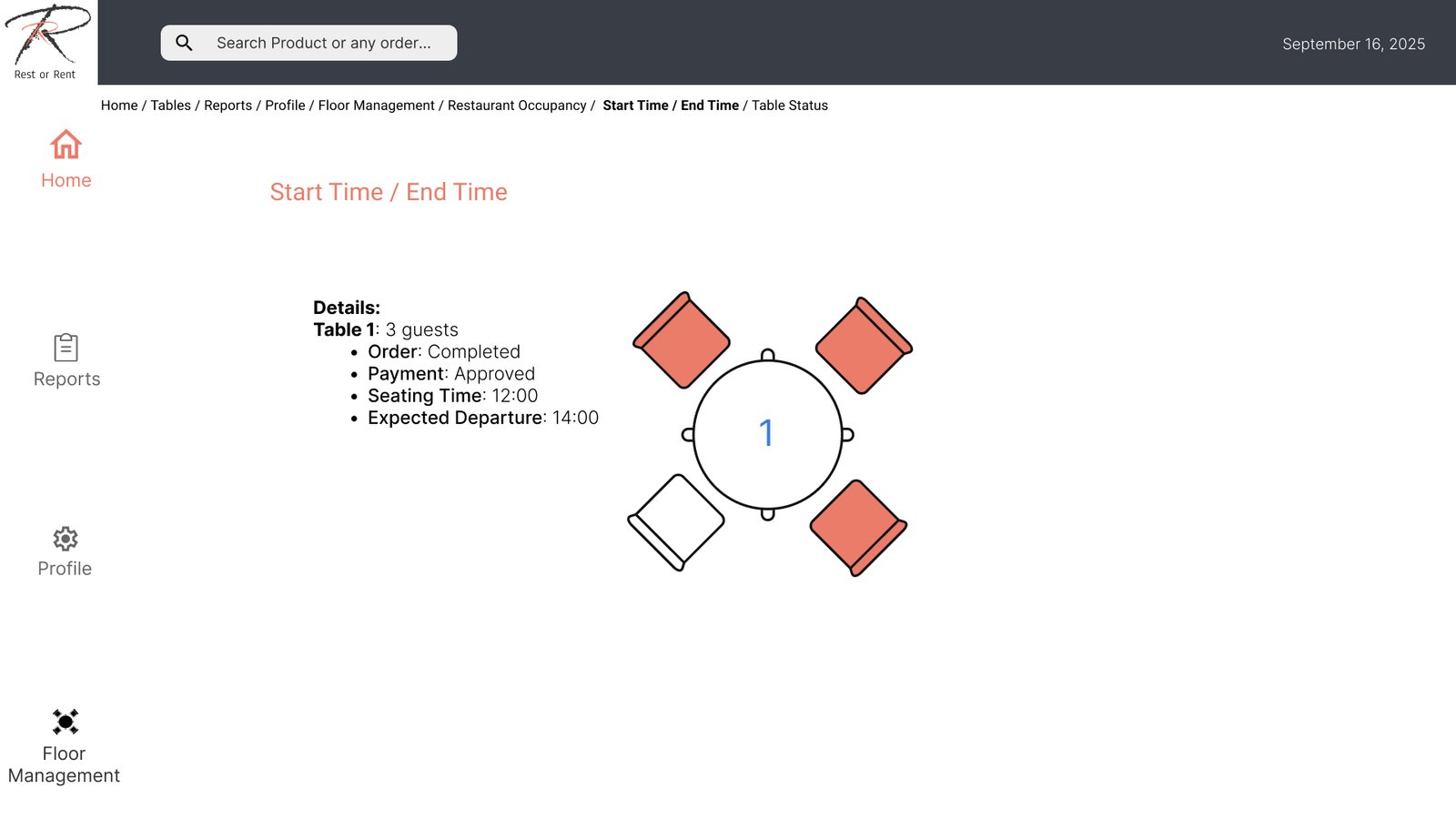
Table Status (Table Transfer & Table Merge)
Menu
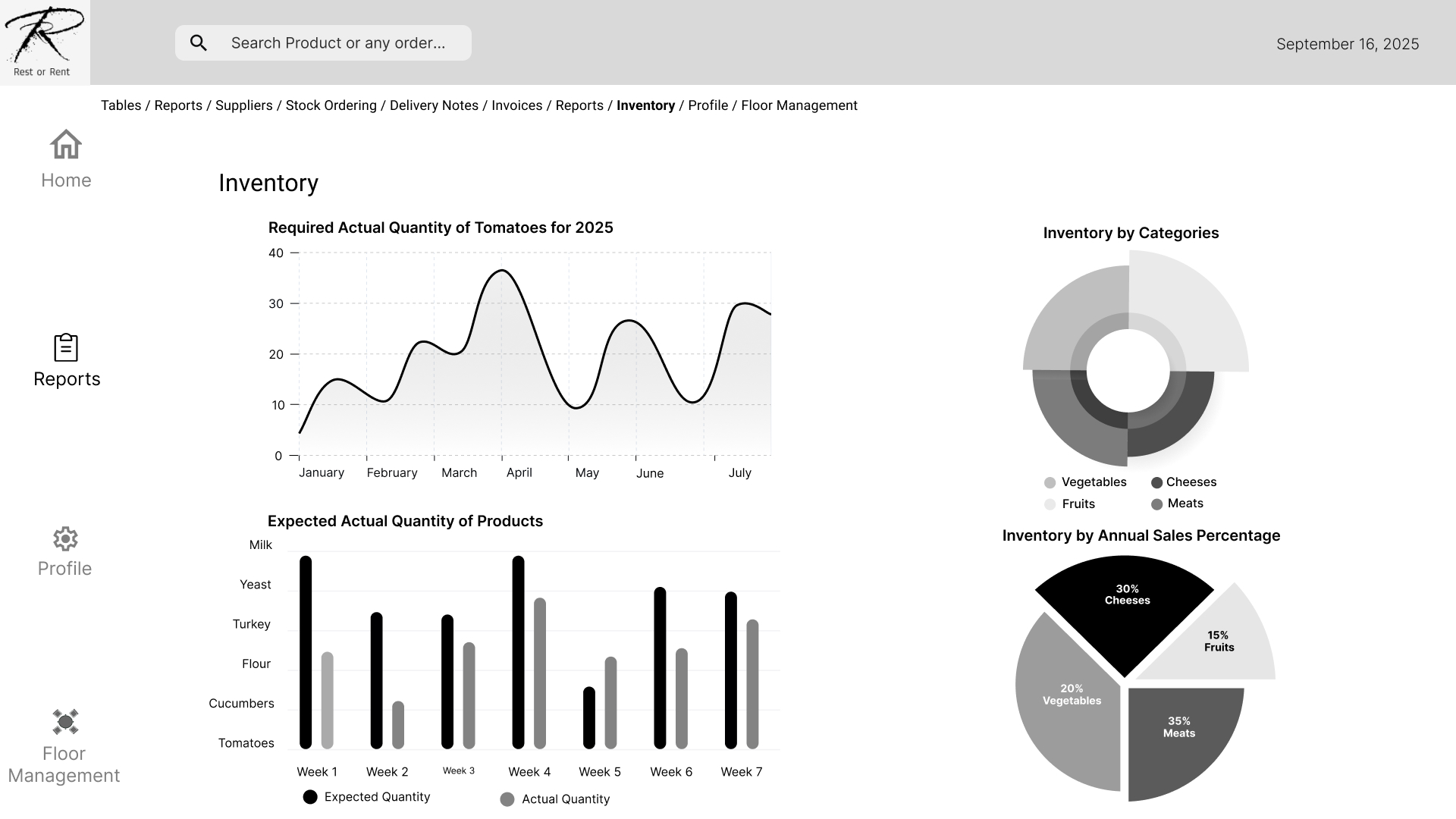
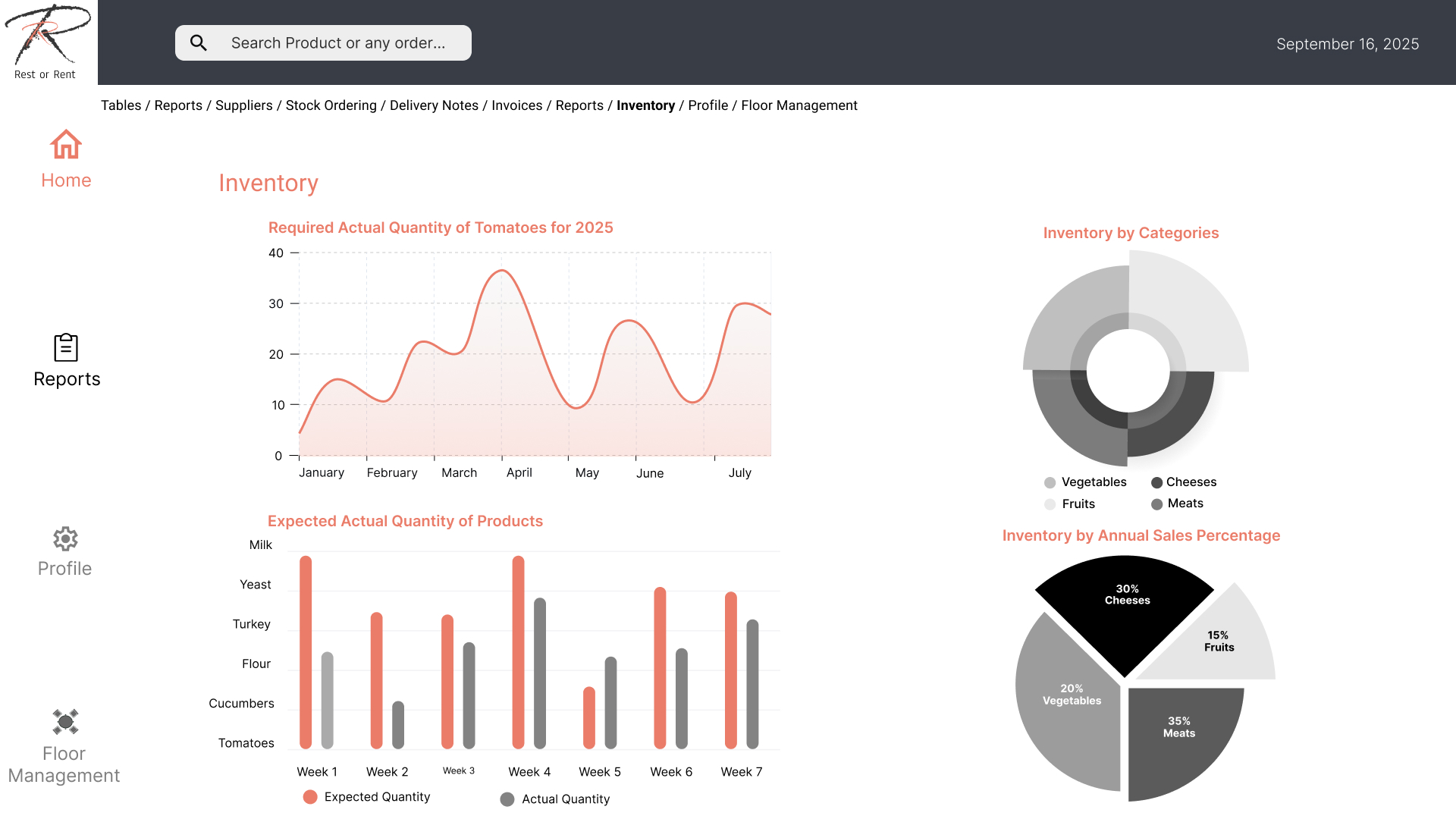
Inventory
Dish Notes
Dish
Edit/Delete Dish
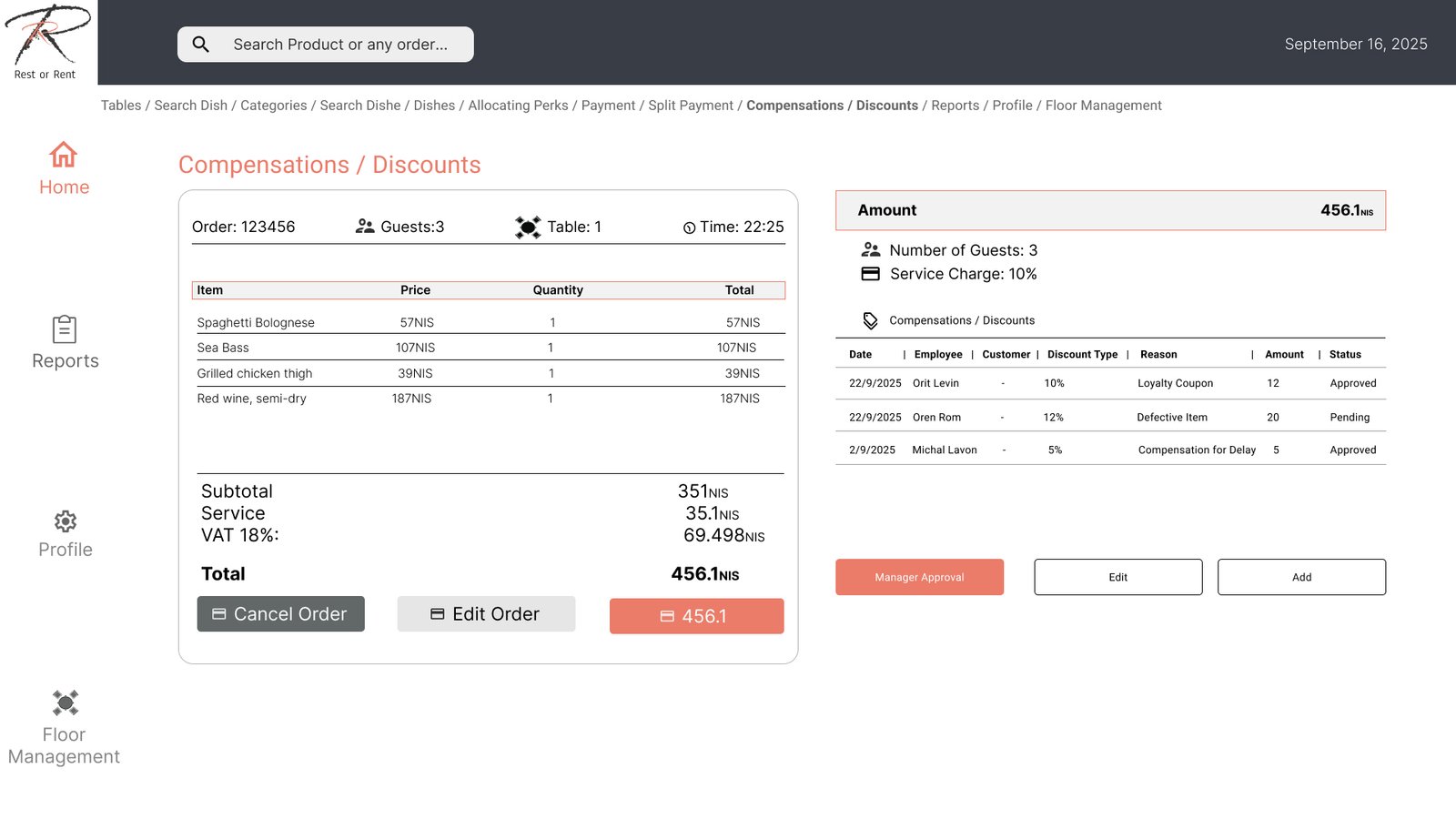
Comp/Discount
Check (Split + Tips)
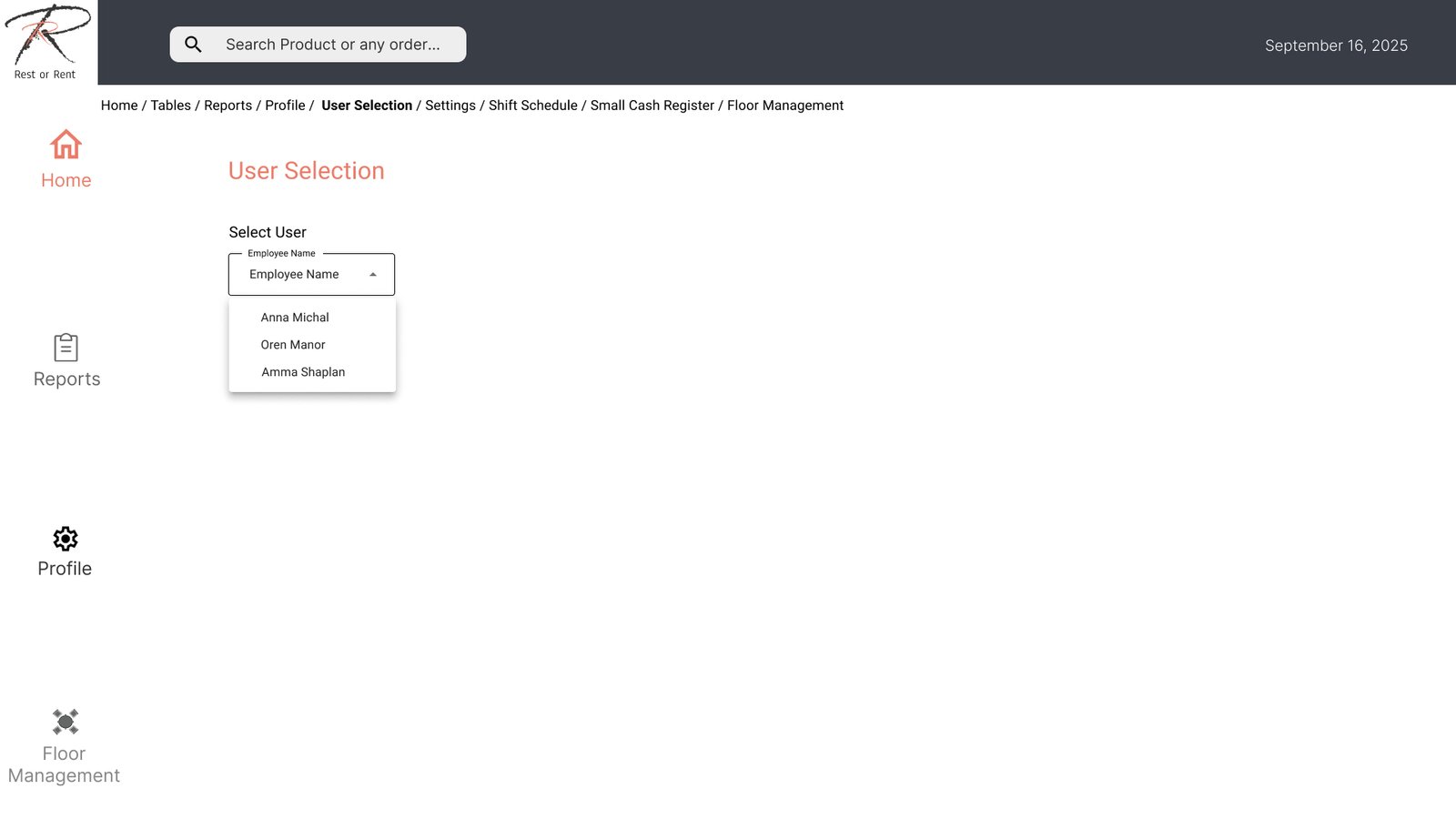
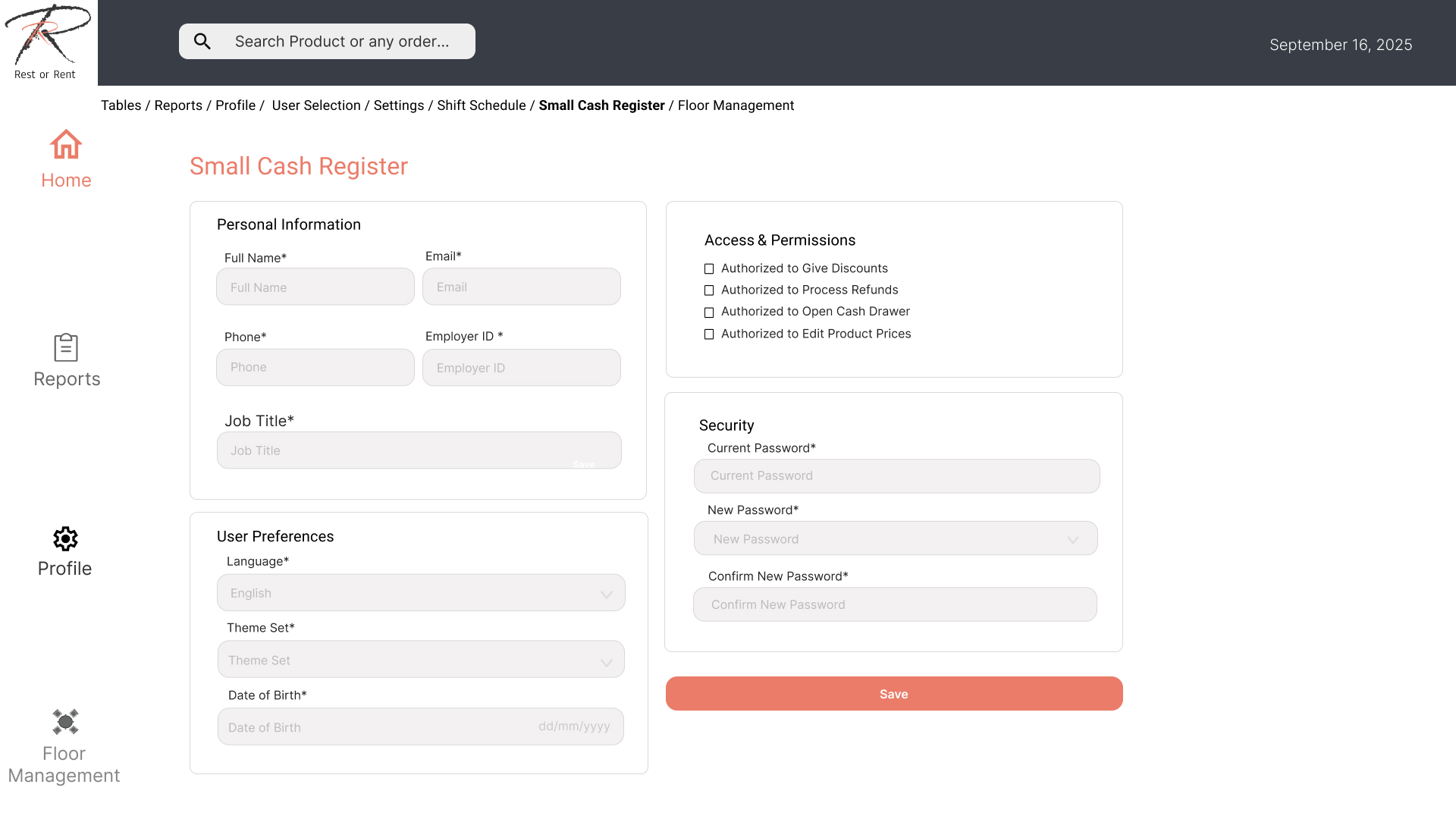
User Profile
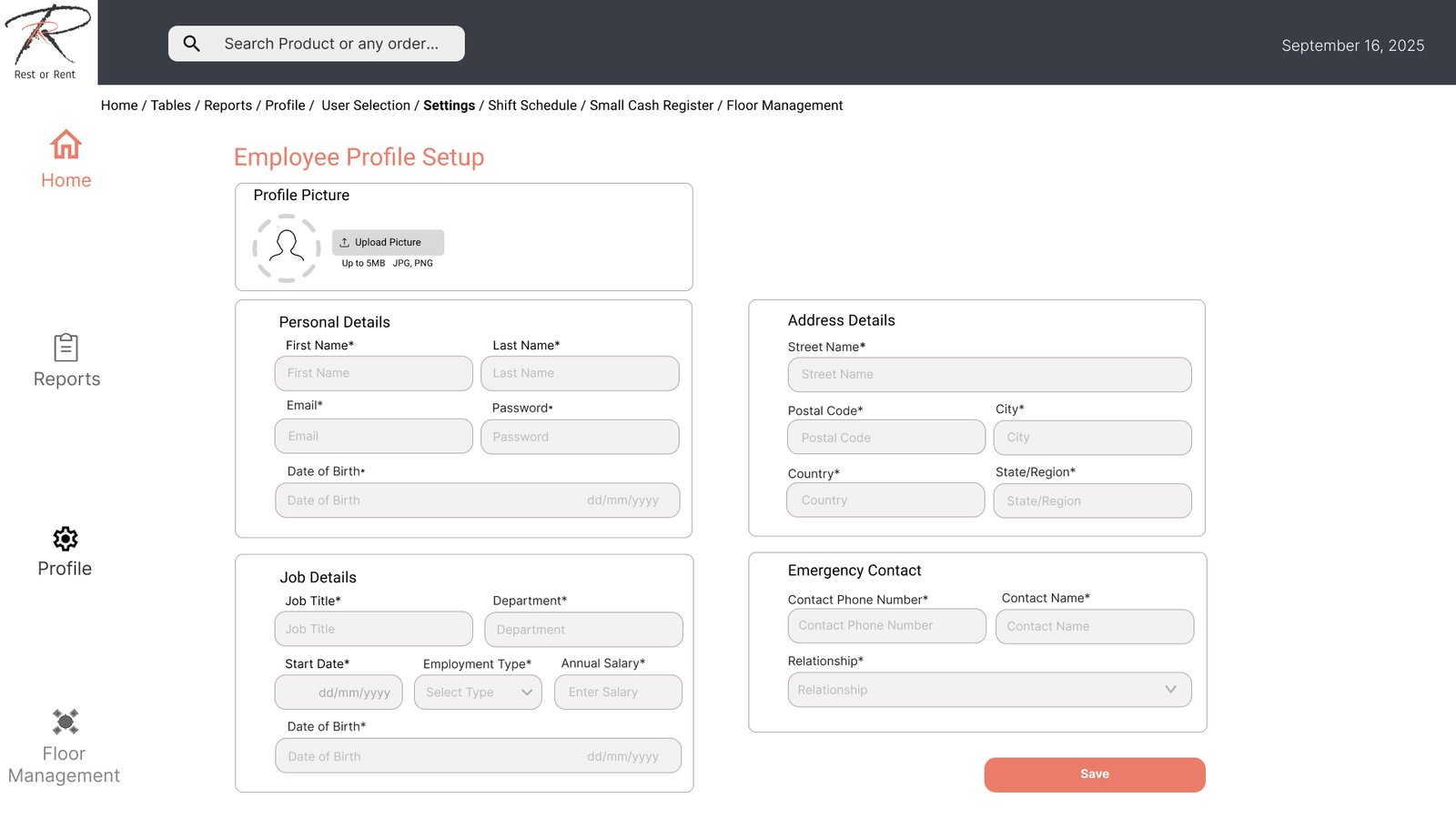
Settings
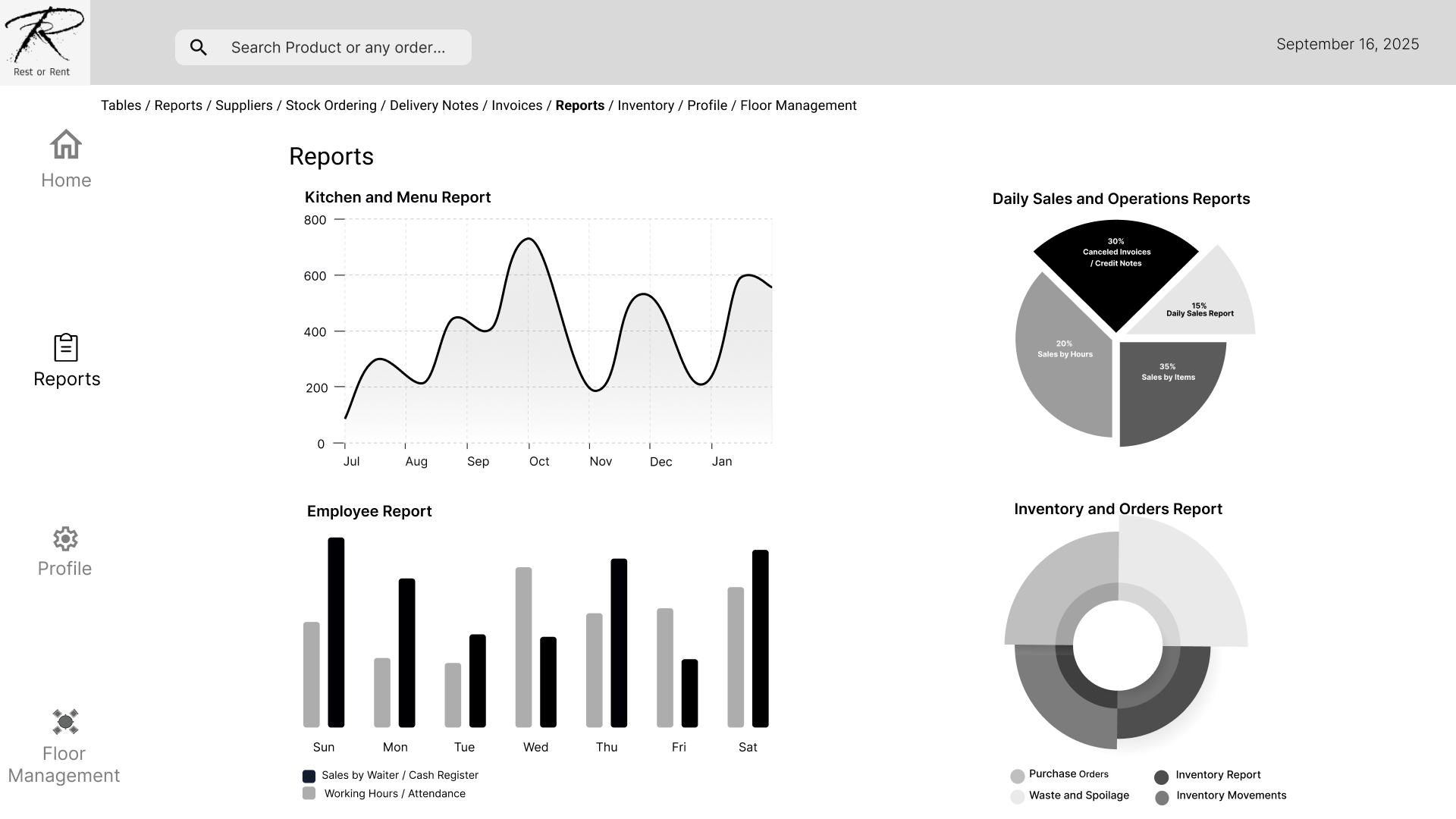
Reports
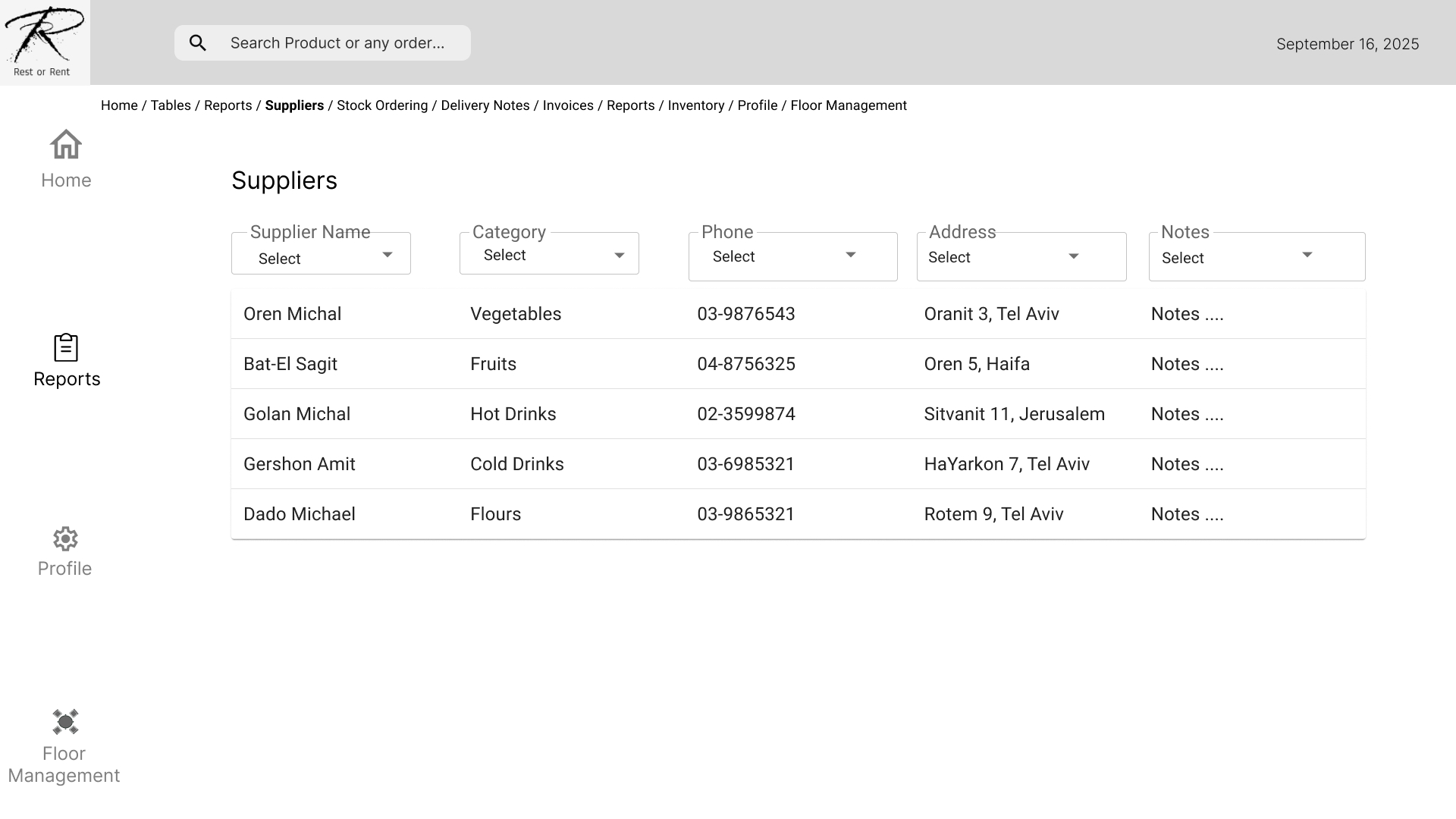
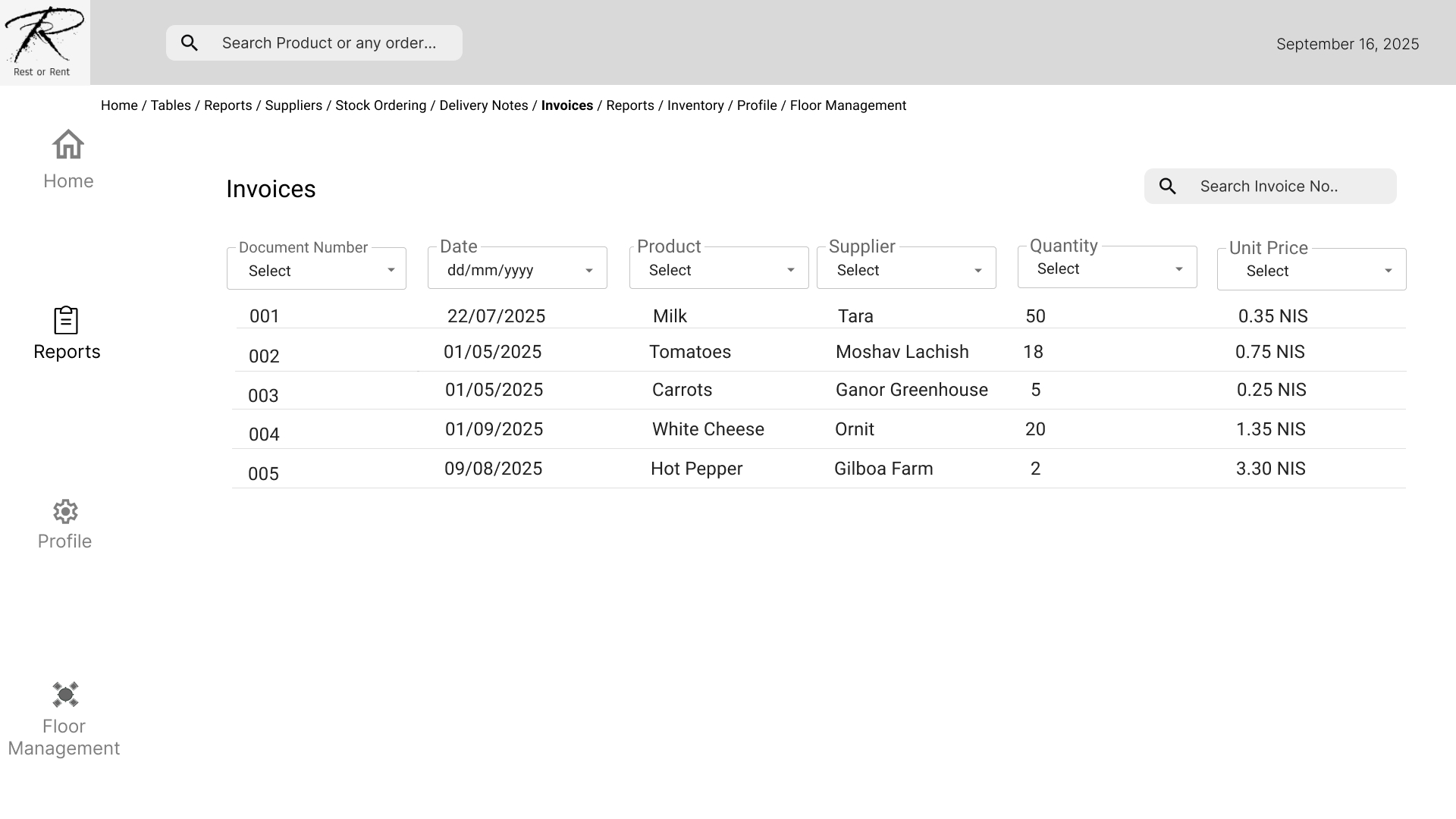
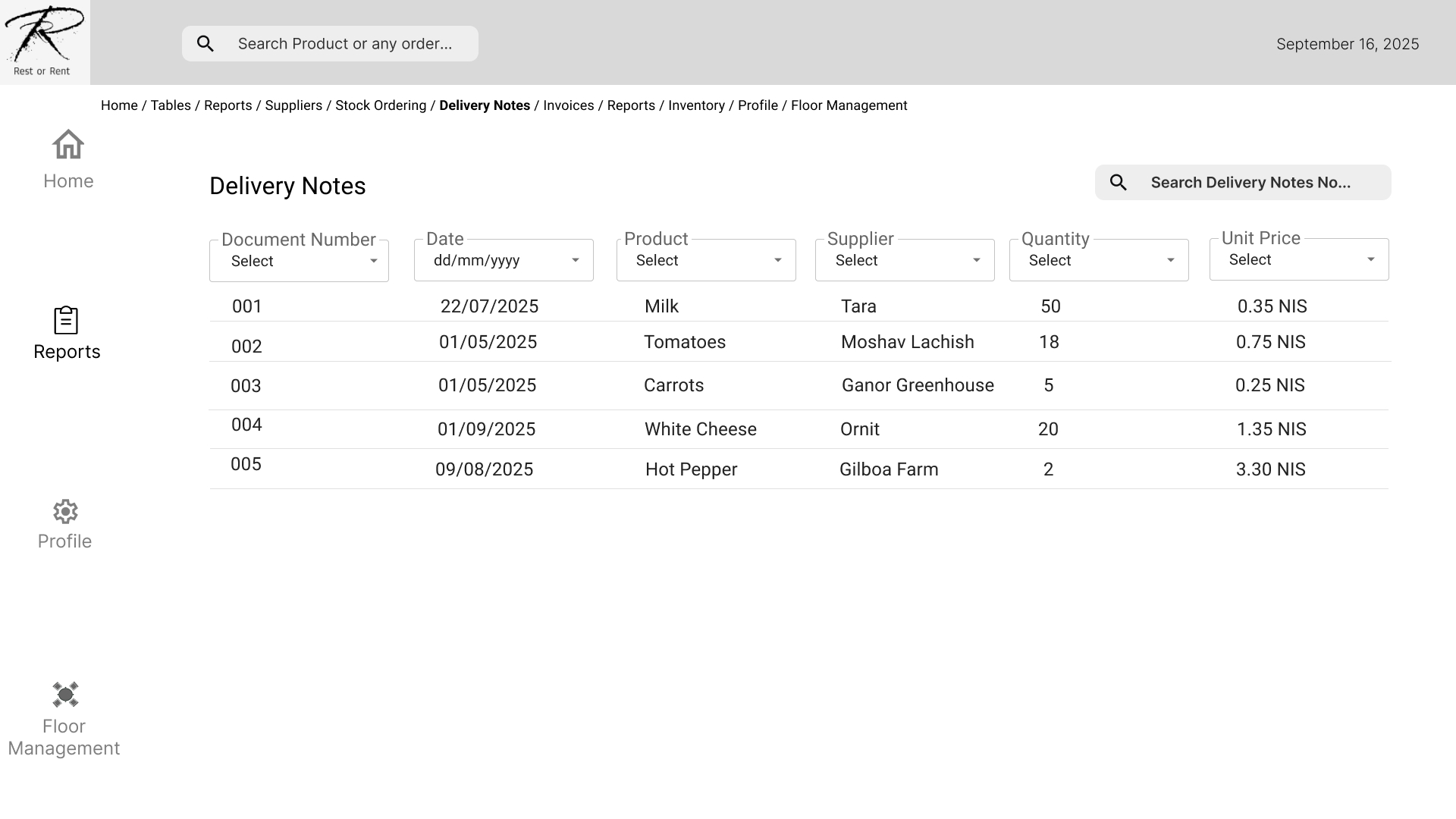
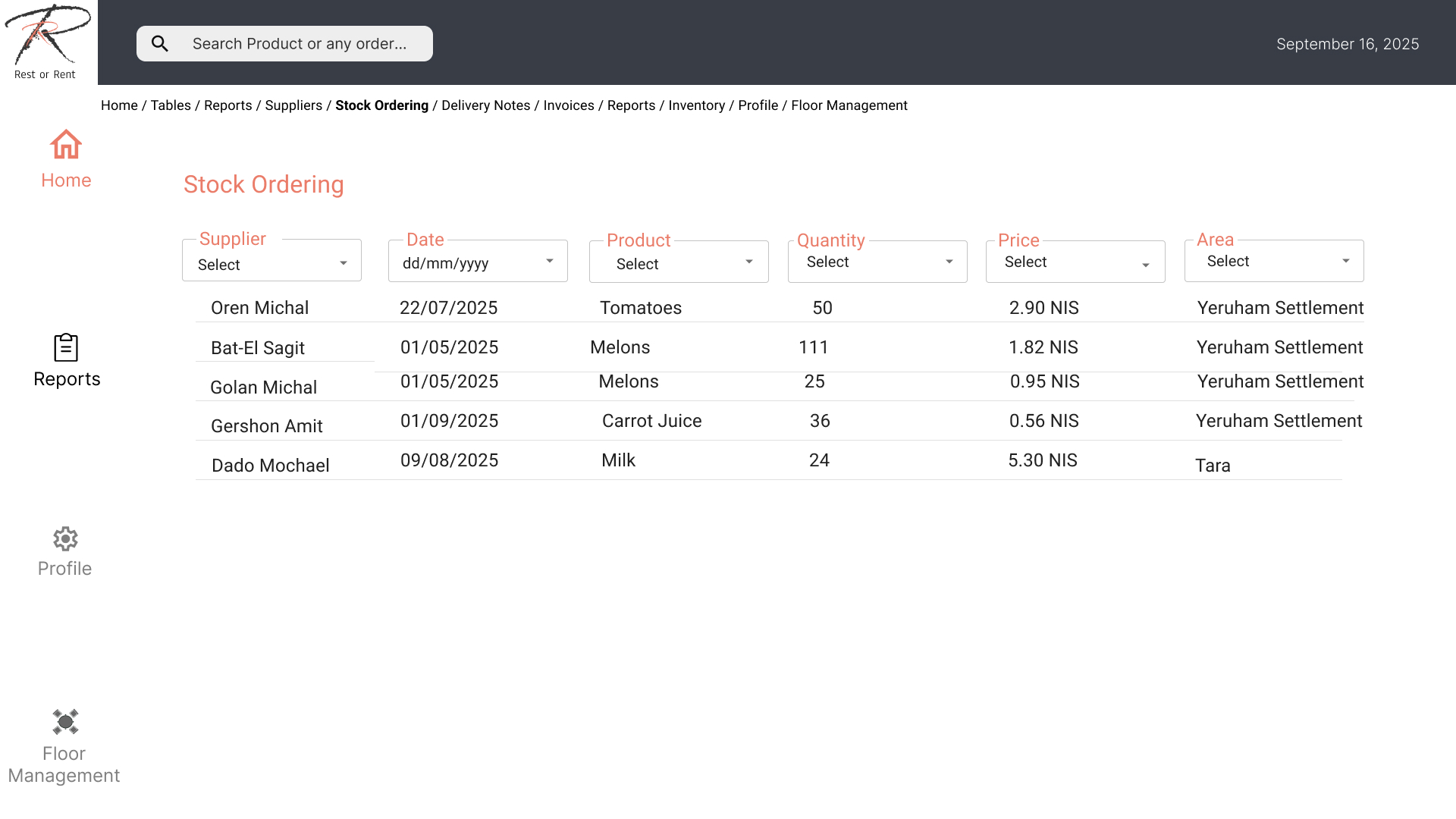
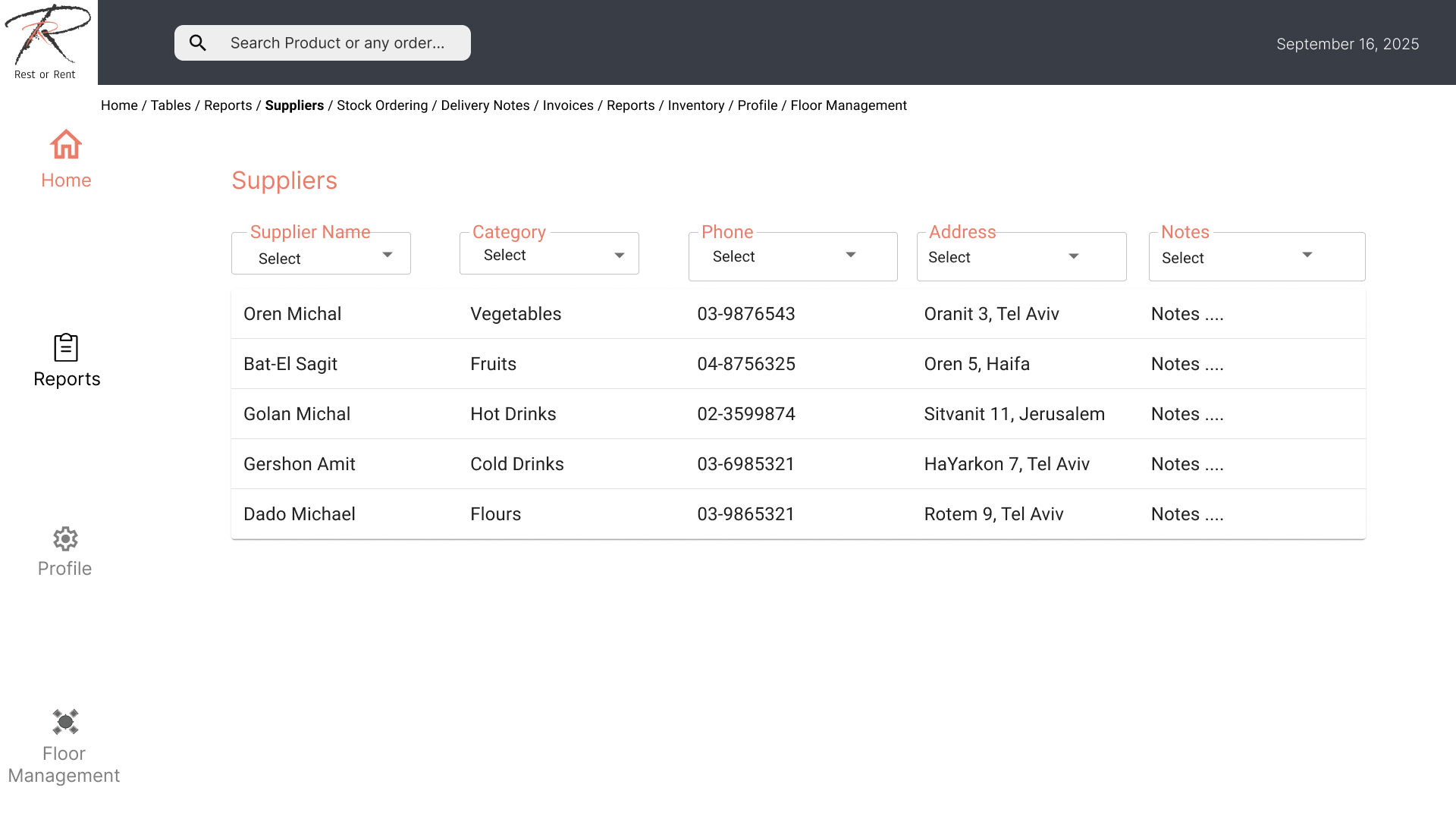
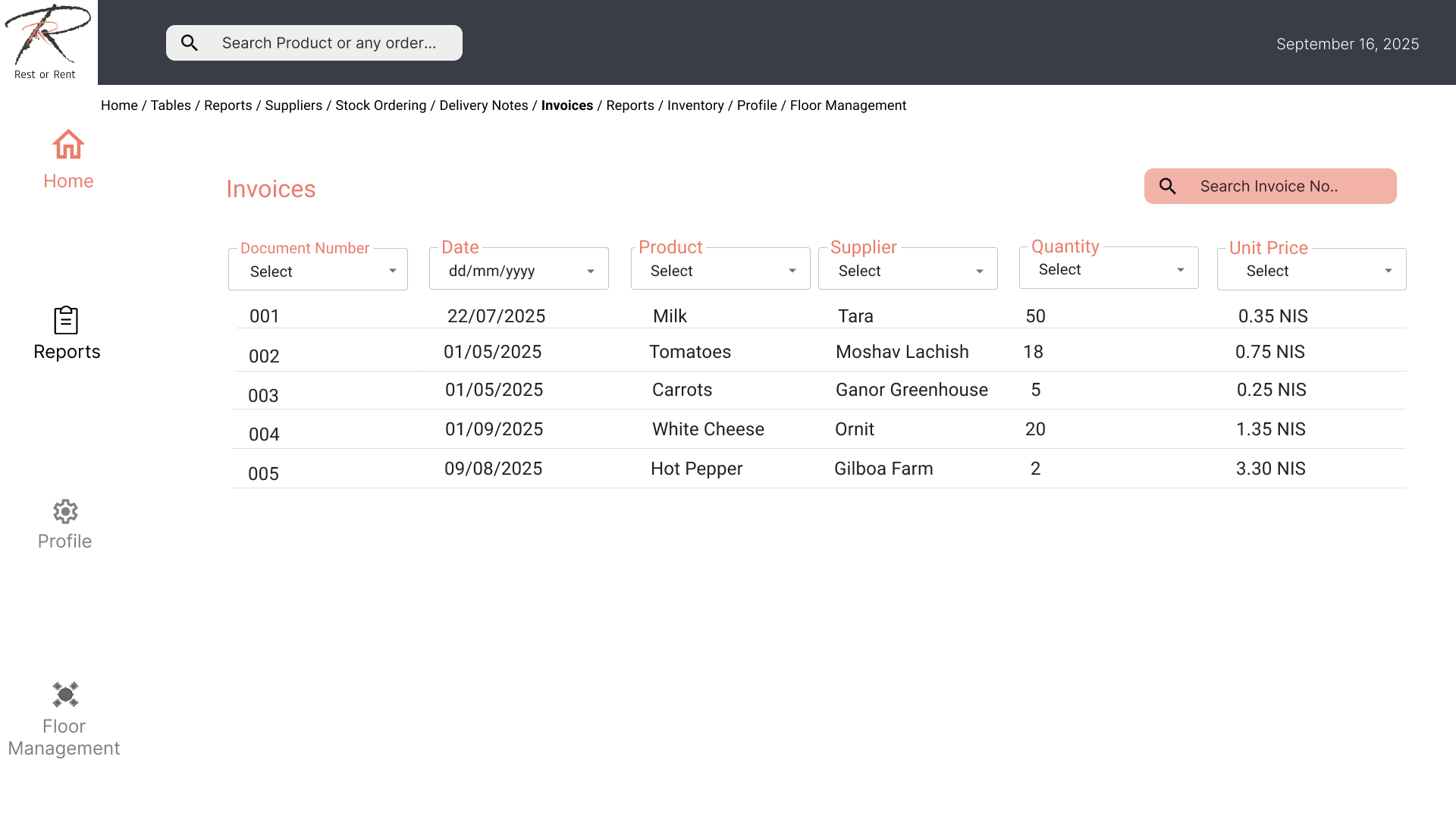
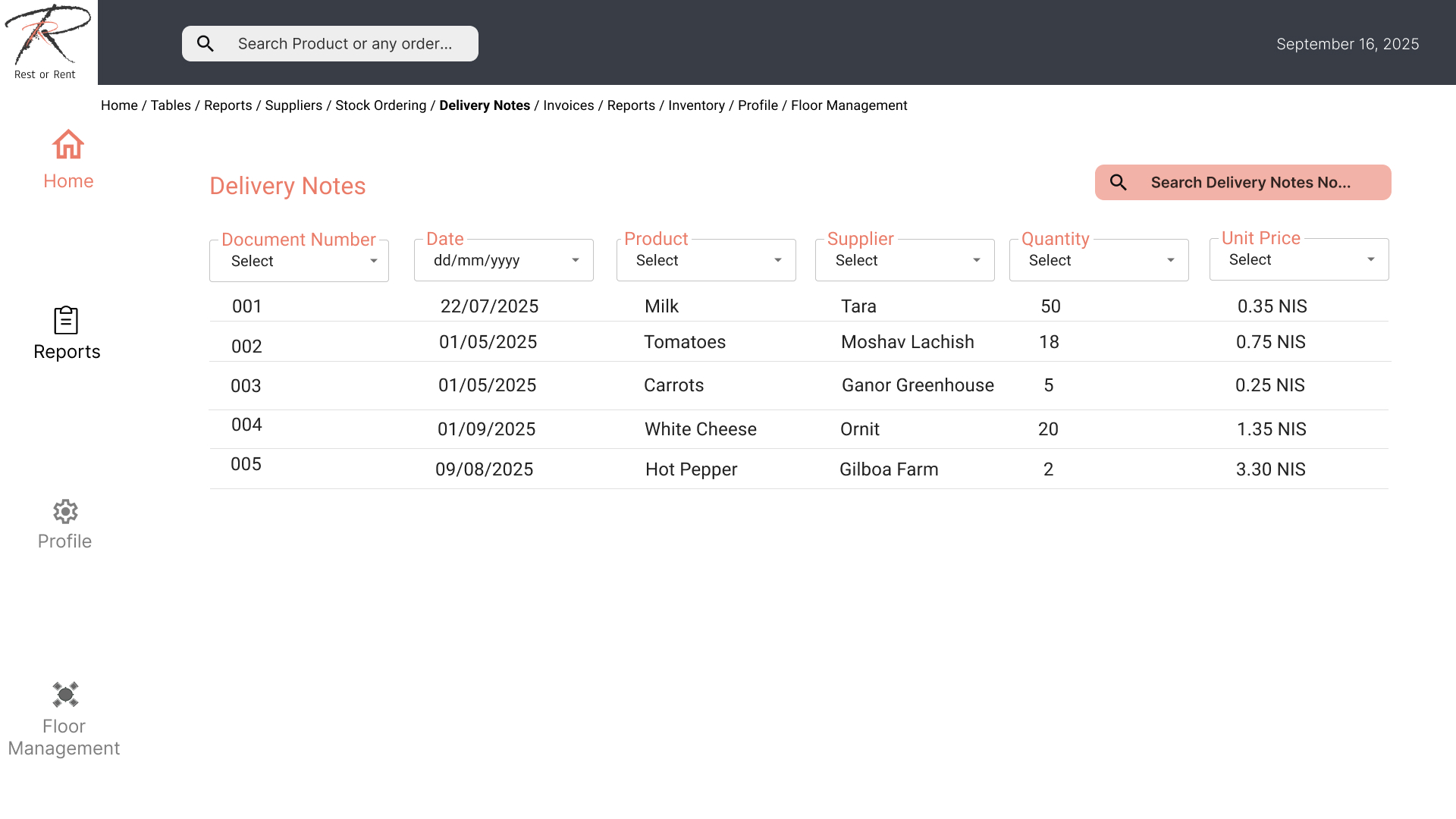
Suppliers/Orders/Shipping Notes/Invoice
User Story:
Dana the Waitress – Ordering Dessert During Peak Hours and Chaos in the Restaurant
Dana is working a Friday evening shift. She receives a request to change the dessert topping from chocolate to cookie crumbs. She rushes to the waiter station, but the interface does not allow her to enter the request freely.
In the end, she writes it as a “general note,” but the kitchen misses it. The customer receives the wrong dessert and becomes upset. Dana has to calm the customer, return the dish, and apologize to the shift manager – all because there is no simple field to “enter special requests.
What must the user do?
Persona / Character:

Dana, a waitress with one year of experience, works in a busy restaurant on Friday evenings.
Motivation: Serve customers quickly, avoid mistakes in orders, and ensure all bills are correctly closed at the end of the shift.
Challenges: Noise, high cognitive load, impatient customers.
1. Logging into the System
Mental State: Start of the shift; Dana is stressed but focused.
Actions:
- Quick login using employee card / QR scan.
- Receive an initial summary: number of tables under her responsibility, status of open orders.
2. Opening a New Table
Mental State: A new table is seated, customers are waiting.
Actions:
- Select “Open New Table” in the interface.
- Choose table number from a graphical map of the restaurant.
- Indicate the number of diners.
(At this stage, it is important for the interface to reduce options – “Hick’s Law”: fewer choices = faster decisions.)
3. Taking an Order
Mental State: Divided attention – listen to customers, enter orders, maintain eye contact.
Actions:
- Select clear categories (Starters, Main Courses, Drinks).
- Enter special notes (“gluten-free,” “steak medium”).
- Option for “speech-to-text” to ease input under noise.
- Send order directly to the kitchen.
(Here, the principle of “Immediate Feedback” is critical – the system provides visual confirmation that the order was sent.)
4. Updating a Table During the Meal
Mental State: Customers are adding items during the meal.
Actions:
- Access existing table → “Add Item.”
- Option to duplicate a previous order (“Another beer like before”).
- Clear indication of what has been served and what is pending.
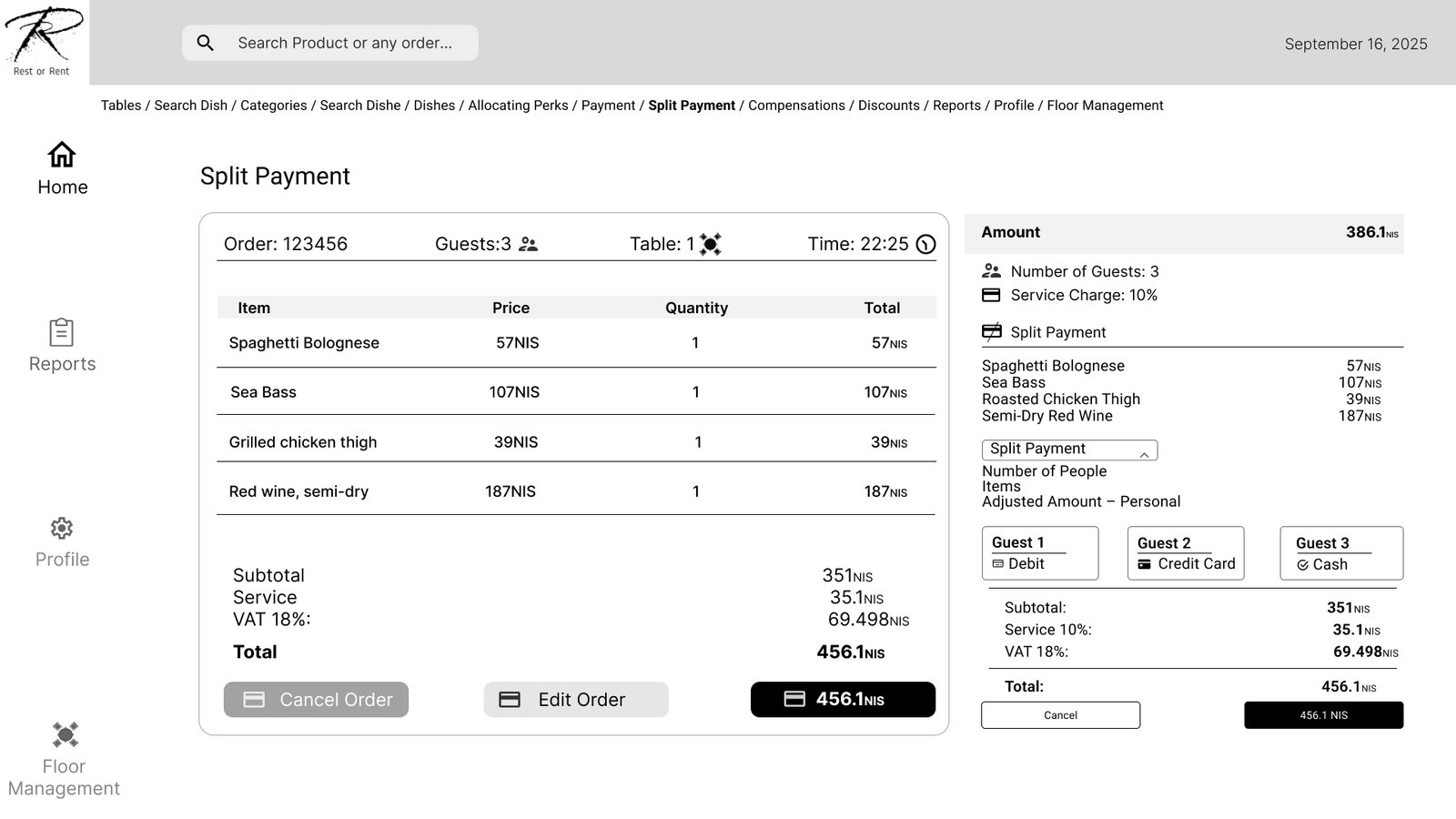
5. Closing the Bill
Mental State: End of meal, customers are in a hurry to leave.
Actions:
- Select the table → “Close Bill.”
- Choose: full bill / split by diner / customized split.
- Receive payment confirmation (card/cash/payment app).
- Clear color-coded confirmation: bill closed.
6. Ending the Shift
Mental State: Tired, wanting to finish quickly.
Actions:
- Access “Shift Summary” screen: number of tables, total sales, tips.
- Confirm end of shift → log out.
Jobs to Be Done
Use Case:
As a waitress in a restaurant,
I want to enter an order for a table with multiple diners quickly and easily
so that each dish reaches the kitchen correctly and without confusion, and the customers receive fast and professional service.
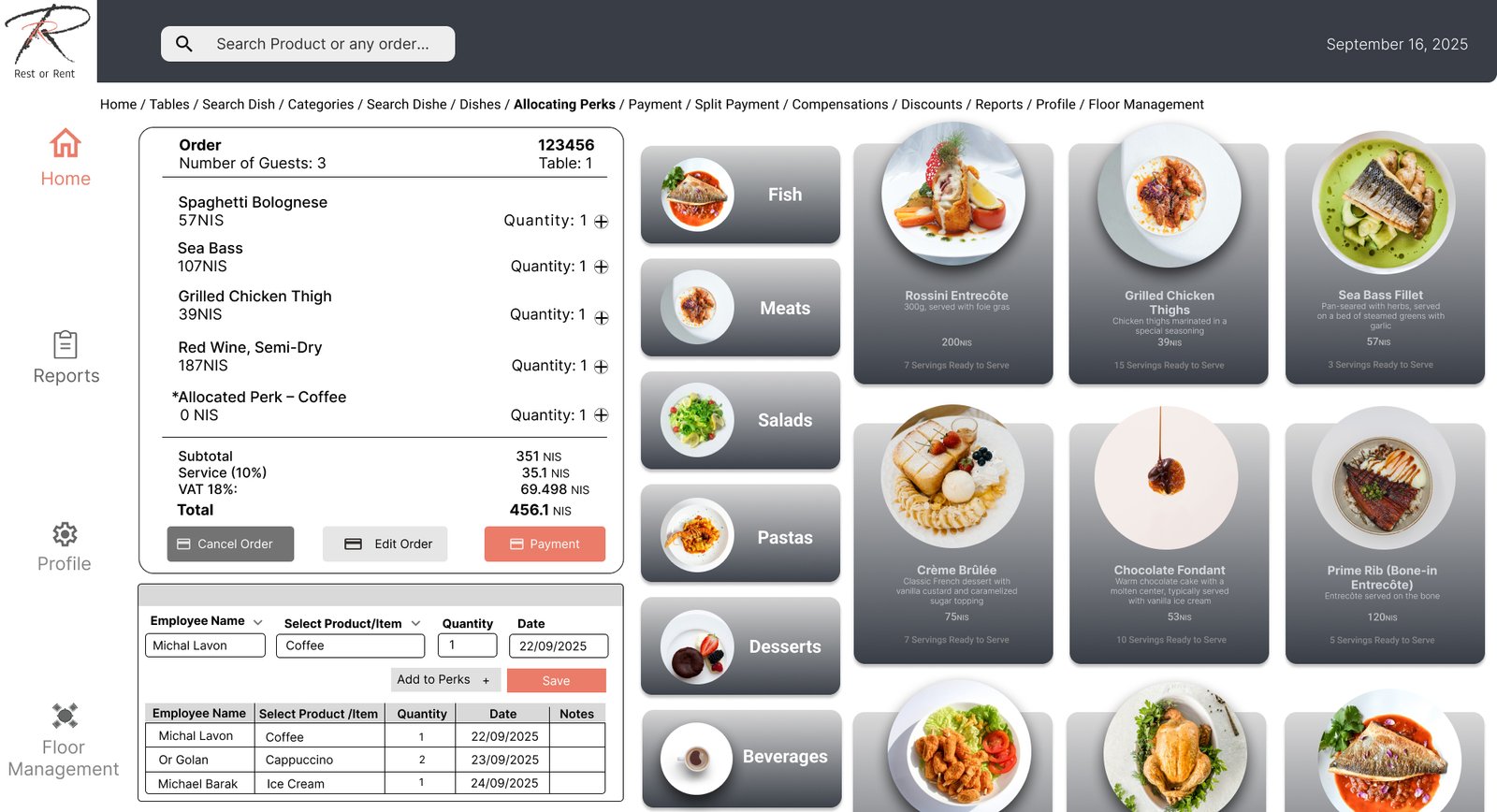
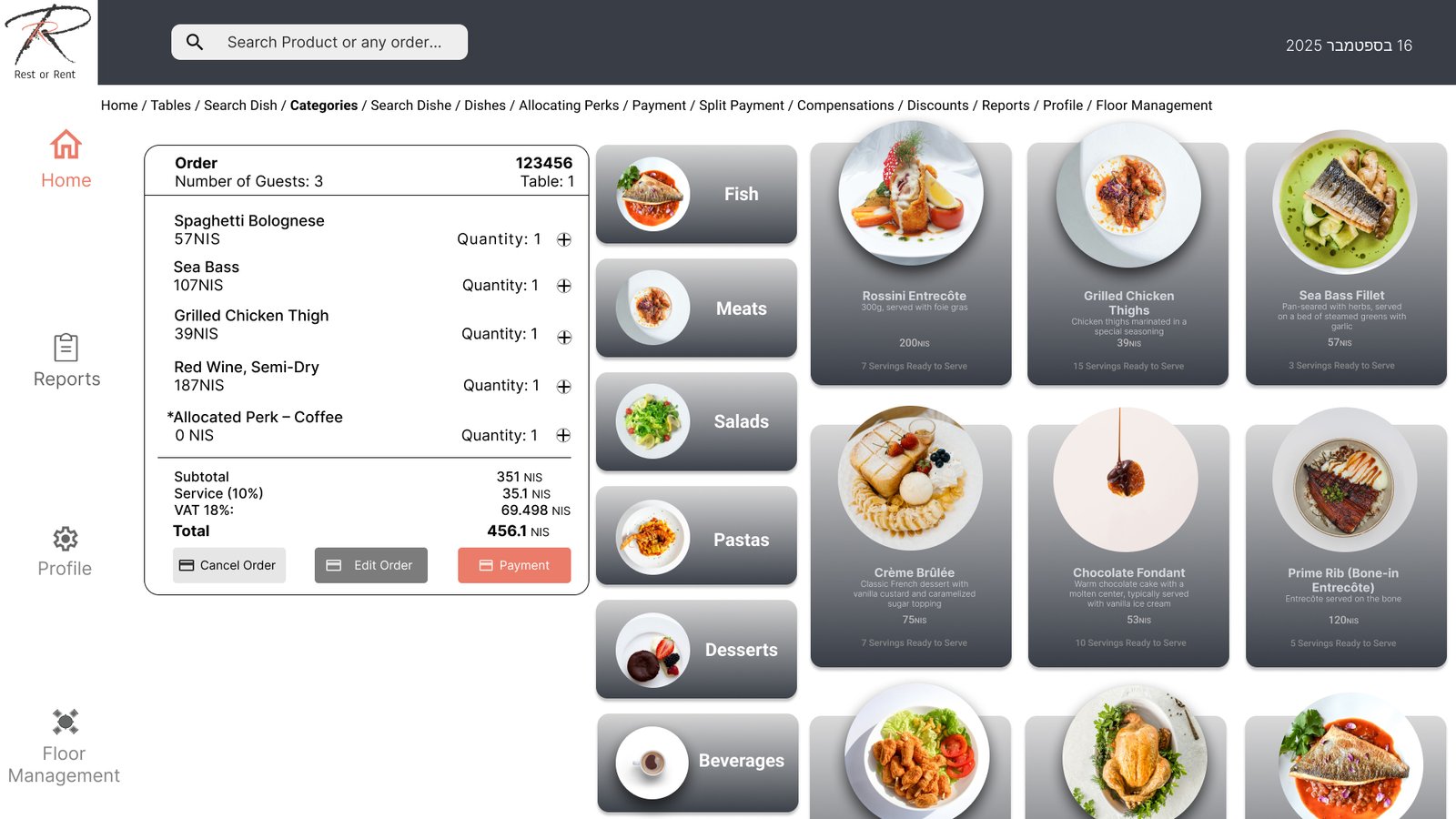
To do this, I access the order entry section in the waitstaff system
and place the orders for all my tables.
Success in my task will be measured by receiving the dishes from the kitchen in the order I submitted them and without delay.
(CPM) Critical Path Method
Or starts his evening shift at the restaurant.
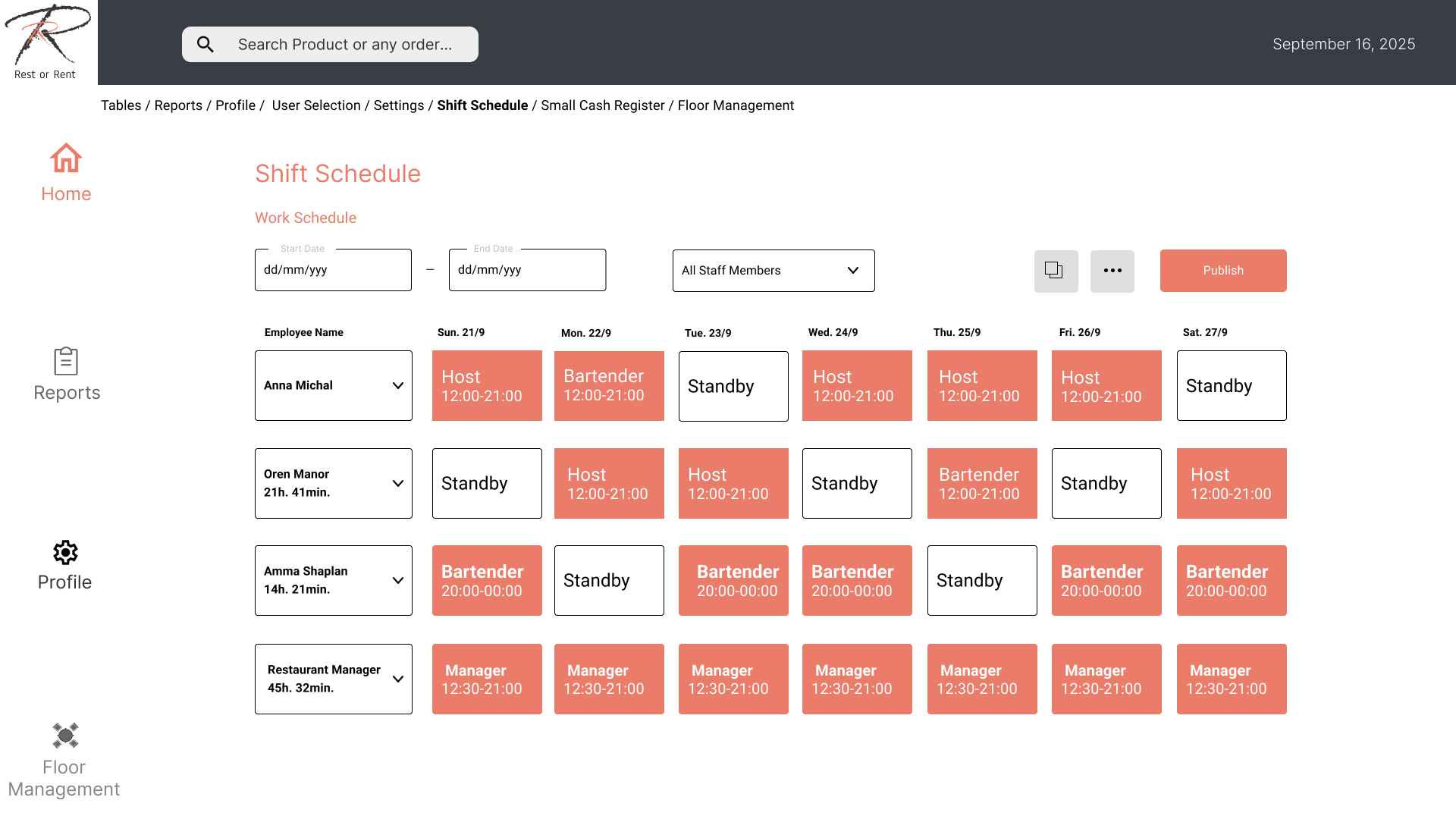
Table 8 has just been seated: a couple with two children.
He opens the tablet, approaches the table, and taps “Take Order.”
Within a second, he selects the table, goes to the “Kids’ Meals” category, and adds nuggets and fries.
The child requests ketchup on the side, and Or edits the dish with a click, saves it, and continues.
The parents order a chicken salad and mushroom pasta, all with smooth, simple clicks.
Finally, Or taps “Send to Kitchen,” and the system confirms: the order has been successfully sent.
He smiles, closes the tablet, and returns to his station.
POS-Floor Management
Designed
Design Solution:
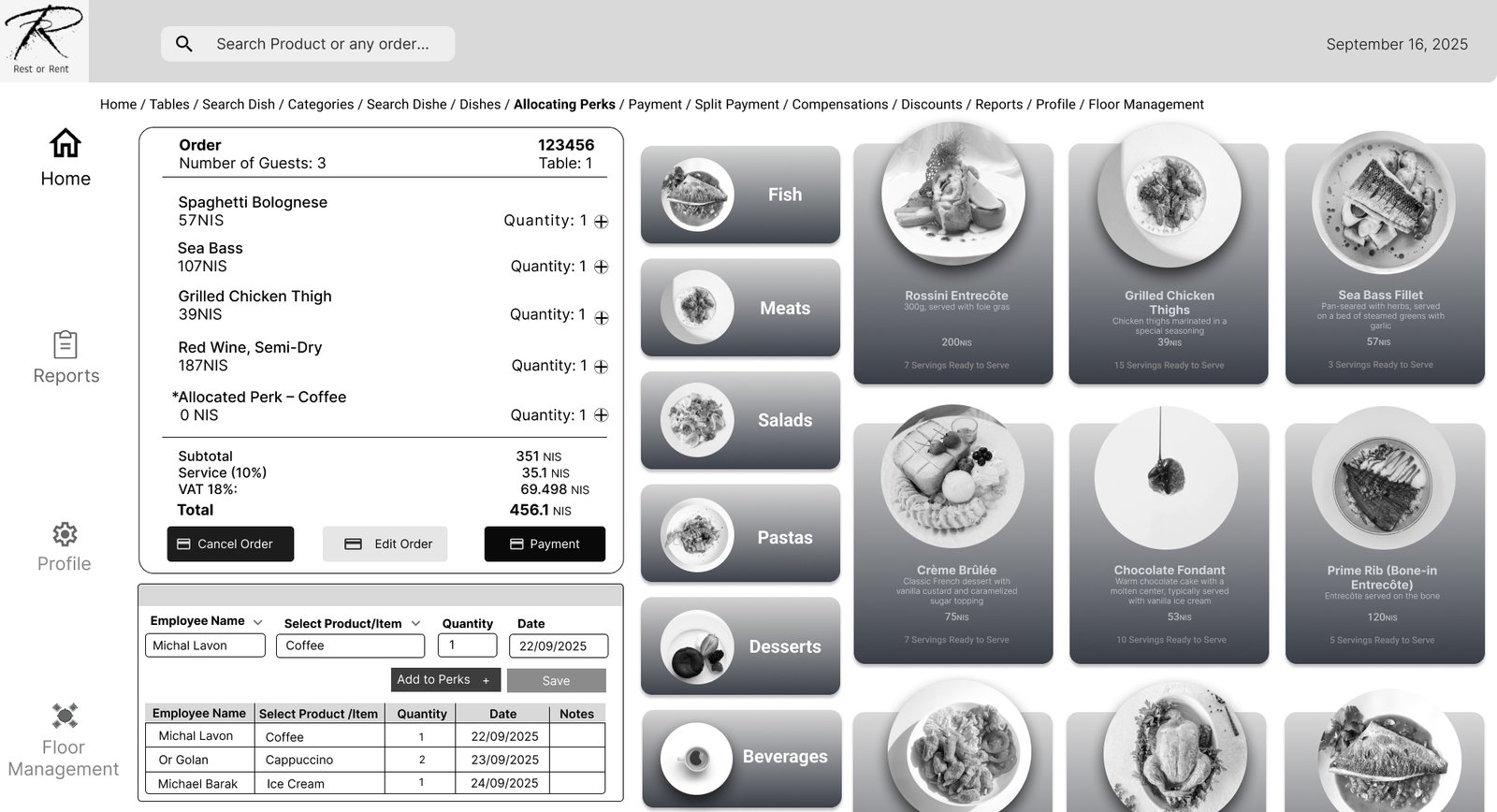
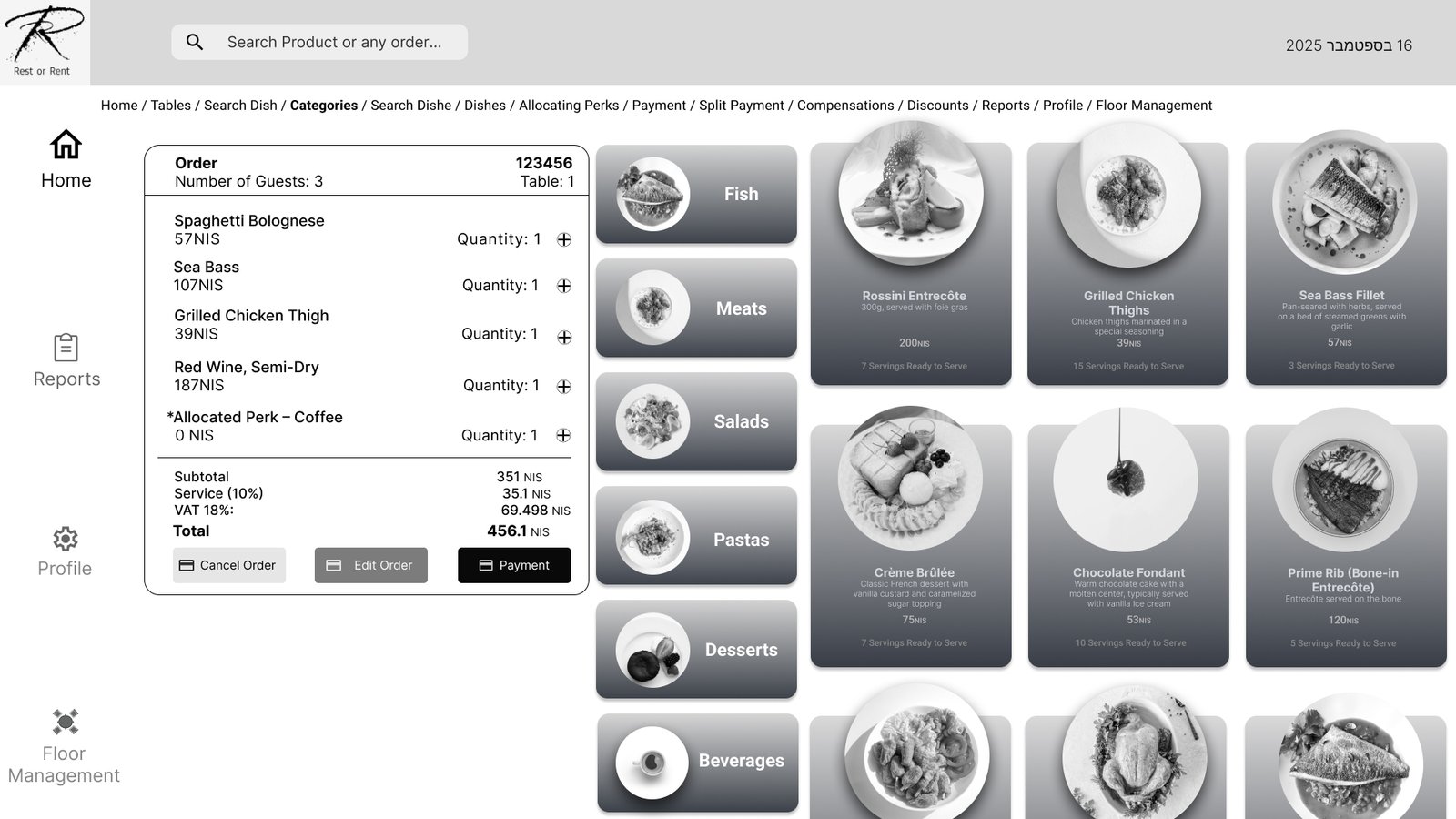
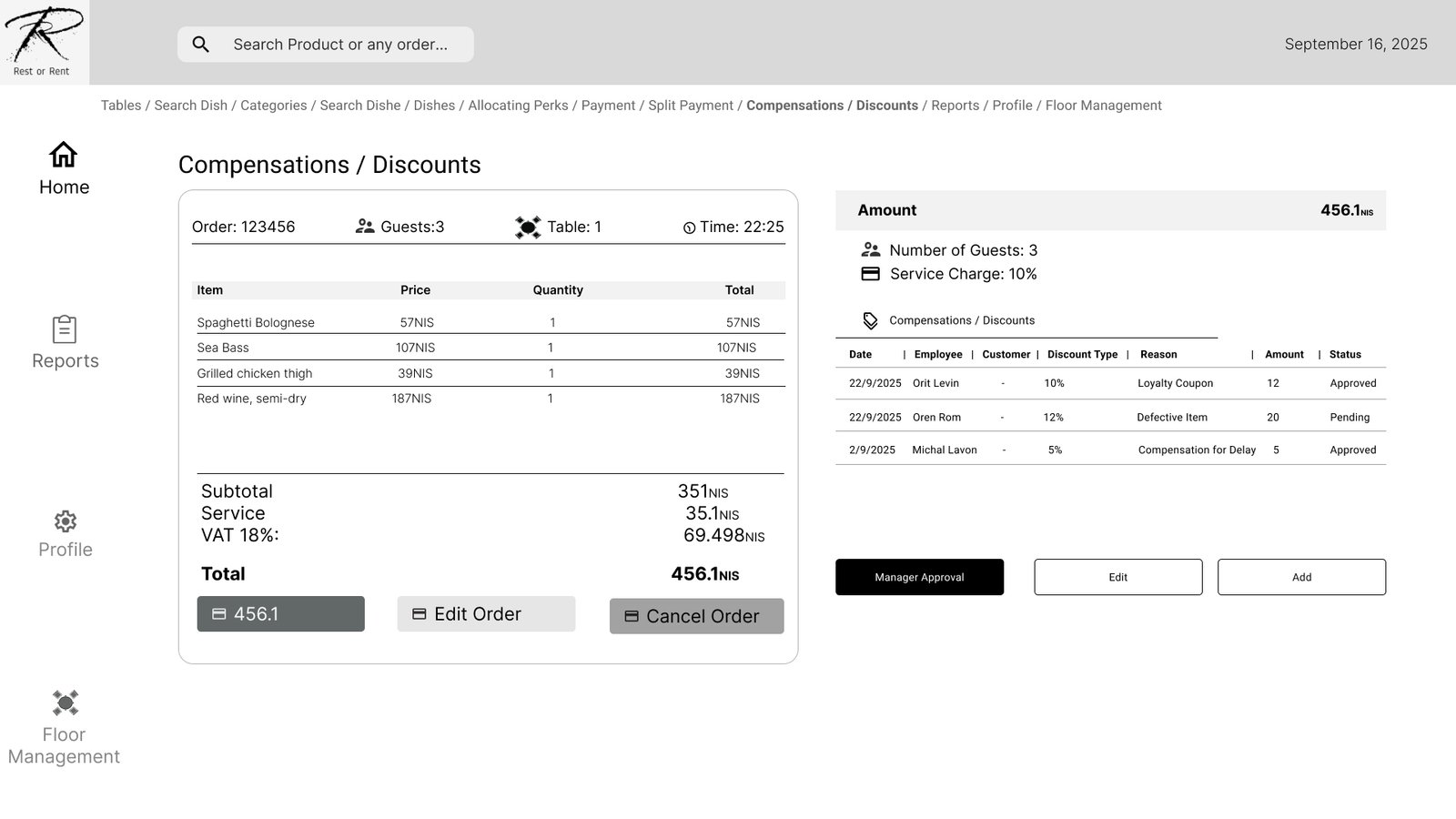
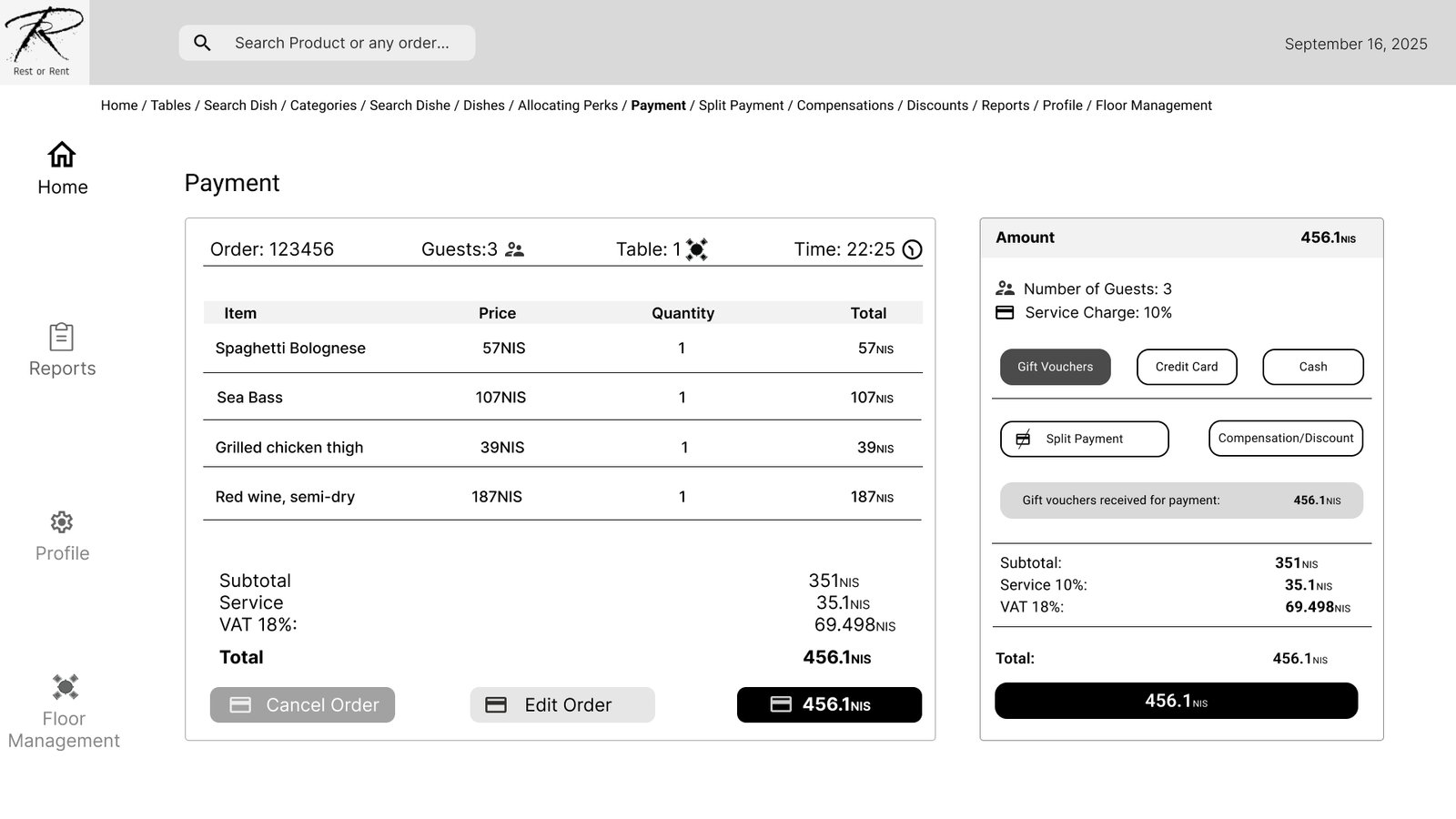
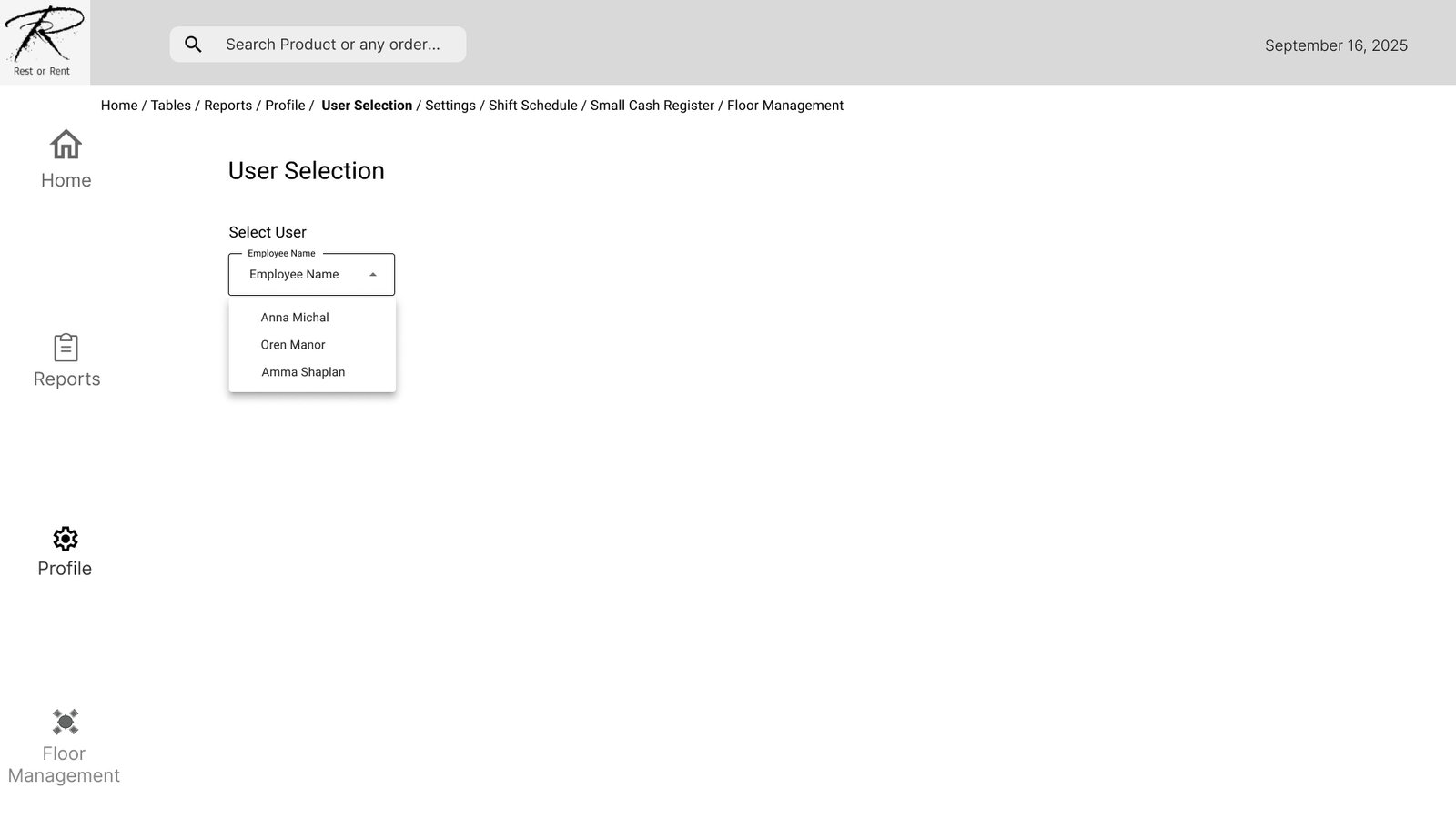
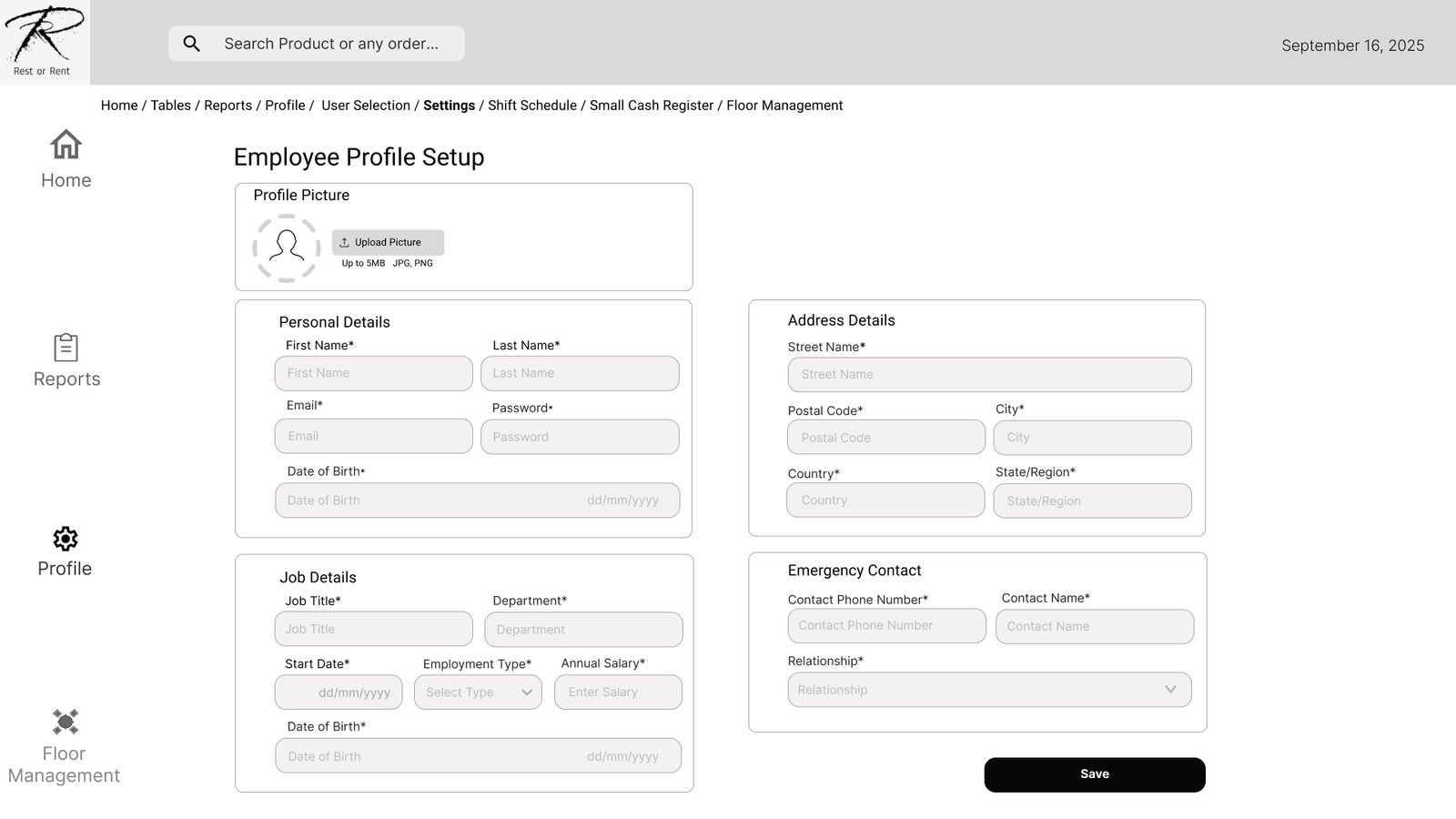
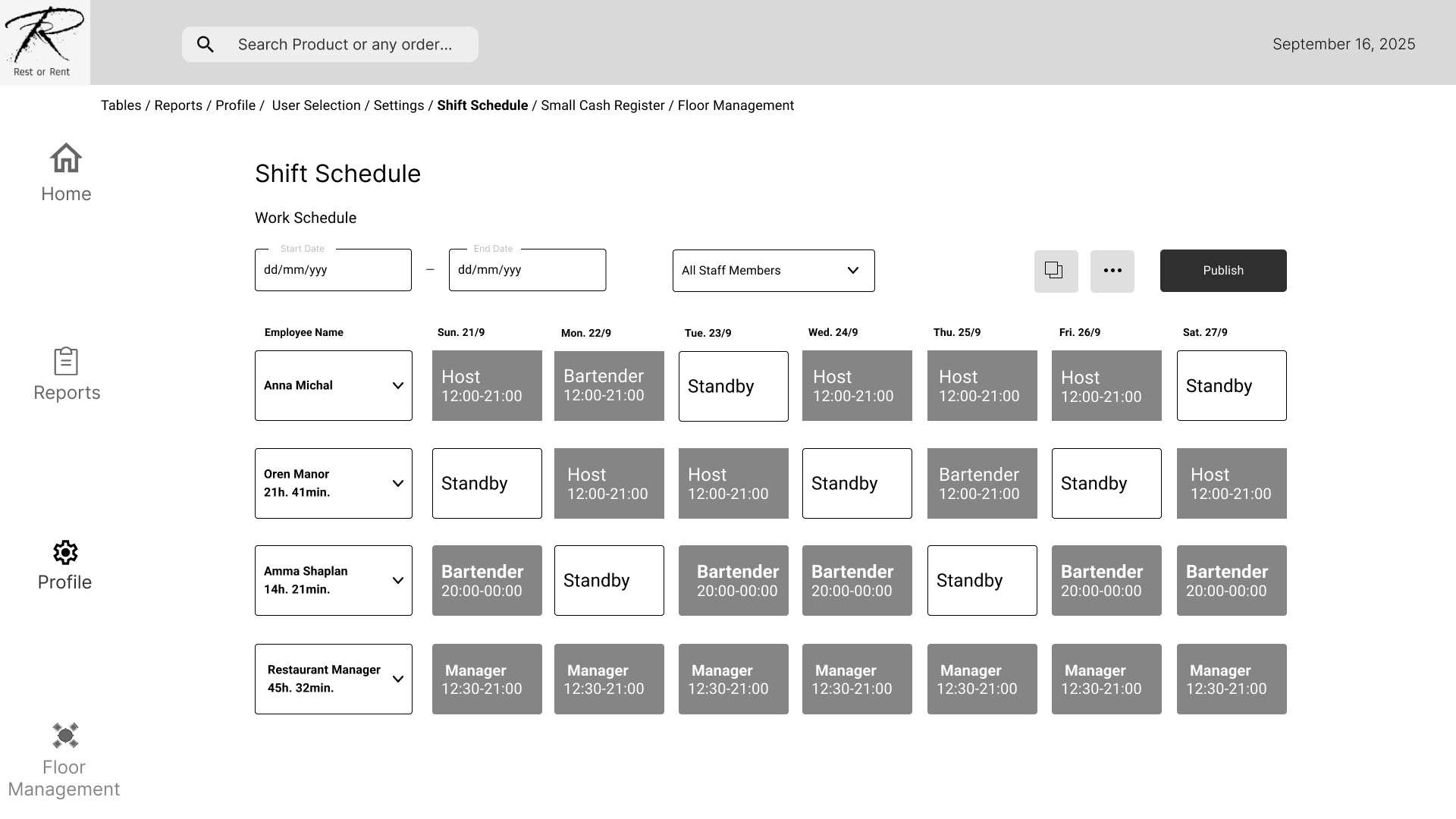
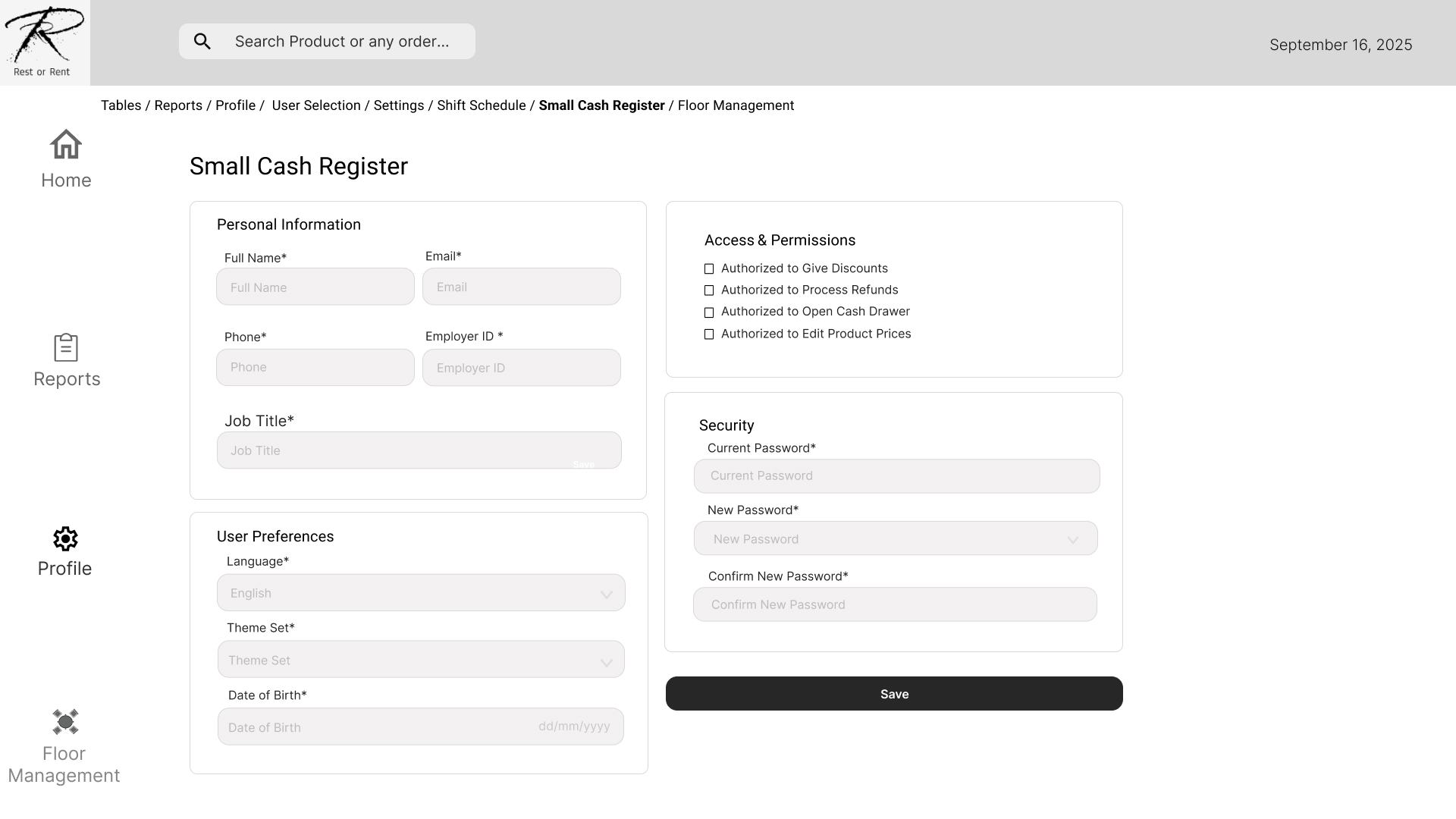
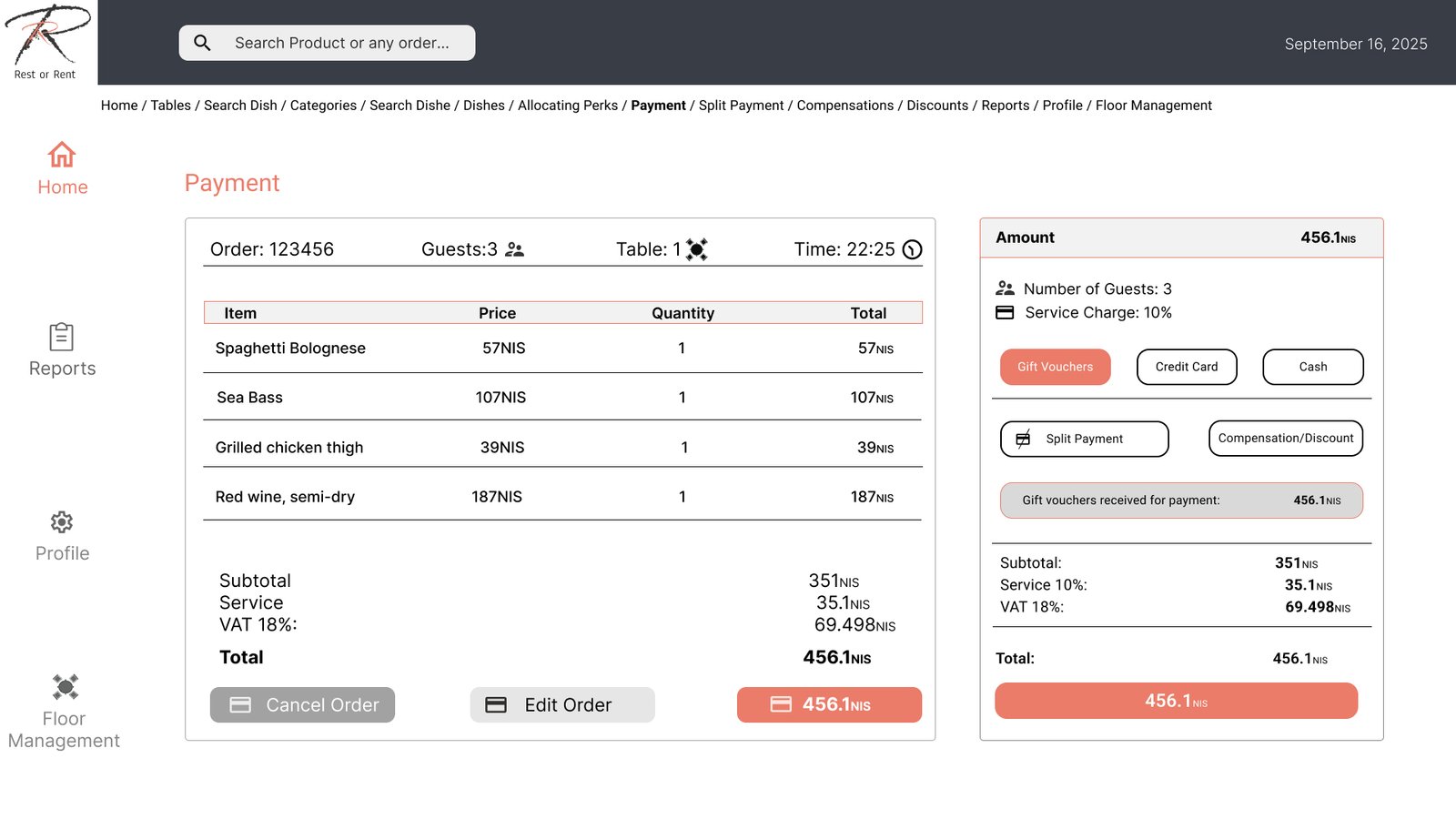
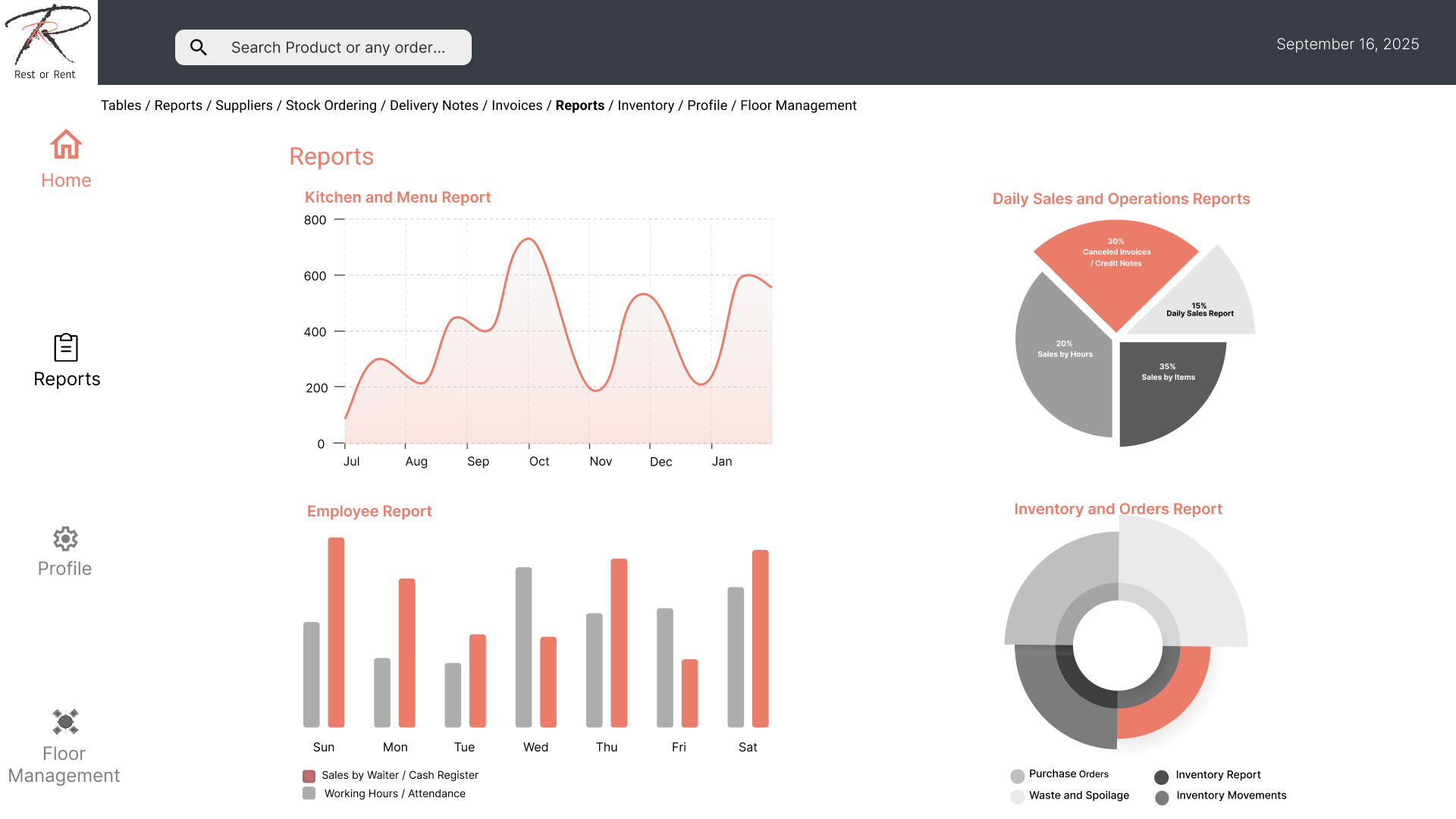
A clean and minimal interface prioritizes essential actions and reduces cognitive load. Clear buttons, organized screens, and consistent UI elements ensure fast and reliable use, even in busy retail environments.
Impact & Results:
The redesign improved transaction speed and user satisfaction. Early feedback from users shows fewer errors and easier onboarding for new staff, contributing to smoother daily operations.